Just got a new camera - Sony F35

15 stops? This would put the F35 above the Alexa. But looking at material from both cameras it's clear the Alexa has more dynamic range.

This thread is 71 pages long, and most of what you ask and say is covered further back.

At the end of the day, more DR isn't a "get out of jail free" card. How the F35 DR is mapped, rolled off, and dealt with is what gives a perceived beauty that is pleasing to the eye.
There are many debates on actual DR vs usable DR, and the rest is just gravy.

No one is saying the F35 has more DR than the Alexa. Some here prefer the Alexa image to the F35, and visa versa.
 
15 stops? This would put the F35 above the Alexa. But looking at material from both cameras it's clear the Alexa has more dynamic range.

Art does go on to say, in the same article, that the bottom two stops are noisy and it's better to look at the camera as 12(+) stops. It's down to what people consider usable, I would agree with Art and at the same time, the 11.3~5 measurement. It seems to ring true so far.
 
Here's a question for you all. Most of the framerates for this camera seem to have two options, such as 23.98P 444 and S23.98P 444. Anyone know what the S stands for or what the difference is?

That stands for select frame rate, choose that if you want "off speeds", ie s25p allows any frame rate from 1 to 25, etc... word of warning, not many recorders support variframe though.
 
I've been working on some half-way scientific tests of the Pix240 on the F3 and F35. My findings are interesting and disappointing:

The setup was each camera going to Pix240 running Aurora (3.0 firmware), recording 422 and 444.

I used a profile chart, purposely over exposed to see where/how each camera clipped and where the superwhites ended. This is the setup with my target. Put some black in there to make sure black was as black as possible. (again, didn't pay much attention to mid-gray, etc).

ScreenShot2013-02-27at95951PM_zps2a42a451.png


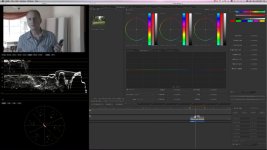
Dropped the files into Resolve and used DATA LEVELS, not VIDEO LEVELS. I'm interested in what each was doing. I pulled the highlights back down to see how they clipped. The line between 896 and 1023 is at 940 (or top of REC709)
This is the result:

F3 at 422 ProResHQ
ScreenShot2013-02-27at95811PM_zpsb7100eb5.png


F3 at 10-bit ProRes4444
ScreenShot2013-02-27at95825PM_zps26f14900.png


F35 at 422 (ProRes HQ) Note that there's a little highlight detail is still there, but not as much as F3 (I kinda of expected this).
ScreenShot2013-02-28at80212AM_zps0b7769da.png


F35 at 444-10 bit (ProRes 4444)
ScreenShot2013-02-28at80230AM_zps0d99f5b6.png


Interestingly enough, 422 showed more expected behavior than 444. So, I placed a call to Sound Devices. Tech support told me that they only support REC709 (0-100) at this time and are exploring LOG and RAW options for a future time. I asked if this was a software or hardware issue and the tech did not know.

For tech-heads, since the F35 only has 1.5G HDSDI, I ran two outputs into a BlackMagic SDI multiplexer to get 3G out to the Pix. I ran the F3 (with paid SLOG) direct to Pix via 3G and via dual 1.5 into the multiplexer and saw no differences.

On an additional side note, the Pix reports seeing 10bit 444 coming from both devices. While the F3 only does 10bit, the F35 does 12, yet Pix reports as 10 no matter the setting between 10 and 12bit. I have yet to determine if this is simply the Pix not reporting what it sees correctly, or if Sony has embedded some flag into their SDI (proprietary, undocumented and secret of course) that requires their recorder on the back to actually honor it.

I have determined through some additional homework that the pins on the main-connectors on the F35 will not even POWER another device, unless an appropriate handshake is done, thus allowing it. (in other words, Sony has locked-down the interface I/O to play only with things they choose to play with). I do not have the resources to actually confirm this, so take it for what it's worth.

Any thoughts or comments are more than welcome here. Enjoy!
 
interesting leaving the candy
i have a aja multiplexer i am going to try today with some dipswitches on the back between 10 bit and 12 bit as choices.
So what are your conclusions based on your test? I can't quite see what is going on.
 
OK just to summarize the problem.
When recording to prores 444, the full range is clipped and only limited range is shown in post. Therefore, the tip of the highlights are clipped, and no matter what levels you select on resolve, or if you try lowering the gain, no chance to recover those.
This is not F35 fault, nor F3, it seems to be prores problem.
Before this, with prores HQ, while a limited range codec, you could select data levels in resolve, and be able to access those clipped highlights. But with prores 4444 that doesn't seem to work.
ALexa encodes their logC as limited range when recording to prores, just to avoid this. But Slog is a full range codec, and whites reach 104IRE.
 
Last edited:
Interestingly enough, 422 showed more expected behavior than 444. So, I placed a call to Sound Devices. Tech support told me that they only support REC709 (0-100) at this time and are exploring LOG and RAW options for a future time. I asked if this was a software or hardware issue and the tech did not know.

Very interesting findings, thanks so much for sharing the tests! (I've never been able to find much detailed info on any of this elsewhere).

Strange about the gamma limitations and inability to record superwhites, was that only for 4:4:4 recording on the PIX? I can't say I've noticed any issues getting the full range out of the F3 in ProRes422 recording to the PIX.
 
OK just to summarize the problem.
When recording to prores 444, the full range is clipped and only limited range is shown in post. Therefore, the tip of the highlights are clipped, and no matter what levels you select on resolve, or if you try lowering the gain, no chance to recover those.
This is not F35 fault, nor F3, it seems to be prores problem.
Before this, with prores HQ, while a limited range codec, you could select data levels in resolve, and be able to access those clipped highlights. But with prores 4444 that doesn't seem to work.
ALexa encodes their logC as limited range when recording to prores, just to avoid this. But Slog is a full range codec, and whites reach 104IRE.


but get me if i'm wrong the benefit of 4444 vs 422 is an increase in how it handles color? yes it is clipping but still the color seems to be true and coming thru kay right?

yes clipping is annonying to not get the full range but workable I assume. I assumed this the whole time I work with Pro Res Hq and s log going straight into FCP - it's always been clipping at 100. This is why people started to recommend shooting to Avid DNXHd.
 
but get me if i'm wrong the benefit of 4444 vs 422 is an increase in how it handles color? yes it is clipping but still the color seems to be true and coming thru kay right?

yes clipping is annonying to not get the full range but workable I assume. I assumed this the whole time I work with Pro Res Hq and s log going straight into FCP - it's always been clipping at 100. This is why people started to recommend shooting to Avid DNXHd.

While on prores HQ, the shots may appear clipped in FCP, you can fix that issue when you go to grading at the end of the day.
However it seems the issue cannot be fixed with the prores444 files.
 
While on prores HQ, the shots may appear clipped in FCP, you can fix that issue when you go to grading at the end of the day.
However it seems the issue cannot be fixed with the prores444 files.

What settings/options have to be adjusted in Resolve to get the full range of the files in ProResHQ?
 
What settings/options have to be adjusted in Resolve to get the full range of the files in ProResHQ?

After you load the files, select them all, right click, clip attributes, DATA LEVELS. There you go. Full range back to your files.
 
Sorry for interrupting your (very interesting) discussion.

But, what kind of ND Filters are you guys using for the F35? IR Cut? Hot Mirror?

Thanks!
 
I shoot ProRes HQ all the time from my F3 to the KiPro Mini. When I screw up and over expose, my footage goes above 100 when I view it in Apple Color. I just adjust the settings in Color so they don't get clipped at 100.
Screen gran color.jpg
 
Back
Top