GH4 Is it possible to take decent stills?

gutterball321

Well-known member
Our photographer was out today so they had me use my GH4 and my 12-35 2.8 and 45mm 1.8 lenses to take a few shots of people hanging out. I used touch auto focus and eye detection and neither worked at all. The camera would focus on their hair or nose and never the eye. The whole thing was kind of flat and the people didnt pop like most $200 cameras. I ended up using a canon t2i with stock lens to get better pictures with a faster shoot speed. Even the 1.8 lens was bad in low light while the t2i was fine with the f/3.5 stock lens.

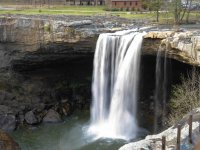
I have got good scenery pics, but can anyone use this camera for quick stills of people hanging out? What focus mode actually works?
 
Use the 49-area autofocus and then just half press the shutter to engage it. It works a lot faster and easier than eye/face detection. Especially at the focal lengths of the lenses you are using, the DOF will be sufficient to get perfect focus.
 
I only have manual focus lenses for my GH4 so I'm not shooting much responsive imagery, but I would presume that especially with Panasonic's lenses one should be able to shoot very decent stills. I only ever shoot in raw for photos so I can manipulate the image as I see fit, and from what I can tell it's very possible to get a great looking image out of those raw files since adobe's latest Camera Raw update supports the GH4.

I don't want to add confusion, but with autofocus on cameras, I would rarely if ever use multiple af points if I needed accuracy. Also I would put the camera to your eye rather than hold it out and use the touch screen.
 
The GH4 takes great stills

Sounds like you need more time to use the Camera
ok but what photo mode do you shoot in? I have it in auto with all the settings for best quality (which isnt a problem), but it doesnt focus correctly in single point mode or eye detection. So for family fun photos what mode for focus would you use? These are fast live shots so no time for manual focus or shooting raw to edit later.
 
Why would you expect to get excellent or even good results without spending any time with the camera before hand ?

Ive used the camera for a while, used the gh3 for a year and the gh2 for 2 years. I got some decent images with the gh2 but the gh3/4 never focus on a persons eye for some reason. always misses and grabs something random to focus on.
 
what are your current settings?

If I set mine to A mode in AFS/AFF mode
In photo menu: AFS, Metering Mode (top choice)
In Custom settings menu: AF-ON, Shutter AF ON, Half Press Release OFF, Quick AF ON, Eye Sensor ON, Pinpoint AF Time MID, Direct Focus Area OFF, Focus/Release Priority FOCUS, AF+MF OFF

With the 12-35, I can point it with a face in any sector of the view, with a half-press it will find an eye and focus, then snap the photo. It'll flub only infrequently

Photos aren't my main thing (I usually shoot in M), but it seems much much much better at this than my GH2 ever was. I think it does take some practice.
 
I don't want to add confusion, but with autofocus on cameras, I would rarely if ever use multiple af points if I needed accuracy. Also I would put the camera to your eye rather than hold it out and use the touch screen.

Totally agree with the idea of putting the camera to your eye. In my experience with the camera (and with the Gh1, 2 and 3 before it), I have never set it to any other type of autofocus other than the multi-area AF. With rare exceptions, the camera has focused on the proper object. My technique is to frame the subject somewhat center, half-press for focus, then quickly reframe to my desired composition. It has worked for me.
But I rarely shoot subjects that are moving unpredictably towards or away from camera.
In any case, the autofocus has been perfectly responsive and accurate for me. The face/eye detection in the Gh4 has worked well too, but the face needs to be turned to camera. As soon as a face turns profile, the camera gets confused and focus is lost.
 
I just came from hiking trip in Lappland mountains. My friends took HDR photos with their Sony cameras. I took 1 exposure RAW photos with my GH4. My processed GH4 photos has as wide dyn range and colors than Sony HDRs. In addition the sharpness and overall definition is better.
 
what are your current settings?

If I set mine to A mode in AFS/AFF mode
In photo menu: AFS, Metering Mode (top choice)
In Custom settings menu: AF-ON, Shutter AF ON, Half Press Release OFF, Quick AF ON, Eye Sensor ON, Pinpoint AF Time MID, Direct Focus Area OFF, Focus/Release Priority FOCUS, AF+MF OFF

With the 12-35, I can point it with a face in any sector of the view, with a half-press it will find an eye and focus, then snap the photo. It'll flub only infrequently

Photos aren't my main thing (I usually shoot in M), but it seems much much much better at this than my GH2 ever was. I think it does take some practice.

thanks, i will try these settings. I have been messing around with settings that people say dont normally work as well and I am getting better results. Instead of single point focus and snapping a picture with the box around someones head, i am getting better results randomly taking images with it set to the 49 point focus and letting the camera guess the focus for me. Thanks for actually posting settings, i have been asking people what they set the camera to for pictures and everyone just insults me and says the camera takes great stills without giving me any information on the settings they use for certain situations.

And Vesku, I am getting some great stills of landscapes, just having trouble with portraits.
 

Attachments

  • photo01.jpg
    photo01.jpg
    114.3 KB · Views: 0
  • photo03.jpg
    photo03.jpg
    70.5 KB · Views: 0
  • photo05.jpg
    photo05.jpg
    78.8 KB · Views: 0
  • photo06.jpg
    photo06.jpg
    59.1 KB · Views: 0
Last edited:
ok but what photo mode do you shoot in? I have it in auto with all the settings for best quality (which isnt a problem), but it doesnt focus correctly in single point mode or eye detection. So for family fun photos what mode for focus would you use? These are fast live shots so no time for manual focus or shooting raw to edit later.

Let me get this right. You put the camera in auto everything mode and you are disappointed with the decisions it made right? Well that's the problem!

Try This:
1. Set ISO to auto ISO, with a max ISO of 3200-6400.
2. If you are not trying to capture fast action, use Aperture priority.
3. Do NOT under any circumstances use all the focus points!! Come on, I really have to say this :). Just use the center one and keep the camera in AFS mode, not AFF or AFC.
4. Do NOT use Cine D! You are not going to grade the picture in the same way as you do film. Use Natural or Standard color setting.
5. Shoot RAW with a large jpeg. I know it takes more space, but Panasonic's jpeg engine is quite good, and if you nail exposure, you can just use the jpeg and not have to worry about processing the RAW.
6. Now point and shoot! But save these settings as one of your custom functions, so you don't have to deal with it over and over again.

I have the reverse problem you have, as I'm a photographer moving over to film/video. Don't feel so bad that I'm giving you crap, as I'm sure in the near future I'll post something about video that is sooooo stupid, you'll have the chance to return the favor!
 
...i am getting better results randomly taking images with it set to the 49 point focus and letting the camera guess the focus for me.

...i just cant get the camera to focus like any other dslr. So using this for family events and fun has been replaced with a cheap little $150 camera until I can get this thing focusing correctly.

Do not use all 49 focus points!!! I repeat!!! This is an important point, Landscape and Portraits are two totally different animals. When you are shooting landscapes (which are often in the distance) you mostly end up shooting at the lens parafocal point, in where everything after a certain point is in focus. Even if it isn't in focus perfectly, it ain't off by so much that it sticks out. One of the reasons you may get better focus with the T2i is because it only has 9 autofocus points to choose from, and they are clustered mostly in the middle of the frame in a cross pattern.

Trust me on this! Use center focus point (with eye detection enabled too) put the box on the face, half press, recompose and shoot. Please forgive me if my giving you grief went to far and I apologize. I was more joking than calling you an idiot :).

I have a shoot tomorrow, my first shoot since selling all my Canon gear, so I will post some shots from that later.
 
I see what you're going for but I follow all if that already except the auto ISO. I never set anything to auto except focus. Yes I know to go to infinity focus for scenery shots (I'm pleased with this camera for scenery shots) and I have always focused for portraits the way you described and it's never accurate. It focuses on the nose or hair with my gh4, never the eyes. I've used a friends canon t3i, 60d, and 6d and they nail focus on the eye no matter where the person is framed.

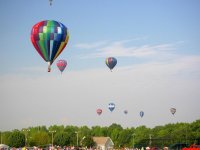
i never shoot in cine-v or d since the first day I got my camera (the hot air balloon pic). I always used the box one point focus and it didn't work, yesterday I experimented and for the first time I got decent focus and it was using the 49 point focus. Would have never tried it if I wasn't bored at work and trying all photo options people said never to try.

ive always done video but new to photography so go easy on me lol. Just trying to find the best portrait settings. And I'm not talking about pro shooting, I don't usually shoot raw or edit photos, I'm just looking to take pics of my family and friends when we are hanging out while keeping them in focus.
 
My settings are usually shoot in manual if I have time to compose a shot, or shutter priority if I'm snapping people. I have never had a problem with face detection/eye auto focus. Now maybe I'm not as picky, that's possible too. If the person is even slightly facing the camera, it seems to lock on quickly and snap the shot and the focus usually turns out great. So I'm not sure how to help on that one. The 20mm F1.7 has pretty slow focusing mechanism, but I use it to shoot stills and haven't noticed a problem. A note to you and others: Can't shoot stills modes in Cine-V/D settings. Just FYI. I usually use the natural setting or vibrant setting, depending on the look I want. Usually I process the RAW files if I really want a good picture. The JPEGs from the GH4 aren't bad, but they aren't usually amazing. Sometimes, if I want to bake in a popping look to the JPEGs, I'll use the custom color setting and choose toy or toy pop. Very saturated, vibrant colors. You can adjust it so it isn't quite so, and so that it has less vignette. It's great for those "terribly oversaturated" (as professionals say) pictures that the average person loves. I'll try to post some examples when I'm back at my home CPU.
 
Why is focusing so difficult? It works like any other SLR. I went and check, and yes this is the second post I've seen in this forum with a very similar issue.
 
I used to have a 60D and I can tell you that there is no facility to hit focus on the eyes shy of pure random luck. :) I'm pretty sure, its some setting that is causing you the focus issue. I believe that if you reduce the size of the AF area (page 101 of the advanced manual), you can expand the selectivity of the focus system.
 
Last edited:
Back
Top