FS7: idiots guide

FIrst shoot (1080). Well all very rushed. LUT on the onboard, but no LUT on my SmallHD - which I needed to see in the sun - so viewed log with no exposure tools - so really exposure is a guess - too thin Id say, by a lot.

The codec feels a little weak, - hopefully I can get fatter 'negs' next time.

The colour is completely lovely - one lut and a quick peddle - done -this is nothing like the experience I have had from any other camera.

150 FPS is completely mental!

S
 
Looks nice Sam.

With the issues over LUTs and waveforms, I've been shooting custom mode at EI2000. No LUT. No pushing. No pulling. It's not perfect, but I can see exactly what is going on. You just need to keep an eye on the noise floor.
 
If I can get my HDMI monitor working with a lut Ill be putting EI to 500 and going from zebras to keep a thick file.

I think this is possible. Just wasnt set like that in the heat of battle!

S
 
Those look great Sam! Looks like you're getting a MUCH better look out of the box than you've managed to wrangle from SLOG on the F3.
 
Those look great Sam! Looks like you're getting a MUCH better look out of the box than you've managed to wrangle from SLOG on the F3.

Thanks - this camera just makes sense to me with proper LUTs available both in camera and in post - I feel good about that.

S
 
BTW:

WFM in CineEI works if:

VIDEO
- Monitor LUT: all OFF or all ON
- Output Format: 1920x1080 on both (HDMi+SDi)

SYSTEM
- Lens: Distortion Compensation: Off!!!

this is not working for me


EDIT: BUT THIS IS :)

From the amendments to the manual:

Video Signal Monitor Restrictions
Video Signal Monitor cannot be used if the SDI output is disabled.
Check the following settings:

  • [Output On/Off] >[SDI] in the Video menu
  • [Output Format] >[SDI] in the Video menu


Video Signal Monitor cannot be displayed under the following conditions:
  • When [Output Setting] >[4K/2K to HD Conv.] in the Video menu is set to [Edge Crop]
  • When [Monitor LUT] >[SDI1&Internal Rec], [SDI2], [HDMI], and [Viewfinder] in the Video menu are set to mixture of [MLUT On] and [MLUT Off]
 
Last edited:
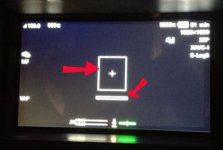
Thought it was a focus tool - anyway its a horrid distraction.

Also annoying that 'display' which cleans the screen also turns the tally light off.

S
 
I know I should probably RTFM!

Now I had an enquiry for a 4k job but with a same night 'social media' teaser edit - which would have to happen on a laptop in a hotel.

Can I shoot 4k on one card and HD on another.. at the same time?

S
 
Cool. Ignore me then. Damn my assumptions...

IHNIWIAD.jpg
 
I know I should probably RTFM!

Now I had an enquiry for a 4k job but with a same night 'social media' teaser edit - which would have to happen on a laptop in a hotel.

Can I shoot 4k on one card and HD on another.. at the same time?

S

I think not:

This is what RTFM says:

  1. Y ou can simultaneously record using bothmemory cards A and B.
    Set Simul Rec >Setting in the Recordingmenu to “On.”
    Simultaneous recording is not supported in Slow &Quick Motion mode (page 77) or Picture Cacherecording mode (page 77).
    Also, simultaneous recording is not supported for thefollowing recording formats
    (page 82).
    NTSC Area
    XAVC-I
    3840 × 2160 59.94P, 3840 × 2160 29.97P,3840 × 2160 23.98P, 1920 × 1080 59.94PXAVC-L
    3840 × 2160 59.94P, 3840 × 2160 29.97P,3840 × 2160 23.98P
    RAW (with XDCA-FS7, HXR-IFR5, and AXS-R5 connected)
    4096 × 2160 59.94P, 4096 × 2160 29.97P,
    4096 × 2160 23.98P, 2160 × 1080 59.94P,

    2160 × 1080 29.97P, 2160 × 1080 23.98P
    RA W & XA VC-I (with XDCA-FS7, HXR-IFR5,and AXS-R5 connected)
    4096 × 2160 59.94P, 2160 × 1080 59.94P
    PAL Area
    XAVC-I
    3840 × 2160 50P, 3840 × 2160 25P,
    1920 × 1080 50P
    XAVC-L
    3840 × 2160 50P, 3840 × 2160 25P
    RAW (with XDCA-FS7, HXR-IFR5, and AXS-R5 connected)
    4096 × 2160 50P, 4096 × 2160 25P,
    2160 × 1080 50P, 2160 × 1080 25P
    RA W & XA VC-I (with XDCA-FS7, HXR-IFR5,and AXS-R5 connected)
    4096 × 2160 50P, 2160 × 1080 50P
 
Back
Top