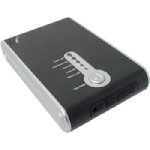
I bought the Mwave drive last year after reading about it here. Then I never needed it and it sat around waiting for me to get free time to try and figure it out again. Now that I am I see it isn't quite as simple as I would like. To make it worse the 1 search every 60 seconds here is making it way too tough to effectively find answers.
I thought that I might make a thread that leaps out for those poor saps like me who can't seem to help themselves.
So anyway, I am looking for info on how to connect this drive to my HVX and suck off the media from the P2 cards. I will be glad to take any pointers or links and clean up the info and place it here if it will help others in the future.
Thanks
I thought that I might make a thread that leaps out for those poor saps like me who can't seem to help themselves.
So anyway, I am looking for info on how to connect this drive to my HVX and suck off the media from the P2 cards. I will be glad to take any pointers or links and clean up the info and place it here if it will help others in the future.
Thanks