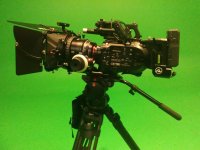
FS7: Help! Green Screen After Reffects in Custom Mode

Just to be clear, I'll say it again . . . total waste of time to convert XAVC-I to ProRes. If someone feels that process is necessary, they are doing something wrong or using some pretty slow hardware. Either way, it is a waste of time to convert. Solve the root issue instead and get on with life. Time is money.
 
Doug , Is that true for all the majors i.e. - FCPX, Resolve and Premiere these days?

I'm still making the conversion from FCP7 and only getting some new hardware tomorrow. ( editorially just a little behind the times here :)
 
Premiere Pro is amazingly slow with the EOS R ~400Mbps ALL-I H.264. If XAVC-I is similar, I wouldn't blame anyone for transcoding to ProRes, DNxHD, or Cineform (actually the best of the bunch; too bad Apple banned it).

Using a fast 6950X 10 Core, 64GB RAM, GTX 1080, M.2 SSD and PP CC, ALL-I H.264 plays fine (including many clips at once in 4K; same with 10-bit H.265), however for rapid scrubbing around footage & editing, ProRes (and similar) is way faster and lag free. I recently had to cull through 45+ minutes of footage to get 3 minutes of final (doc/verite): I rendered all the clips as a single ProRes LT file and used that to create the edit (easy to swap out for the original clips). So much nicer editing with lightning smooth as butter vs. typical PP CC stuttering and waiting for it to catch up when scrubbing around quickly.
 
Doug , Is that true for all the majors i.e. - FCPX, Resolve and Premiere these days?

I'm still making the conversion from FCP7 and only getting some new hardware tomorrow. ( editorially just a little behind the times here :)

Yes, for Resolve and Premiere. I don't use FCPX so can't speak to that.

Finally getting rid of FCP7 huh? Welcome to 2012. I jumped from FCP7 to Premiere about that year and never looked back. I should have done it sooner. The productivity you have lost over the last 8-9 years by hanging onto FCP7 would probably shock you if such a metric could be calculated. Did I already mention that time is money? :-)
 
Premiere Pro is amazingly slow with the EOS R ~400Mbps ALL-I H.264. If XAVC-I is similar, I wouldn't blame anyone for transcoding to ProRes, DNxHD, or Cineform (actually the best of the bunch; too bad Apple banned it).

Using a fast 6950X 10 Core, 64GB RAM, GTX 1080, M.2 SSD and PP CC, ALL-I H.264 plays fine (including many clips at once in 4K; same with 10-bit H.265), however for rapid scrubbing around footage & editing, ProRes (and similar) is way faster and lag free. I recently had to cull through 45+ minutes of footage to get 3 minutes of final (doc/verite): I rendered all the clips as a single ProRes LT file and used that to create the edit (easy to swap out for the original clips). So much nicer editing with lightning smooth as butter vs. typical PP CC stuttering and waiting for it to catch up when scrubbing around quickly.

I grade with Resolve 16 and I edit with Premiere on nothing but MacBook Pros. No hiccups or slow downs with any codecs. Not with XAVC-I, not XAVC-L, not H.265, and not 16-bit RAW from my F55. It all plays smooth as butter with no time spent transcoding or hard drive space wasted storing a boat load of bloated ProRes files. And no time wasted swapping proxies for full-res files. What is this 2010? Think of the time you are wasting.

What a lot of people fail to realize is that it is really the speed of your drives that matters more than raw processing horsepower.
 
Premiere Pro is amazingly slow with the EOS R ~400Mbps ALL-I H.264. If XAVC-I is similar, I wouldn't blame anyone for transcoding to ProRes, DNxHD, or Cineform (actually the best of the bunch; too bad Apple banned it).

Using a fast 6950X 10 Core, 64GB RAM, GTX 1080, M.2 SSD and PP CC, ALL-I H.264 plays fine (including many clips at once in 4K; same with 10-bit H.265), however for rapid scrubbing around footage & editing, ProRes (and similar) is way faster and lag free. I recently had to cull through 45+ minutes of footage to get 3 minutes of final (doc/verite): I rendered all the clips as a single ProRes LT file and used that to create the edit (easy to swap out for the original clips). So much nicer editing with lightning smooth as butter vs. typical PP CC stuttering and waiting for it to catch up when scrubbing around quickly.

XAVC-I isn't similar to H.264
My system is older than your one, except for the video-card, I have no problem with XAVC-I. or other codec, 4K or HD. I edit in Resolve 16 and converting my XAVC-I would take lots of time and disk space.

So I agree with Doug. Except that time is not money. It is far more valuable.
 
As noted, playback is fine, even with H.265. That box though a few years old is still about as fast as you can get for editing video in PP CC. I'm also a developer and write code dealing with codecs, compression, decompression, CPU, shaders, as well as plugins for Premiere Pro, 3DS Max etc. I'm talking about rapidly scrubbing without any lag. There's no way to get lag free scrubbing with PP CC with ALL-I H.264 (EOS R), or H.265 (again, both play back fine, including for multiple clips at once). IBP is even worse regarding scrubber lag (though again, plays like better, including multiple clips).

Cineform is more efficient than ProRes or DNxHD, though no longer an option on OSX.

In summary, if transcoding or using proxies helps speed up editing for one's current combination of codec, computer, and NLE, by all means do it. If one thinks there'll be an increase in quality somehow by going to e.g. ProRess 4444, that indeed is a waste of time and space (except in rare cases where there's some kind of bug or performance boost and round-tripping is a viable work-around (including super complex layer/effects; bake in to save CPU/GPU) vs. turning off effects and not being able to really see what's going on).
 
Trying to decide now whether I should cut in Premiere or Resolve now that I will have a faster machine . Resolve is tempting and I finally have the power to use it. The price is certainly right as well. But most people I know use Premiere and there is value in being on the same page.

Doug - what are the specs on your Macbook pro?
 
Doug - what are the specs on your Macbook pro?

I have three MacBook Pros: Two mid-2014 models that I travel with and use for business applications, and and a more modern one I bought a year ago in December 2018 that I now use for my hardcore grading/editing/graphics work.

2.9 GHz Core i9
32GB ram
Radeon Pro Vega 20 4GB
Intel UHD Graphics 630 1536MB
Running 10.14.6


I have a Blackmagic UltraStudio 4K connected and I feed four external monitors, for a total of five monitors with the MacBook's 15" screen.

My main editing drives are two 5-year old 4TB Thunderbay SSDs connected via Thunderbolt.

Even the mid-2014 Macs are good enough for editing and grading most 4K codecs. I can't get totally smooth playback in Resolve for grading 4K RAW, but I don't need totally smooth playback while grading because I'm really just grading freeze frames.
 
Last edited:
Also.... Don't shoot W A O when shooting green screen, either*. Shooting with a deeper depth of field will help give better separation with your subject and background.

*presuming single subject without other people/physical objects stacked behind/in front of subject that need to be shot at a certain DoF.
 
Just to add my 10p worth:

If the footage is a bit grainy, neat video will clean it up for better keying. A lot of the requirements / desirables for green screen shooting (minimal motion blur, deeper DOF) are solvable with more light or more gain. Neat video will give you a couple of extra clean stops if you're at the end of the lighting budget.
https://www.neatvideo.com

Shooting in 10bit vs 8bit, H264 vs ProRes (or other intermediate codec): These can and will make a difference but probably not as much as you would expect from looking around on forums. In-camera codecs are pretty amazing these days and ProRes isn't magic.

You can get much better results using some kind of multi-stage keying in AE. Something like this: https://www.stevenolver.com/triple-pass-keying-in-after-effects/
 
Just to add my 10p worth:

A lot of the requirements / desirables for green screen shooting (minimal motion blur, deeper DOF) are solvable with more light or more gain.

Andy9 brings up two good points -- and both involve the fact that it's more difficult to deal with blurred edges (where green mixes with the edge of a person or object) than sharp ones. When shooting with significant movement I sometimes go with a faster shutter speed (1/120) and task the post people with adding motion blur after the green is removed.

I also should emphasize that when shooting with a 4k camera you really can get a better key from 4k (or UHD) footage than you can from 2k (or FHD). Sharper edges and more detail (that's real detail - not image enhancement!) make for cleaner edges and an easier key.

I'm also a firm believer in maximizing pixels - so I bring along a 90 degree camera rig to mount the camera on its side whenever there's a chance that the shot will be a head-to-toe of someone just standing there.
 
I'm also a firm believer in maximizing pixels - so I bring along a 90 degree camera rig to mount the camera on its side whenever there's a chance that the shot will be a head-to-toe of someone just standing there.

Completely. And 4k. Still the fs7 is not awesome. HD = major user/producer error.
 
Hi Doug: I'm always grateful for your comments,
and am learning a lot from this thread, especially that providing sample footage here is super important.

I really appreciate the fact that you participate in this forum and I have your FS100 DVD and FS7 Book,
and have subscribed to your fS7 Master Class and Grading in Resolve Videos.

So, it should be no surprise that all my settings in both Custom Mode and S-Log...
are exactly the ones that you recommend, lol!

I must say however that I shoot in 4K S-Log and haven't shot in Custom Mode or HD for over a year.

In this case I was shooting my FS7 in Custom Mode & HD XAVC-I with a 180 degree shutter.
The lighting and camera were both 3200K. Shooting with Xeen lenses at T2.8
In most cases there was about 25 to 30 feet of separation between talent and the green.

VFX is not my specialty, but for standard live-action dramatic narrative I find the internal XAVC Codec
to be just fine. One reason I really love the FS7 is that it is a clean machine without a separate recorder
box. I've also learned to love the stock viewfinder and the digital level horizon display.
I also have an IKAN 12" Monitor on a roller stand alongside the camera using SDI.

What is ironic is that there was also some 240 FPS slow motion on this project for which I rented an
Odyssey 7Q+ and the Extended Back for the camera. I only used the Odyssey for the high speed, but
with the extended back, I suppose that I could have recorded all the live-action to ProRes on the XQD Cards.
I chose instead to go with what I'm familiar with... QAVC, as figuring out the Odyssey for the first time
already had my hands full. (BTW, the slow-mo came out great!)

Again, a really BIG THANK YOU to EVERYONE for your help here!
 
Last edited:
That's why a lot of folks hang out here at times Cynthia. What you find here on the whole is a pretty knowledgeable bunch of people. I have had quite a few misunderstandings, queries etc sorted out here plus picked up some useful tips. Just glad dvxuser isn't a cafe down the the block. I get stuck there!

Chris Young
 
Cynthia .. has a "real" editor actually had a go with this footage .. honestly it sounds alot like user error in post .. so far 100% record .. any time I have got some message from post about my camera having a "problem" it has always been their (post).. screw up.. ever time .. green screen isn't rocket science any professional DP can shoot a decent green screen.. Fs7,that lens XAVC I .. HD .. they should have zero problems ..if they know what they are doing .. doesn't sound like it TBH.. directors shouldn't pretend to be FX editors .. always ends in tears to save a few bucks .. its almost impossible to totally screw up green screen these days .. 10 year olds are getting keys off bed sheets with iPhones ..
 
Back
Top