mrmccormack
Active member
Hey...
I want to produce a Quick Reference Card for the most basic
things about recording audio - and need some help from the pros here on dvxuser forum.
The baseball-sized card will be printed on both sides,
it will be released under Creative Commons License so anyone could print it.
WHY?
It so easy for people not to know the basics, with so much emphasis on high end equipment
and software. This card will hopefully reinforce the most basic things, and can fit in camera bag.
I read this somewhere, a while back.
"I'd rather have a sound pro with 20 years experience and a $20 microphone
than an amateur with no experience, who looks like a pro, with a $2,000 microphone"
I've been learning audio for a couple years, in my spare time, I'm a novice,
it's really hard to get good audio.
Here are some of my points so far, but would appreciate input.
Audio Recording- TIPS you got to know:
Thanks, any suggestion/corrections/additions would be greatly appreciated.
~Rob
A got a few tips from:
Thanks Alex H.
http://www.dvxuser.com/V6/showthrea...as-main-audio-for-550d&highlight=audio+basics
and thanks to
Scott Koue for his help too.
I want to produce a Quick Reference Card for the most basic
things about recording audio - and need some help from the pros here on dvxuser forum.
The baseball-sized card will be printed on both sides,
it will be released under Creative Commons License so anyone could print it.
WHY?
It so easy for people not to know the basics, with so much emphasis on high end equipment
and software. This card will hopefully reinforce the most basic things, and can fit in camera bag.
I read this somewhere, a while back.
"I'd rather have a sound pro with 20 years experience and a $20 microphone
than an amateur with no experience, who looks like a pro, with a $2,000 microphone"
I've been learning audio for a couple years, in my spare time, I'm a novice,
it's really hard to get good audio.
Here are some of my points so far, but would appreciate input.
Audio Recording- TIPS you got to know:
- Get the mic as close as you can
- The built in mics on cameras are lousy- for decoration only
 - but handy to sync externally recorded audio
 - Mounting and external mic/recorder on the camera is the worst and last place to consider
- Consider audio levels on portable recorders (like Zoom H1, H2, H4n) to peak about -10dB
- For film/video record .wav format at 48kHz
- Turn OFF or remove anything you can, clocks, fridges, open windows etc.
- Never say these words "Don't worry, I'll fix that in post"- don't fool yourself and think it is less work in post, to fix things
- Allow 5 seconds before record audio, and 5 seconds after
- Record a minute of ambient sound or room-tone, you may need that to fill in gaps in post
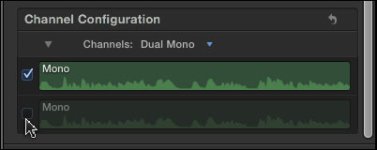
- Record dialog in MONO, stereo can only lead to problems
- Use a pop filter whenever you can
- use foam on mic, or a dead cat if windy
- spend a very long time learning how to "listen"
- Take a few takes, even if the first one sounded great, try recording at different levels
- Don't by an expensive mic, until you master a cheap one
- Buy some moving blankets ($20/each) to deaden the area you are recording,try them on the floor to muffle footsteps, hand them somewhere in room, the difference is noticeable
- Buy a good set of headphone, these a widely used by pros $84. http://www.bhphotovideo.com/c/product/49510-REG/Sony_MDR_7506_MDR_7506_Headphone.html
- Take your time, do not rush
- Have the manual for your recording device in the case, there's always a lot to learn from it
- After recording, listen to audio on "monitor speakers"
- If you are recording an interview, provide cue cards written on foam board for your talent, non-pros will mess up even a few lines
- When recording device is on table, like on a small tripod, but foam bad under it (it will pick up noise from desk if you don't)
- Portable recorders all suffer from handling noise. buy one of these, or make a DIY version http://www.bhphotovideo.com/c/product/823279-REG/BARSKA_AF10926_ACCU_Grip_Camera_Pistol_Grip.html
- Use a lavalier when practical, and learn how to hide it under clothing, or as part of the set
- the day before you shoot/record - go and do a bunch of sample recording on the location
- Know that it is a very noisy world, as you learn to listen you will discover your brain has been filtering out all these unwanted noises your whole life, but a recording device has no such capability
- transfer your recording from the SD card to a computer as soon as you can, them make another back up to Dropbox (any cloud solution)
- Don't blow in the mics, snap your fingers
- Learn how to wind up a cord- why did this pro, working at the highest level in audio, say
"Easily the most important thing I have ever put on the internet. Seriously."
http://randycoppinger.com/2011/09/28/how-to-properly-roll-cable/ - If your recording clips, do something about it, turn down gain, or move mic further away, or tell talent/actor to not speak so loudly
- Recording far too loud, is worse than far too soft (not sure about this one guys, they are both bad)
- Use a boom pole, even a DIY one, your recorder can be mounted at the end of boom pole. Rest the boom pole on the top of your shoe between takes, not on the ground
- at the end of the recording session, after everyone leaves, take a moment to record, at close range, any sound effects you may want to use, like door's closing, anything that might be useable in post. You will likely use sound FX, but might end up using some of these.
- know what signal-to-noise ratio is
- keep your crew quiet, no keys jingling, clothes shuffling, they really have to concentrate on being still and quiet- you sometimes don't realize how noisy the crew was until you are editing, then it is too late.
- Always have fresh batteries, and place a rubber band around any new batteries to tell them apart from ones that may not be fully charged
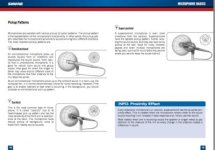
- know what the "proximity effect" is http://www.youtube.com/watch?v=hphcWMzah58
- more...
Thanks, any suggestion/corrections/additions would be greatly appreciated.
~Rob
A got a few tips from:
Thanks Alex H.
http://www.dvxuser.com/V6/showthrea...as-main-audio-for-550d&highlight=audio+basics
and thanks to
Scott Koue for his help too.