I am brand new to this forum… but I am here because I have an issue with my Panasonic DVX100B.
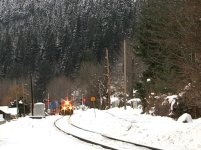
I did some outdoor filming recently in the snow. Usually all my filming is outdoors so this is nothing new to me. However, this is the first time I have been filming in the snow. I didn’t notice anything on the view finder or screen when filming that day, but when I imported the footage onto my computer and viewed the shots, they appeared very grainy. I tried viewing the footage on my TV straight from the camera, and the quality appeared better, but I could still notice it.
I did not have the gain on, and I’ve never really had this issue before. I’m not sure if it’s a technique I’m doing wrong for filming in the snow, or maybe its my computer… But any help would be much appreciated! Thanks!
I did some outdoor filming recently in the snow. Usually all my filming is outdoors so this is nothing new to me. However, this is the first time I have been filming in the snow. I didn’t notice anything on the view finder or screen when filming that day, but when I imported the footage onto my computer and viewed the shots, they appeared very grainy. I tried viewing the footage on my TV straight from the camera, and the quality appeared better, but I could still notice it.
I did not have the gain on, and I’ve never really had this issue before. I’m not sure if it’s a technique I’m doing wrong for filming in the snow, or maybe its my computer… But any help would be much appreciated! Thanks!