

cowpunk52
Veteran
I know this topic has been discussed to death, but I still have a lot of questions over which may be better for me. I'm DP'ing an indie feature with hacked GH2's in January, and at the moment I'm doing tests to determine whether Cinema or Smooth would be the best choice for me. I've already decided to go -2 on everything, so all tests are done with those custom settings as well as the Quantum v2 hack. Here are two frame grabs I took just now. My purpose was to see if Cinema held any more highlight detail and/or if Smooth actually held more shadow detail.
I used identical settings on the two samples:
Canon FD 28mm f/2 lens
ISO 320
Shutter 1/50
f/5.6
I transcoded using 5DtoRGB Batch to ProRes 444, 709 decoding matrix, and full range luminance.
You will see blank bars on the top and right side of the Cinema frame-grab because I wanted to match framing between the shots as close as possible in FCP 7 in order to click back and forth and more closely examine differences in parts of the frame.
With the Cinema clip, I pushed the mid-range from 100 to 111 using FCP 7's 3 Wheel Color Correction tool in order to match the mid-range of the Smooth clip. I found that while the Cinema clip appeared slightly darker before boosting the mid, there was no less shadow detail than what was in the Smooth clip. I did not adjust any other color settings. My recommendation is to open both these stills, with the imgur full size link, in separate tabs and click between them for comparison.
Here is the Cinema framegrab (with mid-range boost):
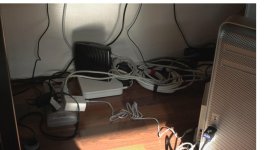
full-size imgur link: http://i.imgur.com/xLDIe.jpg
Here is the Smooth framegrab (no adjustment):

full-size imgur link: http://i.imgur.com/tNrsn.jpg
One of the more interesting things I've noticed, besides the obvious highlight and roll-off differences, is that the Smooth frame-grab appears to be ever so slightly softer than the Cinema frame-grab. I'm interested to hear other observations.
Here is the Cinema frame-grab without mid-range boost:
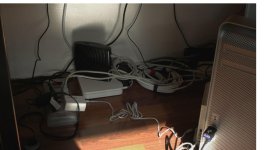
full-size imgur link: http://i.imgur.com/TpHEW.jpg
I used identical settings on the two samples:
Canon FD 28mm f/2 lens
ISO 320
Shutter 1/50
f/5.6
I transcoded using 5DtoRGB Batch to ProRes 444, 709 decoding matrix, and full range luminance.
You will see blank bars on the top and right side of the Cinema frame-grab because I wanted to match framing between the shots as close as possible in FCP 7 in order to click back and forth and more closely examine differences in parts of the frame.
With the Cinema clip, I pushed the mid-range from 100 to 111 using FCP 7's 3 Wheel Color Correction tool in order to match the mid-range of the Smooth clip. I found that while the Cinema clip appeared slightly darker before boosting the mid, there was no less shadow detail than what was in the Smooth clip. I did not adjust any other color settings. My recommendation is to open both these stills, with the imgur full size link, in separate tabs and click between them for comparison.
Here is the Cinema framegrab (with mid-range boost):
full-size imgur link: http://i.imgur.com/xLDIe.jpg
Here is the Smooth framegrab (no adjustment):
full-size imgur link: http://i.imgur.com/tNrsn.jpg
One of the more interesting things I've noticed, besides the obvious highlight and roll-off differences, is that the Smooth frame-grab appears to be ever so slightly softer than the Cinema frame-grab. I'm interested to hear other observations.
Here is the Cinema frame-grab without mid-range boost:
full-size imgur link: http://i.imgur.com/TpHEW.jpg
Last edited:


