GH2 green screen on a budget, need recommendations

Saddler

Well-known member
I've shot green screen before, with an HVX and a 3-point Biax-8 lighting setup. I need to do a green screen test with a GH2, but it needs to be done on the super cheap to see how it works out, before investing in a lot of equipment or $ on rentals. I'd be shooting in an office environment where I have access to a couple of large spaces; one with one row of windows, and one without any windows. I have the camera, a tripod, the 14-140, and the Olympus 50mm 2.0 macro. I'm not concerned with audio for this test. I don't currently have lights purchased, but I'd like to try and get away with using overhead lighting for the screen, and a dual bulb PC fixture for the talent. I have some bounce cards. Is this even feasible to try and do with just the PC fixture and either overhead lighting or ambient sunlight and bounce cards only for the screen?

Any links to keyed test videos shot w/ minimal gear would be greatly appreciated. Same for input on GH2 settings in regards to f-stop, shutter speed, sharpening, color matrix, etc., or any advice on indie gear solutions. I could maybe justify something like this for this test, but I don't think the lights would serve me any purpose besides this test since I'll be getting a full flo or LED kit in the near future:http://www.bhphotovideo.com/bnh/con...il&Q=&sku=739617&is=REG&si=rev#costumerReview
 
I just shot some footage outdoors, against a near clear blue sky. I'm not too happy with how well the AVCHD 4:2:0 footage held up with the background. Shot 1080p/24 with high data rate in cinema. Granted, the subject matter was not ideal for this codec--it was of a bright yellow tree with lots of flowers, blowing in the wind, so the codec put all of the available data into the tree, and the sky got the chunky block treatment. But even on some macro shots where there was movement, but not so much detail, the sky still came out like a 2600 game. I'm still converting, so I haven't yet brought it in to key in AE.
 
Can't see how you're not going to have to light this. Have you decided on colorama or a lastolite background? You should shoot somewhere around f.5, which will give you a fighting chance of your subject being totally sharp - soft hair is the hardest thing in the world to key.

Get as much separation between your subject and the color background as the room will allow - this will help with fringing when you key. i'd be very surprised if you don't have to throw a little light on the b/ground to get it evenly lit. Good luck!
 
You can cheese out a poorly lit green screen if you carefully manipulate your composition. Clothing should be dark blues, reds, and black. Hair should be black or dark brown and definitely not blond. For light-complexioned subjects, frame them in such a way that no flesh-colored edges directly border on the green background.

For the green screen itself, first take a video of a white wall illuminated by the lights you're going to use on the screen. In post, use color correction to blow out the green channel on the white wall, producing a green channel reference sample. This is the shade of green you'll want to match as closely as possible when selecting your screen.

After shooting your subjects, take the footage into post and pump the green channel just enough to produce a uniformly blown out green background. After keying out the background, you can color correct the results back to normal, or even further to suppress any greenish tinges on the edges.
 
Last edited:
i bought 8 sheets of neon green card and taped them all together, i tilted the greenscreen back so the above lights would help light it up.

overhead lighting was just strip lights in my mates shop.
used a couple of 160LED cheap ebay lights to light the talent, 1 each side at full blast.

shot at shutter speed 100, iso 320, 35mm f2 nFD @ f3ish i think.

greenscreen.jpg


what you see above is a raw MJPEG grab and the other is the ULTRAKEY footage with a little colour correction, i didn't tweak the raw footage before keying.

i found shooting in AVCHD would get pretty poor results, tried MJPEG and was instantly better (by a long shot!!!)

i had initially planned to use AFTER EFFECTS CS5 for the project and key out the green using AF's KEYLIGHT filter, after loads of tests i couldn't get a clean key! :o(

gave PREMIERE CS5's ULTRAKEYER a shot and wow! it was way ahead of AF's keying tool, cant explain how much better it was! like really in a whole different league.

shooting MJPEG & keying in PREMIERE then exporting into AF was the way i had great success.

ohh i was shooting on the GH13 btw.
 
Last edited:
Thanks for the replies. I'd be using a fabric backdrop most likely.

I wasn't aware that MJPEG was better than AVCHD for keying, so I'll try that out. I just loaded the same footage into Premiere CS5, and tried out the Ultra Key--works very well.

Does anyone have a link to resource showing how to do some keying tricks in a layer-based application like AE? I'm used to doing my keying w/ lightwraps on the edges etc., in Shake. But sadly, I don't have a copy of Shake at my current job since it's not sold anymore, and I don't have the justification to order a Nuke license.
 
In sort of a wyrd synchronicity...

I posted this to a green screen thread in the lighting section...

http://www.dvxuser.com/V6/showthread.php?246301-Green-screen-lighting-suggestion

In that thread there's a glossy picture and diagram post of a far more professional setup than I'll be able to get at any time soon... but here's
a quick setup I did for testing a compositing idea...

The keying was done in After Effects using the Keylight plugin.


attachment.php


Resulting key:
attachment.php


And processed and composited image.

attachment.php


All these were stills from the video... using a Sony Handy Cam, at 1080i...

Were I to setup a more permanent studio setup, I'd work in getting the background 'really even'... and of course, probably spend for the official Green paint, or back drop...

One thing that I think 'worked' was the fact that the Handy Cam had deep DoF, and so the woman was in pretty 'sharp' focus, and there was no real movement, so again 'blur' was
not an issue for the keying, and potential resulting fringing...
 
Thanks for the replies. I'd be using a fabric backdrop most likely.

I wasn't aware that MJPEG was better than AVCHD for keying, so I'll try that out. I just loaded the same footage into Premiere CS5, and tried out the Ultra Key--works very well.

Does anyone have a link to resource showing how to do some keying tricks in a layer-based application like AE? I'm used to doing my keying w/ lightwraps on the edges etc., in Shake. But sadly, I don't have a copy of Shake at my current job since it's not sold anymore, and I don't have the justification to order a Nuke license.


yeah MJPEG is much better then AVCHD, i presume because there is less compression to the footage shot with MJPEG.

be warned tho... about 10mins of MJPEG footage will fill an 8GB SD card :smile:


if you right click your keyed footage in the timeline, look for the layer style option, its called something like that, you can use colour overlays, drop shadows, outer glow, inner glow "might work as a light wrap effect", its a good selection of stuff in there.


i found the ULTRA KEY in Premiere great so had to export the keyed footage into After Effects.
ALPHACHANNELpremiereexport.png

i found the above helper on the internet somewhere & it worked for me so i took a grab for reference, props to the original poster where ever you are :smile:
 
Last edited:
I must be setting up something wrong ... when I switch to Manual movie mode and then set it to MJPEG, it says I have just over 8 minutes of record time on a 32 GB card. That's fine for what I'm doing right now, but is that because I also have my quality set to high?

Also, off topic here, but I have a Dell monitor connected to the HDMI. I have output set to 1080i, but when I'm setting up the shot or recording, it doesn't output through the HDMI, only when I playback. Anyone know why?
 
Can someone clarify; on the GH2, is MJPEG mode 30p? So, on the GH2, you only have the following 3 options?; 1. AVCHD 1080/24, 2. AVCHD 720/60, & MJPEG 720/30. Is that correct?
 
green screen with stand and webcam fun game for your pc for under $40 (used to be $180) Greenscrreen works very well.


http://www.amazon.com/gp/product/B0...17145&creative=399349&creativeASIN=B002QXL7ME

They buried that product because it was too complex for average people to set up, but it works well and the green screen is one of the cheapest portables you can find WITH a stand to stretch it out at any location.

I have the Yoostar 2 version for the xbox 360 kinect which they are pushing now also which does not come with nor use it the green screen but the kinect's camera ... which is crap so the quality is not very good but the game is fun as hell:


Last edited:
Well most things are easy to key these days, but... I would worry about these banding issues, if there's one place you don't want the codec to break up in peices...
 
At the 21-sec. point in my demo video, there's a brief green-screen sequence shot with my GH13.

This was shot using a roomful of professional lighting gear, but it could have been done just as well (or just as badly :) ) using a bunch of hardware store "shop lights", some white bed sheets for diffusion, etc. -- but setup would have taken much, much longer.
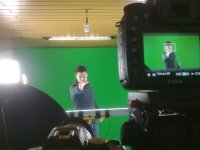
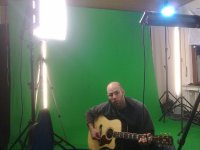
Keying was done in FCP 7.x

http://vimeo.com/16879681

 
Last edited:
I must be setting up something wrong ... when I switch to Manual movie mode and then set it to MJPEG, it says I have just over 8 minutes of record time on a 32 GB card. That's fine for what I'm doing right now, but is that because I also have my quality set to high?

Also, off topic here, but I have a Dell monitor connected to the HDMI. I have output set to 1080i, but when I'm setting up the shot or recording, it doesn't output through the HDMI, only when I playback. Anyone know why?

yeah when i have MJPEG set it states about 8mins on an 8gb card, yet it lets you shoot around 12 i found, i presumed it was a side effect of the GH13 hack.
done any tests with MJPEG on a green screen yet? would be good to hear if you found it as wow as i did using the Ultrakeyer :smile:
 
Thanks for the heads up on ultrakeyer in cs5...was using keylight before but this ultrakeyer is miles better...I can now use my raw avchd files (was using AFX cs3) and it works brilliantly!

As for my setup I use a green sheet pinned to a garden fence outside (for exterior shots) and do the same indoors on a wall with a faster lense.
Avoid using high iso. Extra noise makes keyin harder....try get subjecy sharp as possible and boost the saturation up (you can cool this down after keying)

the below vid was done with gh1s hacked mjpeg 4.2.2...with keylight plugin and caused me no end of headache...I found having 4.2.2 switched off improved things.
 
Last edited:
Did a greenscreenvideo using a hacked GH1 and a 7D recently:
http://www.youtube.com/watch?v=jyVA9inGA30

Used AE keylight 1.2 for keying and it worked really well. It is a bit frustrating in the beginning, as you have to tweak it alot to get great results. If you just want to key in premiere, use ULTRAKEY as mentioned before. AVCHD 4:2:0 worked just fine.

The most important part is to light the greenscreen as even as possible. No wrinkles should be visible. I used three simple fluorescent lamps which cost 7€ (10$) each from a hardware store. The background cloth was 60€ (87$) on ebay.

BTS

188604_10150220937339466_798764465_8968739_7218952_n.jpg200522_10150220860624466_798764465_8967971_2378052_n.jpg
 
Back
Top