
Navigation
Install the app
How to install the app on iOS
Follow along with the video below to see how to install our site as a web app on your home screen.
Note: This feature may not be available in some browsers.
More options
You are using an out of date browser. It may not display this or other websites correctly.
You should upgrade or use an alternative browser.
You should upgrade or use an alternative browser.
GH2 GH2 24p or weird strobe effect
- Thread starter Rigby
- Start date
paoloperelli,
I sent mine back and now I'm stuck on the waiting list. I did get a chance to work with a bit of GH2 footage and it looked nothing like mine. So, sorry I can't give you a definite answer yet but I will update to this thread when I get another camera. People will tell, you time and time again, " That's what 24 frames looks like ". I know what it's supposed to look like. My GH2 was not usable for film use and did not look like any camera I have ever used in the past. But I've seen perfectly fine footage from others. There is a chance that I was making a stupid mistake somewhere. No on is perfect. But, I've never been stumped by any camera in the past. There are others having the same problem. Some say they will work around it. I don't know how you can but to each their own. Sorry I can't help right now and I hope your camera is okay. Good luck to you and your projects. I'll update when I know something.
I sent mine back and now I'm stuck on the waiting list. I did get a chance to work with a bit of GH2 footage and it looked nothing like mine. So, sorry I can't give you a definite answer yet but I will update to this thread when I get another camera. People will tell, you time and time again, " That's what 24 frames looks like ". I know what it's supposed to look like. My GH2 was not usable for film use and did not look like any camera I have ever used in the past. But I've seen perfectly fine footage from others. There is a chance that I was making a stupid mistake somewhere. No on is perfect. But, I've never been stumped by any camera in the past. There are others having the same problem. Some say they will work around it. I don't know how you can but to each their own. Sorry I can't help right now and I hope your camera is okay. Good luck to you and your projects. I'll update when I know something.
Here's a comparison of what a frame from the footage that kicked this thread off looks like during a pan, versus footage I took at 1/50th...

Judging from the high-contrast vertical edges in the GH2_Strobe_issue.MTS frame shot, I think it's likely this strobing phenomenom is the same as the AF100 issue discussed in this recent thread:
http://www.dvxuser.com/V6/showthread.php?238369-First-Impression-serious-drawbacks
I analyzed a sample video with a similar type of pan-induced flickering, contributed by one of the posters in that thread:
I downloaded the MP4 file from Vimeo and imported it into a Premiere Pro CS5 25p sequence. At 100% magnification, I saw a prominent flicker on the edges of the potted plant as it scrolls across the frame, both at 25p and single-stepping through the frames. I've seen this distracting effect numerous times on high-contrast scrolling shots I've taken in daylight, particularly when shooting at high shutter speeds.What we need to see is is really slow movement of an object across the frame for more than 7 seconds...
http://vimeo.com/20429696
As an experiment, I displayed the video at 200% magnification in Premiere Pro (with Full Playback Resolution). This dramatically reduced the flickering effect, though I could still detect small traces of flickering on the edges of the plant stalks. It's obvious to my eyes that Premiere uses a smoothing filter at 200% magnification that reduces the contrast on sharp edges.
I believe this flicker is a side-effect of the sharpening filter used in the demosaicing algorithm the camera uses to convert the RAW Bayer Filter output into RGB pixels. When an object with a high-contrast edge moves across the frame, its alignment with the image sensor RGBG grid varies slightly with each frame. As a result, the calculated RGB values of the pixels on the edges can vary noticeably from frame to frame. In the early days of low-resolution 3D computer animation, we used to call these edge effects "farkle" to distinguish them from the flicker due to low frame rates.
If you single-step through the video, you'll see that this edge flickering is only apparent in the instant that one frame is replaced by the next - it does not persist for the entire duration of each frame. In addition to the sharpening filter in the camera, the response time of the video monitor will have an effect on the flicker. Unfortunately, hi-res displays with faster response times (such as LCD's designed for gaming) will make the flicker appear more prominent. Slower displays will tend to smooth the high-contrast edges and minimize the flickering.
There are two approaches that may help suppress this flickering effect. When shooting high-contrast moving subjects, using slow shutter speeds and minimum in-camera sharpening should help smooth out the sharp edges. In addition, post-production smoothing filters can be used to selectively blend problematic edges into the background. I'm sure the gross improvement I saw using Premiere's 200% magnification could be done with far more skill and subtlety.


j1clark@ucsd.edu
Veteran
...
Judging from the high-contrast vertical edges in the GH2_Strobe_issue.MTS frame shot, I think it's likely this strobing phenomenom is the same as the AF100 issue discussed in this recent thread:
http://www.dvxuser.com/V6/showthread.php?238369-First-Impression-serious-drawbacks
I've search on the terms "max panning speed" and found a number of articles where the problems with panning and visual 'artifacts' are not limited to the 'cheap' GH-1/2. But such artifacts have been found with Reds, and many other 'high end' digital
camers... and of course, have been accounted for in film(tm) moving pictures for years...
What seem to be the most common situations for this to occur is in fact 'sharp edges' what are 'frozen' due to the speed of the object and speed of the shutter/frame rate of the camera settings, and in the case of the digital sensor, how the image is formed on the pixels, and how those pixels are processed.
But as I mentioned all cameras have some artifacts relative to motion. Set a film(tim) camera's shutter high enough, shoot at an option that has sufficient angular velocity relative to the film plane/lens axis, and you will get some sort of 'artifact'.
What film(tm) camera people do is look up in tables, use a calculator, whatever to set the camera to minimize the artifacts induced.
What seems to be lacking is some sort of similar tabulation/calculator to allow the digital camera person to set the parameters appropriate for minimizing the effect in the digital camera.
Perhaps rather than 180 or (1/2 frame rate) shutter settings, a longer shutter would be beneficial... the problem of course is one doesn't have as much control over the shutter 'angle' as what may be the case with a film(tm) camera... but then some cameras didn't have infinite control either.
The next 'best' thing in digital is some sort of DSP filter that may minimize these artifacts, given the image is 'frozen'. When I first bought my GH-1 there was much gnashing of teeth about 'mud', well I only found 'mud' to be a problem if a whip panned the camera... something my stories and shooting style would never use... so, all the gnashing of teeth for my application is just 'chatter'...
My problem with viewing some of the sample clips that are offered to show The Problem, is that since I view them on a computer, I don't know how they would play on a real 'TV' display, or even more remote, how they would play on a fully qualified 'theater' presentation... I don't have the time to burn a Bluray, or a card, if my player plays a properly formatted card 'directly'... and who knows, I probably don't have the best display anyway...
So it would be much easier if one could come up with a 'rule' such as 'take 5 seconds to cross the screen'... or 10, or whatever... or what DSP would be in order for postprocessing of the media...

GrahamH
Well-known member
> I believe this flicker is a side-effect of the sharpening filter used in the demosaicing algorithm the camera uses to convert the RAW Bayer Filter output into RGB pixels. When an object with a high-contrast edge moves across the frame, its alignment with the image sensor RGBG grid varies slightly with each frame.
My problem with that explanation is that with a suitably-low shutter speed, you should have blurred edges not sharp edges i.e. smooth gradients of contrast. If you do in fact have sharp vertical edges during a pan your shutter speed must be higher than a 180-degre-equivalent.
This weekend I did an experiement whereby I used avisynth to manually apply 3:2 frame multiplication to convert some 24P footage to 60P. This 60P conversion played back with nil strobing with every media player and screen I tried it on - which was not always the case with the 24P original. For my camera, at least, I've concluded that the problems are with certain methods of decoding and/or playback, not with the raw footage.
My problem with that explanation is that with a suitably-low shutter speed, you should have blurred edges not sharp edges i.e. smooth gradients of contrast. If you do in fact have sharp vertical edges during a pan your shutter speed must be higher than a 180-degre-equivalent.
This weekend I did an experiement whereby I used avisynth to manually apply 3:2 frame multiplication to convert some 24P footage to 60P. This 60P conversion played back with nil strobing with every media player and screen I tried it on - which was not always the case with the 24P original. For my camera, at least, I've concluded that the problems are with certain methods of decoding and/or playback, not with the raw footage.

Matthew P
Well-known member
Here's something I just wrote in another thread...
If someone could test #3 that would rule out (or confirm) that aspect, and it shouldn't be too difficult.
GrahamH has given me another idea on the cause; if 3:2 frame multiplication looks smooth, then perhaps it's all entirely down to these files being natively 24p, rather than 24fP in a 60i stream. The latter *might* smooth footage out with subtle interlacing artifacts which we've just gotten used to.
If the strobing that people are seeing is really there, and if it's anything I think it could only be one of these...
1) The image in 24p is so sharp and crisp that the difference between frames is far more stark than we're used to, so it appears strobier. Perhaps solvable by using a soft lens and turning in-camera sharpening right down.
2) There's no frame ghosting down to noise reduction, so each image is more unique and contains less of any previous or after frame's data.
3) The camera is miscalculating shutter speed. Wouldn't be hard to test by mounting another camera on top and panning. Should be solvable by selecting a slower shutter speed, so as to perhaps hit the shutter speed you actually want.
So... I hope somebody out there can test #3) with a camera mounted on top. Would be VERY interesting to finally get to the bottom of the mysterious strobing.
If someone could test #3 that would rule out (or confirm) that aspect, and it shouldn't be too difficult.
GrahamH has given me another idea on the cause; if 3:2 frame multiplication looks smooth, then perhaps it's all entirely down to these files being natively 24p, rather than 24fP in a 60i stream. The latter *might* smooth footage out with subtle interlacing artifacts which we've just gotten used to.
paoloperelli
Member
GH2 - unusable footage
GH2 - unusable footage
rigby,
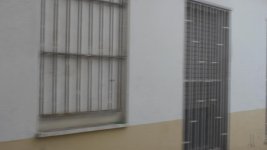
many many thanks for your answer. I totally agree with you and I must say my unit HAS to be defective. There is no chance whatsoever the footage I pull out would be ok. Far from it. I've posted here 3 frame grabs to show the kind of defect I am talking about. This is not motion blur, but sort of line-doubling that is all but all right or 24p like. I shot 24p, 50p, shutter 50 or 100.. little o zero improvement.
To whom might think "hey, this is a fence and that's what you get", I have to say I noticed the same defect on a black jacket my subject had on during a shooting. Going frame by frame you see a sort of "previous frame persistence" faded out. No camera I had in the past (including DVX100) had this.
There must be some defective units out there, mine is one of those. Yes there might be some setting I missed out, but where the hell that is I do not really know because I turned the camera inside out.
GH2 - unusable footage
rigby,
many many thanks for your answer. I totally agree with you and I must say my unit HAS to be defective. There is no chance whatsoever the footage I pull out would be ok. Far from it. I've posted here 3 frame grabs to show the kind of defect I am talking about. This is not motion blur, but sort of line-doubling that is all but all right or 24p like. I shot 24p, 50p, shutter 50 or 100.. little o zero improvement.
To whom might think "hey, this is a fence and that's what you get", I have to say I noticed the same defect on a black jacket my subject had on during a shooting. Going frame by frame you see a sort of "previous frame persistence" faded out. No camera I had in the past (including DVX100) had this.
There must be some defective units out there, mine is one of those. Yes there might be some setting I missed out, but where the hell that is I do not really know because I turned the camera inside out.
Attachments


Paoloperelli,
Sorry man. I would try to return it if that's a possibility. I'm pretty sure we weren't making a stupid mistake. I have know idea what the issue is or was but I do know that it rendered the camera useless. I'll let you know when i get my hands on another one. Best of luck.
Sorry man. I would try to return it if that's a possibility. I'm pretty sure we weren't making a stupid mistake. I have know idea what the issue is or was but I do know that it rendered the camera useless. I'll let you know when i get my hands on another one. Best of luck.
Matthew P
Well-known member
rigby,
many many thanks for your answer. I totally agree with you and I must say my unit HAS to be defective. There is no chance whatsoever the footage I pull out would be ok. Far from it. I've posted here 3 frame grabs to show the kind of defect I am talking about. This is not motion blur, but sort of line-doubling that is all but all right or 24p like. I shot 24p, 50p, shutter 50 or 100.. little o zero improvement.
To whom might think "hey, this is a fence and that's what you get", I have to say I noticed the same defect on a black jacket my subject had on during a shooting. Going frame by frame you see a sort of "previous frame persistence" faded out. No camera I had in the past (including DVX100) had this.
There must be some defective units out there, mine is one of those. Yes there might be some setting I missed out, but where the hell that is I do not really know because I turned the camera inside out.
Are you sure that those aren't frames that your editing software is blending together? It's very peculiar... any chance you could upload them at their original size? Hard to tell what's going on in such a small jpeg compressed image.
paoloperelli
Member


Hi Matthew,
try those.. frame 0 how fence should be and frame 1 when panning.
Hopefully you can see better pictures now, dunno how else I can upload them on the board or I could email pics over to you instead.
Footage edited on CS5 , proper 1080 23.96fps AVCHD project settings. Again original .MTS files so look the same when watched directly on WMP.
I am pretty confident there is no blending invoved.
thanks for your help
GrahamH
Well-known member
Yowza! Can you please find a way to load a short mts file so we can see if that bizarro doubling will indeed replicate itself on another computer installation?
If it is really the camera doing that, I can sure see why some people are freaking out. My footage looks nothing like that. But like Matthew P, I still have to wonder if it's a decode/playback problem.
Edit: OK now I'm confused. The second and third framegrabs in Post #150 look completely different, with much worse doubling, when compared to the second framegrab in Post #153. What's the difference - what are we looking at here?
If it is really the camera doing that, I can sure see why some people are freaking out. My footage looks nothing like that. But like Matthew P, I still have to wonder if it's a decode/playback problem.
Edit: OK now I'm confused. The second and third framegrabs in Post #150 look completely different, with much worse doubling, when compared to the second framegrab in Post #153. What's the difference - what are we looking at here?
Last edited:
paoloperelli
Member
right then,
I uploaded it on a server
http://www.megaupload.com/?d=8523VSAU
I watched the footage from different PCs with different setups (gfx card, os etc) and the outcome is the same.
You can see this defect showing up even on the GH2 own lcd when panning, so much of it you can't miss it.
Frame grabs and doubling are different in the two posts because I took different grabs. More doubling or less of it... the problem is still there and it shouldn't.
Thanks for your help!
I uploaded it on a server
http://www.megaupload.com/?d=8523VSAU
I watched the footage from different PCs with different setups (gfx card, os etc) and the outcome is the same.
You can see this defect showing up even on the GH2 own lcd when panning, so much of it you can't miss it.
Frame grabs and doubling are different in the two posts because I took different grabs. More doubling or less of it... the problem is still there and it shouldn't.
Thanks for your help!

stoneinapond
Veteran
I uploaded it on a server
http://www.megaupload.com/?d=8523VSAU
You can see this defect showing up even on the GH2 own lcd when panning, so much of it you can't miss it.
There's something seriously wrong with the camera if everything is otherwise set up properly.
Seems like you may need to return to sender.
Jester2138
Well-known member
I checked out your uploaded file and definitely feel like somethings weird, but can't quite put my finger on what. It seems to "twitch" every few frames. I did compare it side-by-side with some of my own GH2 files with similar pans. I'd return it and get a replacement.
paoloperelli
Member
Thanks everyone for looking into it.
I have actually requested to return the camera for servicing. It's a shame because I am in the middle of a project.
AF100 and GH2 are pretty much the same machine tech-wise so no wonder they do have similar problems.
No good Panasonic, really no good.
I have actually requested to return the camera for servicing. It's a shame because I am in the middle of a project.
AF100 and GH2 are pretty much the same machine tech-wise so no wonder they do have similar problems.
No good Panasonic, really no good.