Getting to the bottom of the noise complaints - is it h.264 uncompression software?

Ow help.. No please don't use your cheap bluray hardware codec to have a reference.... :)

I had a lot of bad ugly noisy results with AVCHD material in postproduction (no matter what camera) and I even don't look at it anymore. My workflow is to get it as soon as possible to a backup, then convert it to Avid DNXHD, then I have a serious quality reference to look and I can work with it smooth and fast.

There is the risc (for example vlc player that plays almost everything but is not a reference!) that you really don't know which codec you are using to look at, actually what you are doing and having...
 
Okay, so I've download the MTS files and played them both as native MTS files in VLC and as MOV files converted by ClipWrap. I am on a MacBook Pro 17 with 10.5.8. Here are my observations.

1) VLC is ALWAYS noisier than Quicktime on these clips, everything else being the same. My assumption is Quicktime is adjusting the gamma.
2) Using a Gamma of 1.8 is REALLY noisy. Using 2.2 of course is much cleaner.
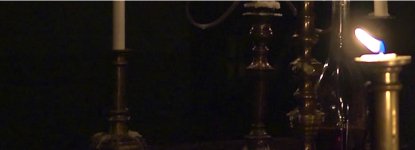
3) Even with 2.2 and Quicktime, the candle shot is REALLY noisy on the arms where the gradient from skin tone to black. Also looked like a little banding on the LCD screen.
4) The dress looked much better on the belly dancer at 2.2 in quicktime.

I then went through and did a manual calibration in expert mode just to double check the settings and went through the Quicktime again and the candlelit scene still has too much noise to me on her arm. Going up to a gamma of 2.4 (just as a test) really cleaned up the noise more and the only part that was still bothering me was the gradient on her arm. The rest of it is much improved. I watched the ...verse... short on Vimeo and it was MUCH MUCH cleaner in the blacks. It looked fantastic actually.

And Barry, just to clarify where I am coming from, I have a masters in microelectronics with a minor in advanced graphics programming. While my last ten 14 years have been chip design, including controller chips for a video camera and the memory bus architecture for the Xbox 360, I've also programmed with DirectX, OpenGL, Glide, and do visual coding with Quartz Composer, Max/MSP and Jitter.

Gamma is DEFINITELY the biggest issue here. And the fact that different programs seem to have different gamma. By the way, I am using the better of the two graphics cards which is the Nvida 9600M GT.

As a side note Barry, the problem I see is of frame of reference. As you have said, you think it might be something H.264 decoding specific, and it might be, however, from my perspective, I need to look at this comparatively from a reference point I am familiar with. I will have my AF100 next week, and I can start testing. It is my opinion that the issue is the in camera curves being used and stored in the H.264 coming out of the camera. Getting those right since it's bringing it from 12-bit down to 8-bit (if I recall correctly) is step one. Trying to get the same exact curve on my AF100 and 7D might not make sense because they are different cameras. However, what I want to do is shoot the SAME setup with my 7D and my AF100 and see why it is different. That way, I have a better understanding of what the difference is I am seeing. Doing it this way it is hard to tell. Not all noise is created equal. The noise I saw on vimeo was huge and blocky, and danced around a lot in larger pieces. With the 7D, while the magnitude of the individual noise might be larger, it's more of single pixel based and doesn't look like bigger splotches, if that makes sense. That is the difference I see, and to me, that seems like an in camera issue.

Why are the ...verse... images SO clean in comparison. To me, the candlelight scene looks bad in almost all circumstances I watch it.

The last test I want to do is use my PS3 and my 720p 126" projection screen. I do not have a bluray burner, so what is the next best way to get it on the PS3 untouched to watch?
 
Hey Guys

The noise is still there for me. I'm still wrestling with it to try to get a better result, but here's what I'm running.
I have a Sylvania Bluray player and a Panasonic Plasma. I'll report back on this part...no luck playing the file on there yet. (formatting disk right now again)
My monitor is an HP. I'm running Vista 64bit. ATI 2850 (?) video card. Not calibrated. Noise is readily visible on candle light scene. I'll report back on plasma results. Oh ya...when I open it on the timeline in CS5, the noise is there too.

Thanks for doing this Barry. We might as well figure it out now...and we might as well work together on this.

UPDATE: My Sylvania Bluray player will not play .mts files. :( (lame) It also won't play h.264 FILES either. (very lame) My Panasonic Plasma won't play .mts files either (it has a sd slot, but it will only play .jpg photos) (also lame)

One other thing....my GH13 will not play the avc files either....should that be the case? Anywho...
 
Last edited:
I downloaded the footage and imported directly into premiere pro cs5 from the directory, set the playback resolution to full and then played it. The candlelight footage looked very grainy and compressed to me. This is running on a MBP 2.66, 10.6.5, 8 gb ram. I then imported into after effects CS5 and looked at the image and again think the candlelight stuff has very noisy blacks and felt very compressed. I turned up the exposure to check compression and it looked very noisy and compressed in the black areas. The candle light itself had a very sharpened edge video-y feel to the highlights. The footage overall definitely didn't feel 'clean' to me.

I'll try this on my 37inch Bravia via an SD card next.
 
Last edited:
Timur has said he has found the VLC player to be very noisy. It would be good examine footage through the Windows Media player as well.

This whole thread is fascinating... Its incredible how "organic" a thing the longGOP codecs are..... who would've think digital can look "different" from place to place....

Yea VLC looks like crap on my Windows Vista 64 computer with some Intel Video card. Now heres whats weird. When color correcting stuff, i have to export a frame (jpeg or Tiff), and open it in QT to see somewhat accurately what it looks like... You see the OS seems to run everything though its own internal video card or whatever. ( i am not a computer guy) But QT looks accurate. I test this by using color bars i recorded to AVC in cam from the AF100 then exporting the Jpeg/tiffs Vegas and Premiere. The output of the OS to the monitor can look wonky. If i view the same still in QT it looks accurate. As it would on my Panasonic BTLH2600 and 46" Panasonic Plasma straight out of camera. So on my system... Windows Media player, VLC and Picasa Media viewer all look innacurate. QT look "OK".

On my DIT's comuter everything looks perfect, on his 5,000$ colorview monitor.
 
I just tried this out for the heck of it too. Rendering using Vegas 9 to multiple formats (xvid, divx, mov), everything looks the same as it did on the timeline (noisy in candle scene). I think TVs will play it cleaner because of DNR.

This is on my Sony FZ340E dual core laptop. It has an Nvidia card. I just went through the settings and noticed that if I change the gamma from the factory settings and drop it down a bit, the colors on my screen don't change but the noise in the blacks pretty much all went away and the shot and exposure in the candle scene looks like it is supposed to I imagine - very clean. Wow, what a difference.

Oh and that's using Windows Media Player on Windows 7 Ultimate 64 bit.
 
Last edited:
Hey Guys

The noise is still there for me. I'm still wrestling with it to try to get a better result, but here's what I'm running.
I have a Sylvania Bluray player and a Panasonic Plasma. I'll report back on this part...no luck playing the file on there yet. (formatting disk right now again)
My monitor is an HP. I'm running Vista 64bit. ATI 2850 (?) video card. Not calibrated. Noise is readily visible on candle light scene. I'll report back on plasma results. Oh ya...when I open it on the timeline in CS5, the noise is there too.

Thanks for doing this Barry. We might as well figure it out now...and we might as well work together on this.

UPDATE: My Sylvania Bluray player will not play .mts files. :( (lame) It also won't play h.264 FILES either. (very lame) My Panasonic Plasma won't play .mts files either (it has a sd slot, but it will only play .jpg photos) (also lame)

One other thing....my GH13 will not play the avc files either....should that be the case? Anywho...

Ah HA!

we both run Vista.... and i get alot of noise on my computer.... perhaps somethign in the OS' native H264 board is a possible culprit?
 
There is also a section on my Nvidia control panel for video color coorection and gamma settings and that too will further take down the noise. I know you really cannot calibrate a laptop screen to look completely great, but that just did wonders for viewing videos on here.
 
To reiterate: I believe that there is something in people's hardware/software combinations that is artificially introducing noise into the process of uncompressing high-efficiency h.264 footage.

Stephen/Timur's film is uber clean
Barry/Leo footage is the dirtiest we've seen.

Barry,

Since you still have the AVCHD raw SDHC footage from Leo's shoot I wonder if you could get those MTS file to Stephen and have him put it through his workflow he used on Verse. That would really help prove your theory if indeed he comes up with a clean version of Leo's footage.
 
So if what Barry is saying is right, the same should be valid for GH1 and GH2 right? For any AVCHD footage right? not only AF100...
Not necessarily. Not all AVCHD is the same. I would say that it would be the same for any AVCCAM camera, so the HMC40/80/150 and AF100. And maybe for the GH2, because it uses an IBP codec, although not the same as the AVCCAM cameras. The GH1 is a whole different kettle of fish though, as its codec is a low-efficiency version with only I-frames and P-frames, so it's not in the same class as the others.
 
Stephen/Timur's film is uber clean
Barry/Leo footage is the dirtiest we've seen.

Barry,

Since you still have the AVCHD raw SDHC footage from Leo's shoot I wonder if you could get those MTS file to Stephen and have him put it through his workflow he used on Verse. That would really help prove your theory if indeed he comes up with a clean version of Leo's footage.
That is a heck of an idea. I'll ping Stephen to download the candlelit footage and see what he comes up with.
 
Perhaps think of it as, the AF100 DSP and compressors are "more refined" and producing a more difficult to decompress flavor that retains alot of deatial and quality. I mean, considering its 24mbps, the image quality we were getting on Verse was astounding. it looked like Intra frame footage, so perhaps its creating a very complex H264 code, or at least one thats flexing the muscles of what H264 can do. Thoughts barry?? because having a system that cant interpret the footage properly is a sure ticket to having viewing problmes.
 
That's exactly what I'm thinking. That it's producing high-quality footage, but the quick 'n' dirty decompress needed by some software to maintain a high frame rate, is just futzing with the blacks and making a lot of noise where, if properly fully decompressed, there wouldn't be any noise.
 
^this line of thinking makes PERFECT sense.

We've basically got some NUCLEAR STRENGTH compression from the camera running through a 1945 Ford engine....what comes out is some "incomplete" processing of that NUCLEAR STRENGTH compression....leaving noise behind. Right? (your theory)
 
Guys, by the way -- there SHOULD be noise in the candlelit shot. It's a shot lit by a half-dozen candles! But there shouldn't be offensive, over-the-top, shocking, sea-of-marching-ants noise in that shot.

I'm not asking you to pixel-peep. There will be noise in the blacks. But the way folks have described the noise, they've used words like "horrendous" and "horrid" and "I've never seen so much noise in my life!" Those are the scenarios I'm looking for.
 
^this line of thinking makes PERFECT sense.

We've basically got some NUCLEAR STRENGTH compression from the camera running through a 1945 Ford engine....what comes out is some "incomplete" processing of that NUCLEAR STRENGTH compression....leaving noise behind. Right? (your theory)

essentially. It makes sense, think of it when you drop from "Full size best quality" preview to "Full size Draft quality" preview in an NLE. it looks like garbage. ( at least this how it works in Vegas) I always get nervous when editing in Draft ( for high framerate) then at the end click to Best, and it suddenly looks the way i remember.

Guys, by the way -- there SHOULD be noise in the candlelit shot. It's a shot lit by a half-dozen candles! But there shouldn't be offensive, over-the-top, shocking, sea-of-marching-ants noise in that shot.

I'm not asking you to pixel-peep. There will be noise in the blacks. But the way folks have described the noise, they've used words like "horrendous" and "horrid" and "I've never seen so much noise in my life!" Those are the scenarios I'm looking for.

NO! there must be visual Silence!
 
essentially. It makes sense, think of it when you drop from "Full size best quality" preview to "Full size Draft quality" preview in an NLE. it looks like garbage. ( at least this how it works in Vegas) I always get nervous when editing in Draft ( for high framerate) then at the end click to Best, and it suddenly looks the way i remember.
YES! That is an excellent analogy. Although obviously it's not quite as lousy as draft, I think it's basically "unfinished", whereas the camera when playing it back through its hardware codec, is displaying it in its true "full quality" state.
 
Barry,

What I am looking at more than anything is the arm of the girl in the candlelit scene. I've done LOTS of night shots with my 7D and never seen anything that looked like that. When I adjust the gamma I can in fact get the blacks to hush down to acceptable levels.

Some thoughts:

1) Maybe cameras like the 7D are using their own gamma type curves in video essentially. When I look at 7D footage, to myself, I feel it has that crushed black look high gamma gives you. To me this would explain how they are pushing out the noise. When I see 7D footage shot with flatter settings, it always looks a bit noisier to me. This is what I always considered the 'Canon' look.

2) If you feel the H.264 decompression is not performing as well, the question is, do you have a GOOD decompressor that you can use then convert into another known format to look at the noise. It is definitely a valid question as to what is happening to the decompression since it is structured differently.

Or, the simple solution is just to take footage that was shot both internally and externally and look at the noise. If you take something off the nanoflash, this has bypassed the H.264 compression/decompression issue and compare the noise in both. In fact, if you had such files, I can look at them on my MacBook Pro with my gamma settings at 1.8 and see how it looks between the two. If the noise is still really prevalent at 1.8, then the issue is not H.264 but might be the curves.
 
No objectional noise at all on the candle-lit or dancing scene on my PC viewing in Premiere CS5 at 100%. Both looked really good in fact. Now this is viewing from about 3 feet from the screen. If I move to about 1 foot from the screen I can see some fine noise in the darker edges of the candle-lit scene. Of course viewing most any really good looking HD broadcast on a good HDTV at normal viewing distance can look like crap from 1 foot. The dancing scene looked good even at 1 foot on the PC.

I have Win7 64 bit with Intel Core 2 exttreme proc, 8 GB and NVidia GTX470 graphics card. I did go through the Win 7 color cal Barry suggested but I had to change little.
 
Let's see if you all can see this. (I'm not sure because of the many factors in play) But here's come .jpeg captures from my screen with everything cropped out...(maybe I'll just post the whole thing next)

Notice the missing block in her arm here? It's small...yes...but it's NOT one pixel...and when it's in motion....it's flickering so much that the inside of her (right) arm looks distorted.
skin edge.jpg

Here is the "March of the Ants" as Barry called it. Left side...many many blocks that have an almost yellow hue to them.
Marching Ants.jpg

Can you see this...or has it been lost in the posting of it here?

BTW...this is the same size as it appears on my screen. I haven't zoomed in or anything...I'm not trying to accentuate it at all. This is just "as is". Believe it or not...it actually looks "better" after taking it into Photoshop and exporting it at 100% quality...it crushed it a bit (in .jpg)..which helped some. (Believe it or not)
 
Last edited:
Back
Top