FS7: FS7 - hot pixels or?

Hi there fellow FS comrades!

Been watching this forum for a long time, not posting that much.

I know there is a lot of experts on this forum and before contacting service center I was wondering what's your opinion on this one.

They look like hot pixels but,obviously,realy, realy - stuck hot pixels . :( I've noticed them few weeks ago but they persist, even with multiple APR runs and black balance runs.
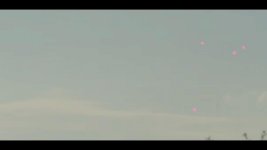
Image2.jpg
Camera did work alot, about 1200 working hours, first owner, 3 years old now.Showing up on all lenses and this particular ss is Canon 24-105 IS with Speedbooster Ultra on.

I dont belive that senosor is dirty since Speedboster is on since day one, I will send it to sensor cleaning these days anyway, just to be sure it's not dirty sensorImage1.jpg.

I will really appreciate helping me on this one, thnx guys!


(european here, sorry for lousy english)
 
Looks like drops of a sticky liquid on the sensor - possibly from a botched attepmt to clean it with a fine spray of some nature.

To test if something is on the sensor shoot a white wall at different iris values, if you cant the artifact at F2 then certainly it is a physical not electronic problem.

TO be honest my 7 would look 10x worse if I ever shot at F22.

BTW pixels are square.
 
Hi Morgan,

unfortunately these spots are visible, no matter what iris value is. It's visible on f 2.0.

I dont belive that there is something phisicaly on sensor since no one touched sensor all this time and this just showed up few weeks ago. I've contaced Sony repair centre and I realy hope that sensor is not faulty.


Thank you for answering anyway
 
Thnx guys!

Liam, I will have fan checked also.

One thing did cross my mind thou; I did ignore few (ish) times when camera asked me to do APR.

Few times I was in a rush and skipped APR automatically.Thinking, maybe that's the problem :undecided
 
Thnx guys!

Liam, I will have fan checked also.

One thing did cross my mind thou; I did ignore few (ish) times when camera asked me to do APR.

Few times I was in a rush and skipped APR automatically.Thinking, maybe that's the problem :undecided

Sorry I did read your post but seem to have forgotten you said you tried APR many times.. !! ignoring the request a few times would be no problem.. but I would not do what Morgan does.. its a good idea to do APR .. its just mapping out dead pixels for you.. so why not.. so then I wonder if your problem is not dead pixels ..I would take it into a shop to be checked.. I just read something interesting about the Sony A series cameras.. they have software that maps out any dead pixels that runs once a month automatically..but you can "force" a mapping by going into the date menu and set it a month /year in the future .. on/off ..and it will fix any death pixel you have at that moment ..
 
Sometimes it helps to cap the lens and turn the gain up...if you have dead pixels you should see them then...without interference from light/lens issues.
 
unfortunately these spots are visible, no matter what iris value is. It's visible on f 2.0.

I hate to suggest that 99% you will find that this is junk sitting on the sensor behind the IR filter or it can be sitting on one or more of the ND filters. IF they disappear or change position when you shoot on different NDs then it's generally on one or more of the NDs. Usually what indicates that this is one of the above scenarios is the telltale pink/purple color. This has been seen on a number of different Sony cameras over the years, primarily on the EX1/3 series. Sometimes it can actually be caused by burn marks on the sensor from extreme light sources such as lasers. Laser damage actually causes a physical chemical change to a sensor that can manifest itself as pink/purple artifacts. Most Sony service centers want to replace the whole sensor block. The block can be cleaned but it is a pretty tricky job as basically the blocks are not designed as a serviceable item. One tech I know here in Sydney has successfully cleaned behind the IR filter by using a microscopically small high power vacuum unit which he borrows from our local Fujinon lens distributor. A feature I used to love on the Hitachi broadcast cameras was a removable ND filter tray. A couple of screws and out came the tray so that you could clean the filters. Once the tray was out you could actually clean the sensor if necessary. If you do a Google search on pink/purple marks on Sony camera sensors you will find many references to the problem and in most cases Sony wanted to replace the whole sensor assembly. One tip I got years ago from this particular tech was he has seen this problem more frequently with a couple of particular shooters who had it happen more than once. The culprit? Compressed air can blowers. He said NEVER use the photographic compressed air cans as that can push dust into the camera.

Chris Young
 
Thank you guys!

I will let you know what this was, soon as I find out.


Interesting thing is that dost are visible only on bright parts of the frame, when picture is darker or contrastier on that portion of the frame-dots are gone.
 
Curious whether you've done the obvious thing and sent your images and inquiry to Sony repair?
If you need contact info contact me.
 
Back
Top