FCP Offload Question

groveChuck

U-matic Member
I edit on Avid and CS5, but tomorrow am shooting and offloading for a client who will cut on FCP.
The entire Private folder has all that's needed, correct?
thanks
 
Copy the entire card from the top to a folder .. I usually do something like

./cam1
-- ./card1
-- ./card2
...

./cam2
-- ./card1
-- ./card2

If you don't copy the entire card from the top, I don't believe FCP's Log and Transfer will be
able to figure it out.

jeff
 
Out of interest I have just got hold of MC5.5 - how do I get AF101 material into my machine. Cannot see an AMA software application unless it is the same as P2.
 
Jeff- Ahh, copy from the top including DCIM and MISC. I knew there were extra files needed for L&T, couldn't remember if they were in PRIVATE or at the top. Thanks!

Bruce, I'm still on MC3.5 where I cut DVCPRO HD, and CS5 for the AF100. Not sure about AMA. I believe I've heard it may be better to transcode to DNxHD and import? (though don't quote me on that)
But please be sure to share any Avid knowledge you pick up!
 
Only the Private folder is needed to L&T in FCP.

However I sometimes take B-Roll stills, & footage, with a GH2, so to avoid confusion, usually have the DIT copy all folders.

Regards,
Bern
 
Only the Private folder is needed to L&T in FCP.

However I sometimes take B-Roll stills, & footage, with a GH2, so to avoid confusion, usually have the DIT copy all folders.

Regards,
Bern

Good to know ..but, between the P2 cards, the CF cards (5DMKII) and the SDHC cards, I've just
gotten into the habit of taking them in their entirety. Less error prone.

Be interesting to see how FCP-X changes this workflow (if at all).

jeff
 
Be prepared for a long ingest process to FCP if your clips have some length to them. I use 'Clipwrap' for the ingest, which speeds the process up. You can have it rewrap the files as QT, very speedy, if your computer has enough horsepower or convert it to ProRes.
 
The shoot went well today- about 30 one to two minute clips, with teleprompter.

I just copied the entire card, so I guess if all they need is Private, it's there, along with DCIM and MISC too, just in case (again, client is editing, not me).

BTW, what are DCIM and MISC, anybody know?

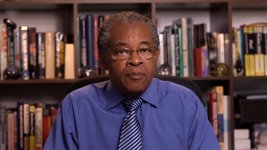
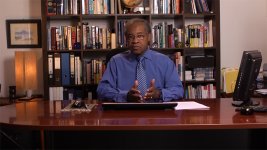
Here's a couple of grabs (I hate the empty wall in the WS upper screen right, couldn't put anything there)...

B Press
Norm 2
Chroma -3
Detail -1
56K

attachment.php

attachment.php
 

Attachments

  • 00027.MTS.Still00.jpg
    00027.MTS.Still00.jpg
    288.7 KB · Views: 0
  • 00002.MTS.Still00.jpg
    00002.MTS.Still00.jpg
    323.8 KB · Views: 0
Last edited:
It's really not that bad Chuck. I didn't even notice the wall until you mentioned it. As far as the card issue I always copy the entire card just in case, you don't really save that much time by not doing so and you save your self the , " I can't get the media folder to open" call from the client.
 
Ya know, I carry some props/set decs in a bag, but that's not one of them... I likey!!! :thumbsup:

It would've fit perfectly!
 
Be prepared for a long ingest process to FCP if your clips have some length to them. I use 'Clipwrap' for the ingest, which speeds the process up. You can have it rewrap the files as QT, very speedy, if your computer has enough horsepower or convert it to ProRes.
That's assuming that you want to transcode & import every last second of footage that was shot. It's far nicer & quicker to use the Log & Transfer facility in FCP & scrub through the clips to find what you want then mark the in & out points so that you only transcode & import the actual footage that you need. I'm a convert to L&T as I always used MPEG Streamclip to convert .MOV files from the 5DII but L&T is a much better way to transcode while also giving you the opportunity to review your footage.
 
Hopefully with FCP-X, this will be much improved .. i have a love-hate relationship with the L&T dialog.

I do use L&T to add some more meaningful meta-data to the clips (camera angles and such). But, I can't really see enough
detail in the preview to make good decisions about what i want to keep (or not). Also, you can't make "sub-clips" .. so if
you want more than one part, so you wind up sucking the whole clip in.


Also ... I've changed the setting in L&T for ACVHD audio from "Matrix" to "Plain" .. I don't see why you
want M/S stereo.
 
Last edited:
Be prepared for a long ingest process to FCP if your clips have some length to them. I use 'Clipwrap' for the ingest, which speeds the process up. You can have it rewrap the files as QT, very speedy, if your computer has enough horsepower or convert it to ProRes.
Thus far L&T on my machine has been only taking about a third of the clip's duration to transcode to ProRes LT. I'm on a 2 x 2.8 GHz Quad-Core Mac Pro with only 4 GB RAM. That's a world of difference from the days (daze) of real time capture from tape!
 
Thus far L&T on my machine has been only taking about a third of the clip's duration to transcode to ProRes LT. I'm on a 2 x 2.8 GHz Quad-Core Mac Pro with only 4 GB RAM. That's a world of difference from the days (daze) of real time capture from tape!

I started in this business doing frame-by-frame on a 3/4 Umatic using a Diaquest Animaq controller and a TrueVision NuVista card in a Mac IIci (128 MB RAM). Three hours to ingest 10 seconds - 160x120 proxies in Premiere 1.0 (and Macromedia Director prior to that) - now THAT was a daze! All these years later, I still see a Mac progress bar when I close my eyes. :)
 
Back
Top