Exposing Slog2

SKYLIKE

Active member
Just wondering how do u expose Slog2 with FS700 onboard-devices?
Luckily i have an Alphatron EVF where i can set my Zebras or False Colors to 52% (skin tone on slog2) . On Fs700 u cant go under 70%. So when exposing Faces in Slog2 u get a problem.
Just wondering whats ur workflow.
 
Just out of curiosity Skylike, are you going to a recorder?

I haven't changed the Zebras yet lower yet, but that seems like a good idea. I've been underexposing a bit more to the Histogram left (than Cinegammas) and it seems to be fine. I have to test more though. Busy week, but next week going to give S-Log another shot. I don't have a recorder though and after my first tests, I'm a bit skeptical about going to the SDHC card.
 
Just got the SLOG 2 update and noticed exposure was hard to nail down. Wasn't aware of the 52% skin tone thing. Is overall exposure reduced by the same amount, to say 82%?
 
No i dont have a recorder, waiting for the Odyssey.
Yes, just underexposing about 2 stops in comparison to rec709 would be the right thing.

Slog2 middle grey 18% is at 32%IRE so when Middle Grey in 709 is at 50% u need to be 18% under 70% zebra to get the zebras for slog2 right when exposing faces.
90% white is at 59%IRE. Im not sure about the next values but it bends like those other numbers, very long slope :D

edit:1300% hits the 109% ofcourse.
 
Last edited:
I'm not convinced that the same method used on the F55 should be used on the FS700. Underexposing the slog2 PP will not work well, as raising the gain in post will produce disastrous results because of noise andmacro blocking. I've been experimenting with exposure and the exposure that works the best for the FS700 seems to be to put the peak histogram value right on the 90% line(set zebra at 90% to see the line on the histogram)
 
I'm also not finding that underexposure works. I've been playing with my updated camera for a few days, exposing using the zebras at 95% and finding that to work reasonably well. I've read in post after post that the AVCHD codec falls apart if you try to saturate Slog2 footage, but cannot find any evidence of it. I've taken clips, saturated them heavily, pulled down the blacks a bit and they look great, no macro blocking whatsoever (but I'm not underexposing as seems to be the convention).Slog 2 for me is working great for any scene with extreme highlights. i'll post some samples later.
 
I also have been exposing my S-log2 to the right of the histogram and it gets brought down pretty well. Makes the noise in the shadows go away and mids/highlights come down nicely.
 
Of course histogram and stuff is working well when u just expose something. But when ur going for skin tones eg. an interview u just cant do this. When u stretch the skins over 40IRE, they are so heavily compressed any kind of color correction is very hard. So its like having zebra 70% and 100% on normal rec709. Would be great to shuttle between those two values in regard to slog2 soo 52% and 100%.
 
I've been running some tests as well. I've also found that the exposure sweet spot in SLog2 is fairly narrow on the FS700. even slight underexposure results in a good deal of noise in the shadows- even just a one stop difference. seems the highlights have a bit more headroom than the shadows.
I record externally to a nanoFlash and would definitely hesitate recording SLog2 to the onboard AVCHD. HOWEVER, my initial findings are that it is extremely flattering and filmic in the highlights and especially the skin tones and is overall much truer in its color rendition. after looking at the same scene recorded in SLog2 and my previously go-to picture profile, my go-to profile just made me sad... it was so limited and limiting. I think even if you never use the raw, gaining this gamma curve on the 700 is well worth the cost of upgrade (assuming you're recording externally, that is.) I'll hopefully have some stills to upload soon.
 
I only had time to do a quick test. I also find there's a lot of noise in the shadows below 15 or 10 IRE, BUT am quite surprised by the handling and headroom of the highlights. Very smooth. I was shooting against direct sunlight, and I am very impressed with how much info it retained, and also how well I could pull down after in post (I shot with external recorder, ProresHQ) Not as well as RAW DNG, not as well as Alexa material, but still pretty good.

Actually, I have a feeling maybe I should expose S-log2 the same way I expose with my BMCC in RAW mode: a little bit overexposed, as long as you don't clip, then bring it down in post. The BMCC RAW has the same problem with the noise at lower exposure.
 
Here's an S-Log 2 Test on the FS700 recorded internally to the SDHC card. The subjects are my lovely wife and my ugly ass (yet totally lovable) dog. Sorry it's not super cinematic as I was shooting fast and more interested in testing the S-Log as opposed to creating something really artistic. Some of the pan and tilts are atrocious.


As has been stated, the sweet spot for exposure on S-Log is pretty narrow, you really have to nail it. Under exposing a bit too much and it gets noisy quickly. Cinegammas seem to do better with under exposure. To be fair, on some of the late sunset shots I was in a rush and accidentally screwed on two UV filters and left on an extra ND 0.6 while changing lenses. This might have an effect on the noise and it certainly added a noticeable vignette on the left side.

I set the Zebras to 95, but I might actually bring them back to 100 as I mentioned, underexposing even a bit seems to bring on noise much more quickly than Cinegammas. I seemed to get decent results by have the histogram a bit to the left (underexposed), but not too much.

Internal codec grades decently as long you DON'T push the Saturation too much, as Saturation just breaks the internal codec. A moderate amount is OK which is fine for me because I tend to keep everything pretty desaturated anyways. Seems to hold up to levels and color treatments decently. Even the banding in the sky is hardly noticeable with the internal 8-bit (I set After Effects to 32 bit workspace). On one demanding sunset shot, you can see a very faint amount of banding, but a majority of the time the sky is clean (on my Pro-Res copy at home. Vimeo always has more banding).

I notice that Reds are kind of tough on S-Log 2 as they often come out more orange-ish

I have to test it some more, but overall I really love the highlights and general look of S-Log 2, even with it's faults. Just don't push that Saturation and be very aware of proper exposure. Obviously, it's better to shoot with a recorder but I'm waiting for the 7Q so I don't own one right now.

For comparison, I shot a very similar test (same subjects, same locations) using Cinegamma 1 about 1 year ago. Cinegamma 1 is more gradeable since it's not so desaturated / neutral to begin with. To be fair, the bedroom stuff on the Cinegamma 1 was lit by a Kino Flo while the S-Log 2 test was just available light.

 
Last edited:
Nice work Gene! Did you end up using a gray card to get your skintones right? I had to dig mine up. Even with the alphatron, thinking using false color at 53% might be a good way as someone suggested. Bit hard run and gun though when light changing a lot!
 
Exposing slog 2. Well got caught a little pants down re internal vs external recording.

Decided to take it with me on a snow ski day last week (winter in australia) perfect chance to test the highlight capability. At the time there was only a few people shooting external, some internal.

I think if I understand it, it makes some sense. Aside from needing to be very careful with skin tones in the curve, if by chance you don't have to worry about that and have :

snow (white), sun (close to), white ski suit, faces hidden or smaller… You want as much range in the highlights as you can get right?

Well I think it helped, but at 8-bit and not having shot a direct comparison its hard to say. Maybe some judgements from here.

I've got here the bare/unedited (can't say raw anymore with this camera ;) internal recorded 8-bit slog2 which some nice highlights to play with.

I was expecting to have to take it into resolve to get log style grading vs fcpx, (and I do need to learn it more), but actually, when I pulled the highlights down in fcpx from 109 and they seemed to come down quite nicely.


What I really want to know now is. Aside from getting and waiting for a 7q. If I buy a hyper deck shuttle, even though its going to be 8bit in 10bit wrapper. Surely the bitrate is what is helping people get the most out of slog2?

I saw Matt Allards recent test, and though it was night and he didn't say, he also had a hyper deck in a new cage on his fs700 recently. So presume that's what he used. It was night shots though, not highlights.

I recall when my go pro hero3 went to "pro tune", it went from 15Mb/s to 45Mb/s. This did awesome things for my highlights on the snow.

So maybe we are talking the difference between 28Mb/s internal to 175Mb/s with the hyperdeck?

There are many times such as the run and gun footage here where I am simply going to find the oddessy too big I suspect. Of course I'd love 10bit, but I would probably be tempted to get a hyper deck shuttle anyway, given the size/price if the bitrate is really helping slog2 8 bit a lot and negating much of the current

"slog 2", 8-bit, no point - type feedback.

It's true that the amount of projects that I would still want some saturation in and some nice highlights is still quite a few, hyper deck and slog2. Cheap and easy.

Friends who were skiing with me that day requested the music track. And yes. I shot into the sun because a) I wanted to push slog2 to its limits, and b) It was in the afternoon, and I don't slide facing the right at high speed backwards well enough not to trash my $9k camera ;)

You can use the vimeo download links to download the original clips for grading testing.

I have another one coming of the other half of the partnership.

<a href="https://vimeo.com/71464693" target="_blank">

<a href="https://vimeo.com/71464692" target="_blank">

<a href="https://vimeo.com/71464690" target="_blank">


Here is a quick edit/grade :

Only the little bits of go pro footage were stabilised.


<a href="https://vimeo.com/71468314" target="_blank">

Instagram / Summer blockbuster fcp teal and orange dropped on the top :)

<a href="https://vimeo.com/71471260" target="_blank">

Anyone got any thoughts about higher bitrate external 8bit and slog2 and highlights. Magical, or just ok.?
 
Honestly Timmy, I was lazy and just set the dial to 5600K. It works well for most daylight situations, even the bed shots were just with the windows open and no artificial light so I just left it at 5600k. As for when the sun is setting, there is a very small window of Golden Hour and messing with white balance (especially when you are a one-man-band) would mean losing very precious shooting time. So it's either mess with the color balance and get 2 shots or just shoot away and get 15 shots and fix it in post. So I just left it at 5600k and dealt with it in After Effects, but I really didn't do much at all in AE. I did add a little orange in a few shots using Color Balance in After Effects, added some saturation (which i kept to a minimum because that breaks the codec, but I never add much anyways) and just some levels and I added a little vignette on a number of shots.

As for the previous question on lenses, I used mostly Zeiss primes, a Canon 24mm LII f1.4 and Canon 24-105 f4 on Speed Booster for everything. I absolutely LOVE how on Speed Booster with the 24mm LII f1.4 you get a 17mm f1.0. Nice wide angle with super shallow DOF. I use that like a pretty boy in a men's penitentiary.
 
Cool. I was talking about using middle grey for exposure per earlier in this post. Re internal bitrate compression of skintones.

Or the 2 stops under method.

your skintones look fine. So just regular zebras?

"
Slog2 middle grey 18% is at 32%IRE so when Middle Grey in 709 is at 50% u need to be 18% under 70% zebra to get the zebras for slog2 right when exposing faces.
90% white is at 59%IRE. Im not sure about the next values but it bends like those other numbers, very long slope
"
 
Interresting thread - timmytimetravel, i was also thinking of getting a hyperdeck, but the battery life of 1,5 hours simply put me off - the second thing i'm considering at the moment is a samurai blade since i would get a good and small external monitor and recorder at the same time.

Your were talking about the Mbit/s difference regarding the different codecs, it does really make a difference IMO. When i was shooting with my HVX the 100Mbit codec was gradeable wery nicely - a huge difference in comparison to AVCHD and H.264. If the Samurai gives me that quality and flexibility in post i'll buy one - hopefully i can test one the next days...
 
I got sent this info from Sony NZ today:

"Basically, for exposure, you need to adjust Zebra down to 48% (nominal 50% would be OK), otherwise the highlights will blow out and defeat the purpose of SLog.

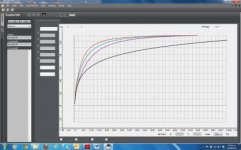
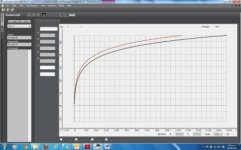
Please see attached printouts of S-Log2 vs Rec709 (800) – look at the F5_55 MLUT Comparison graph.

On left hand side, mark 70% point on the Rec709(800) curve, then transcribe down to the SLog2 curve and back across. This will give you 48% for SLog2.

The F3 used SLog1 so the curve is a bit higher, Zebra should be around 53%.

Also attached SLog1 vs SLog2, for reference."


FS_55 MLUT Comparison.jpg

SLog1 vs Slog2.jpg

Haven't received the camera back yet so have yet to do any tests.
 
Rotierney, excellent to hear something from Sony about it. Ill give it a go next chance I get. It's got to snow again here soon :)

stefan, now we are talking. I'd only been looking at the hyper deck as an adjunct to the oddessy based on price and size. Looks like the blade is the only other mid priced unit at this point that can take 3G sdi. So just maybe given a statement yesterday by dan on the other thread, maybe it will record 422 at least maybe when say the 2k hfr is in buffering and playing back. I'm sure the 4k 120 even if it plays out at 30, will still be 4k and the blade will be WTF. But there is a lot of output modes and switches to test. I might see if there is one local for sale and take my upgraded fs700 in. Here is the new statement.

"4. Sony's FS700 should be able to output, over HD-SDI 3G, HD in 4:2:2, up to 1080p60, and our Odyssey7Q will be able to record this.

Please note that this is not easily determined by the FS700 specifications, but I checked with Sony and they reported that this is possible.


We also plan on obtaining HD, in 10-Bit from the FS700, as well as recording 4K to a compressed codec.
The exact release dates of these two features have not yet been determined."
 
Back
Top