EOS Movie Plugin-E1 for Final Cut Pro

ccastro

Well-known member
Does anyone know if this is available yet?

Availability:
Canon’s new plug-in software for Final Cut Pro will be available for FREE download on Canon web sites around the world in early March 2010.

I looked on the canon site and unless I over looked it, it's still not available.

I figured I'd ask since the firmware is out, I thought this would be out at the same time.
 
When it comes out I'm sure everyone will be screaming about it on here. Hang tight.
 
That's pretty awesome - already installed! Goodbye MPEG Streamclip! (at least for this)

Kegan
 
Now that we've got it can someone please test to see if the prores conversion is actually 'faster'? And by faster I mean 'faster than using compressor when quickclusters are enabled and all cores being used properly' -- look forward to your findings
 
I can just say off the bat, I went out doing some tests with the 5D today and I was in for a little treat once I got back home.

The LONG awaited E1 plugin was out, and i must say so far 'm LOVING it. Makes my workflow SHINE now.
 
I would have preferred an app and not a plugin. Don't like to transcode from card.

Create a disk image in disk utility, remove the card , use the created dmg to transcode., and now you aren't transcoding from the card.

The utility needs the file structure and as a test I just copied and pasted the DCIM file ONLY and everything imported just fine, but I wouldn't guarantee this method as the one to always use.
 
EOS Movie Plugin-E1 for Final Cut Pro a Gift

EOS Movie Plugin-E1 for Final Cut Pro a Gift

This is a REAL GIFT from Canon. The company that developed it (Glue Tools) could have easily charged the same amount that they do for their other FCP plug ins (from $400 to $800). But Canon gave it to us for FREE. Thank you very much Canon!
 
Last edited:
just did some tests, on a 8 core mac pro I can say that its about 30% faster than transcoding using mpegstreamclip

I am just loving it, my 7's keep on paying for themselves over and over and with the new setting from Timur its even better, at least to my eyes it looks cleaner
 
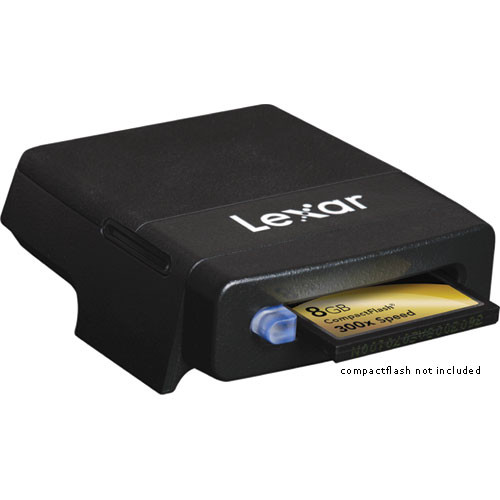
Does anyone make a fast card reader? I've got one built into my Dell LCD, but the transfer speeds aren't great and that seems to be bottlenecking this plugin. Only a couple cores are being used on my 8-core Mac Pro, whereas Compressor with Quick Clusters will use all 8 (and process more than one clip at a time).

Overall I do like having my import/transcode happening right inside FCP, plus the added metadata so even if it's a little slower to transcode it's saving me time in the long run.
 
only thing I dont like about the whole long and transfer transcode is that when using mpeg stremclip I would shoot 1080 and transcode to 720p, much easier on the edit, specially with effects being added and stuff like that, all my stuff ends up in ntsc size so it was nice to shoot 1080 edit in 720 and deliver ntsc :(
 
Does anyone make a fast card reader?

492648.jpg
 
only thing I dont like about the whole long and transfer transcode is that when using mpeg stremclip I would shoot 1080 and transcode to 720p, much easier on the edit, specially with effects being added and stuff like that, all my stuff ends up in ntsc size so it was nice to shoot 1080 edit in 720 and deliver ntsc :(

I can see some of the advantages to doing it this way, but you'd have more room to play with your image in post if you shot 1080, transcoded 1080, and then edited in a 720 or 480 timeline. I use this on corporate talking head stuff to squeeze wide/medium/close-up coverage from one shot when time is limited. You can add virtual zooms and dolly moves too just by keyframing position/scale.
 
Back
Top