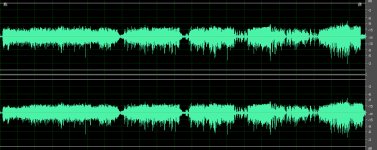
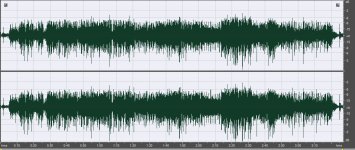
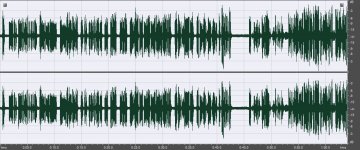
I have two DVXs now and both give me audio that looks like this is Adobe Audition
I have run through everything I can think of, and what I was able to find in the Owners manuals and have not found the setting that will give me a "normal" waveform when the audio is extracted.
As you can see, the upper half of the waveform on both the left and right channels, appears to be "subdued" or "compressed" where the lower half is "running free".
I have NEVER had this come from any of my other cameras, or board feeds, and am completely stumped. Tonight I took my laptop and asked a couple of guys far more familiar with audio, and they were stumped too.
What can I change in my camera or settings, to get the upper half of the waveform to resemble the lower halfs ??
I have run through everything I can think of, and what I was able to find in the Owners manuals and have not found the setting that will give me a "normal" waveform when the audio is extracted.
As you can see, the upper half of the waveform on both the left and right channels, appears to be "subdued" or "compressed" where the lower half is "running free".
I have NEVER had this come from any of my other cameras, or board feeds, and am completely stumped. Tonight I took my laptop and asked a couple of guys far more familiar with audio, and they were stumped too.
What can I change in my camera or settings, to get the upper half of the waveform to resemble the lower halfs ??