dvx100 ND Filter question

elliot_123

New member
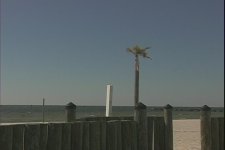
I have the Panasonic dvx100P, it says AG-DVX100P under the viewfinder. My shots seem underexposed when I am shooting in bright sunlight during the day, I tried the nd filter at 1\64. The one thing that drove me crazy about this camera is I cant seem to have proper exposure during daylight shooting. i included some images from the 60i footage i shot from the camera if it helps. the other cameras i have(consumer ones panasonic pv gs120 and sony hdr-cx100) dont have this problem and i can go anywhere and shoot video and not have exposure issues.
 

Attachments

  • sunnyday60i.jpg
    sunnyday60i.jpg
    22.9 KB · Views: 0
  • sunnyday60i2.jpg
    sunnyday60i2.jpg
    43 KB · Views: 0
What are your other settings? Do you have the camera in full auto, full manual, or somewhere in between?

Those images don't look terribly underexposed to me (in my experience, cheap consumer cams tend to overexpose in auto mode). You've managed to keep detail in the beach sand without losing everything in the fence to shadow. But you should be in full manual, using ND only if needed to get the exposure you want at the aperture you want. Turn your zebras on and use them to judge overexposure.

Personally, I keep my zebras set pretty low - 80% or 85% - to make sure that I don't lose anything to highlights. It's easier to compensate in post for a little overexposure than it is for overexposure.
 
Here are the settings I have set for "SCENE F2: CINE60:

60I

DETAIL LEVEL: +3
CHROMA LEVEL: 0
CHROMA PHASE: 0
COLOR TEMP: 0
MASTER PED: -3
A. IRIS LEVEL: -1
GAMMA: CINE-LIKE
SKIN TONE DTL: OFF
MATRIX: CINE-LIKE
V DETAIL FREQ: THIN
PROGRESSIVE: OFF

Even when I press the auto button when I go outside on a sunny day the sky is like all white and everything on the ground looks fine. I tried the ND filter, I pushed it up one time and it seemed to help but it looked like the video had sunglasses on so to speak.

I also shot the video in 4:3, no letterboxing. i used windv to capture it into my computer
 
None of those settings have anything to do with exposure.

What aperture?
What gain setting?
What shutter speed?

Are you always on auto exposure, or are you using manual ensure tools?

Side note: is there a reason you're shooting in 60i? That's fine if all you're going to do is for broadcast or DVD, but if you have any intention of going to the web, especially if that's your main goal, you should be shooting in 30p or 24p (which one depends on the aesthetic you need).
 
This is what it says on my viewfinder

STD
1\60.3

AF36
MACRO
Ach
OPEN
0dB

I believe my aparture is OPEN, thats what it says under ACH

MID GAIN: 0DB
HIGH GAIN: 0DB
ATW: OFF
 
I believe my aparture is OPEN

Here's your first problem.

You need to stay in manual exposure. And you should be stopping down to a smaller aperture in broad daylight. There's a lot more to proper exposure than just turning the camera on and dropping the ND filter.
 
what i sometimes try is turing the zebra stripes on.

than turning the nd filter on and going into manual exposure to make the image brighter using the iris wheel on the side of the camera, until most or all of the zebra stripes are gone, is that right thing to do?

when i got this camera i always thought it would be easy to use just point and shoot, but i found out this was not the case and i always have to constantly tweek my image everywhere i go. i have another sony hdr-cx100 that i bring with me places, thats always seems to work great in all light
 
The DVX is not a point-and-shoot. It offers professional controls and features, and the best way to get the best results is to use it as a professional camera. Your little Sony is a consumer camera, designed to be used without much thought. I'm sure there are levels of manual image control buried in the menus, but it's designed to be used by people who don't want to or have the knowledge to fool with manual exposure.

Yes, you are going to have to tweak your exposure EVERY time you move the camera. That's part of the process. If the light changes, you adjust the camera. There is no global setting, though you can set the camera to full auto if you want. In full auto, it should do the thinking for you (and you may or may not like the results).

Whenever you set up to shoot:

- Start at 0dB gain and leave it there if you can (it may have to be increased for lower light situations).
- Keep zebras on... a little striping in the highlights is usually okay, more if the zebra level is set lower.
- Decide on the shutter speed you need. 1/60 is fine to start with, higher if you need stuttered images and lower if you need to pull out more light.
- Adjust your iris as needed, and if you cannot get the ensure you want at the aperture you want (i.e. the image is still overexposed), it may be time to drop in the ND filter.
- Set your white balance.
- Now you're ready to record. Repeat this process as necessary (if the lighting changes, if you move the camera, if you change locations...)
 
how do you know if something is exposed properly?

How does it look?

Are the highlights blown out? It's overexposed.

Are the shadows just black blobs, or are you losing detail in the shadows? You may need to bring exposure up.

Are the zebras going haywire? Overexposed.

But again, how does it look?

One trick I used with the DVX was to keep the EVF (the monitor in the eyepiece) set to monochrome, and to check it when setting exposure. A black-and-white (monochrome) viewfinder gives you more resolution, and the greyscale allows you to judge your highlights and shadows a bit better. The flip-out LCD is only good for so much, and using it in a bright environment is nearly worthless unless you have the LCD shaded from the light.

And making sure that your brightest highlights (whites) are ticking the zebras without losing detail will help avoid underexposure.
 
Back
Top