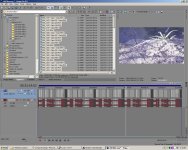
DVFilm Epic I - Realtime DSLR editing in Vegas 9 Pro

Andy Olson

Well-known member
Hey everyone,

DVFilm is proud to announce a new software called DVFilm Epic I that allows realtime editing for Canon DSLR filmmakers in Sony Vegas 9 Pro. No transcoding, no replacing files, no need for a super fast computer.

It works by generating proxies in the background when you drag a H.264 file to the Vegas timeline. You can select to instantly switch between the original h.264 files and the proxies. You can generate full, half or quarter resolution proxies for however fast your computer is.

There's 10 bit YUV mode so you can export with fewer banding artifacts.

And another good thing...it's only $45!

Check it out here at http://dvfilm.com/epic/index.htm

Try out the demo here: Epic I Demo

Best Regards,
Andy Olson
 
The real root of the problem in Vegas is that it doesn't have great Quicktime support (and this is a known fact, known to Sony as well). On moderately complex projects it crashes when it has to use Quicktime to decode MOV h.264 files. So while your proxy method *will work* for the duration of editing just fine, when the user is about to export the final video -- where the original MOV files are used again via Quicktime -- one should expect more crashes than usual.

I've written a (manual) proxy tutorial myself, but for the dSLR workflow I highly recommend the intermediate format method: Cineform, or Avid DNxHD. They just work more stably than the proxy method because from the moment you transcode, you don't use these MOV files ever again.

A better way to attack the root of the problem (apart from begging Sony to fix their QT support), would be to actually create a CUDA-enabled h.264 decoder and take over the Quicktime/MainConcept decoding job on Vegas (another company has already implemented that, but it doesn't work properly or on all Vegas versions).

But anyway, good luck with the product. I hope it offers a good solution to people.
 
Last edited:
Hey everyone,

I always felt the problem with H.264 in NLE's was playback speed and lack of realtime. The couple NLE's that can or soon will be able playback h.264 in realtime most likely use hardware acceleration which usually requires addition cost for a specific graphics card.

Epic offers a cheap alternative.

Some of the benefits are:

1. It will work on slower computers or laptops. Once you have enough of Cineform and Avid clips, most NLE's will bog down.
2. Uses less space with 1/4 proxy size coming out to about half the size of the original h.264 file. The 1/2 proxy is about the same size as the original h.264 and the full proxy size is about twice the size of the original h.264. Avid is about 4x and Cineform is about 3.5x larger.
3. Cheaper than Cineform. MpegStreamclip is free, but most people will transcode to Avid QT codec which can work for some people but not all if their computers can't handle those big files.
4. The proxies are made automatically in the background. While they are being made, you can start editing the clips you have on the timeline.

Neoscene (Cineform) and MpegStreamclip are good programs and I have used both. With Epic I you need less cpu power, less harddrive space, and it's a plugin that works directly in Vegas 9 so you can edit right away. It may not be for everyone's workflow, but it gives a good alternative to transcoding.

I encourage trying out the demo to see if it helps with your workflow.

We appreciate all the feedback and questions. We definitely will listen to suggestions and try to keep offering good software solutions to filmmakers.

Best Regards,
Andy Olson
 
The real root of the problem in Vegas is that it doesn't have great Quicktime support (and this is a known fact, known to Sony as well). On moderately complex projects it crashes when it has to use Quicktime to decode MOV h.264 files. So while your proxy method *will work* for the duration of editing just fine, when the user is about to export the final video -- where the original MOV files are used again via Quicktime -- one should expect more crashes than usual.

Epic REPLACES the vegas quicktime plugin and provides reliable support with no crashes. There are several design features in Epic that make that possible. We can provide more details.

Here for example is a Vegas project with 500 unique DSLR quicktime files (see attached jpeg).

You can scrub and render from full quality with no problems. This is on a cheap Dell with 2GB of memory. We will provide more details of our testing soon.
 

Attachments

  • vegas500grab.jpg
    vegas500grab.jpg
    244.1 KB · Views: 0
Hey Skilled,

At the moment, Epic I only supports Vegas 9/32bit but will work on 64bit Windows machines. The engineers are working on getting Vegas 9/64bit compatibility.

Best,
Andy
 
Epic REPLACES the vegas quicktime plugin and provides reliable support with no crashes. There are several design features in Epic that make that possible. We can provide more details.

Here for example is a Vegas project with 500 unique DSLR quicktime files (see attached jpeg).

You can scrub and render from full quality with no problems. This is on a cheap Dell with 2GB of memory. We will provide more details of our testing soon.

1) So does this mean if I just wanted to edit the original MOV files on a fast enough PC and not worry about generating proxies your Epic's QT plug in will make Vegas happy happy!?

2) What are the processor specs on the Dell you mentioned?

Also in your example it just looks like clips placed back to back on a timeline without any transitions, layering or effects... Vegas usually crashes on rendering for me during the parts that require heavy processing.
 
Last edited:
1) So does this mean if I just wanted to edit the original MOV files on a fast enough PC and not worry about generating proxies your Epic's QT plug in will make Vegas happy happy!?

Yes; however it's doubtful that an affordable PC could do dissolves or other transitions in real time without the proxies.

2) What are the processor specs on the Dell you mentioned?

2Ghz core 2 duo

Also in your example it just looks like clips placed back to back on a timeline without any transitions, layering or effects... Vegas usually crashes on rendering for me during the parts that require heavy processing.

It won't matter with Epic due to the way the plugin is designed, it forces all the rendering through a common memory and interface, totally regardless of layering. We did a test with 400 clips, half of them on an upper layer with 50% opacity (essentially every frame is a dissolve) and it had no effect on stability.
 
Yes; however it's doubtful that an affordable PC could do dissolves or other transitions in real time without the proxies.


2Ghz core 2 duo


It won't matter with Epic due to the way the plugin is designed, it forces all the rendering through a common memory and interface, totally regardless of layering. We did a test with 400 clips, half of them on an upper layer with 50% opacity (essentially every frame is a dissolve) and it had no effect on stability.

Awesome, looks very promising, will give it a shot!
 
Thanks, also we have updated the free demo downloadable at http://dvfilm.com/epic

It now allows you to have an unlimited number of clips so you can test the stability for yourself. We'd be interested in any feedback.
 
Last edited:
So far I have testing this! Ans all i can say at this pointis OMG!! ITS AMAZING!!!!!!!!!!!!!!!!!!!!!!!!!!!!!!!!!!!!!!!!!!!!!!!!!!!!!!!!!!!!!!!!!!!!!!!!!!!
 
Cool... so now it's as smooth, fast and stable as native 7D files in Edius Neo 2.5 and the soon to be released Edius 5.5?

If so...Sweet

Oh, so it makes proxies.. How quick does it make them and can you edit with full frame full rez preview?
 
Last edited:
Thanks for the feedback, Skilled.

ATL, we're working on some speed tests and also a comparison between the different quality settings. The speed tests do depend on the system speed, but we could definitely show the difference between each and compared to transcoding to different formats.

At the moment, the Half size is actually the quickest file to generate though the quarter size will soon become quicker in an update.

Best,
Andy
 
A 36 sec 1920 x 1080 24p clip in Epic starts playing back real-time about 1min 15 sec after you drop it into the timeline. That's with the 1/4-size setting.

That's about as long as you have to wait on your project because while you are scrubbing that clip or adjusting the in/out points, the second clip is processing in the background.

For that same clip the time is 1 min 25 sec for the 1/2-size setting, and about 2 min for the Full size setting.

This is on a pretty low-cost 2GHz core 2 duo laptop with 2GB memory.
 
As a long time soundforge guy, and sonic foundry user, I just can't wrap my head around editing video in vegas 9c..... No problem editing on just about any other nle including: Premiere CS4, Edius and Fcp.... scrubbing in vegas is just odd to me. I used Acid Pro a bunch too... just don't think i'll switch to Vegas when Neo2.5 edits Avchd and dslr footage like butter at full rez already.
It's fun to muck around with tho.
=)
 
As a long time soundforge guy, and sonic foundry user, I just can't wrap my head around editing video in vegas 9c..... No problem editing on just about any other nle including: Premiere CS4, Edius and Fcp.... scrubbing in vegas is just odd to me. I used Acid Pro a bunch too... just don't think i'll switch to Vegas when Neo2.5 edits Avchd and dslr footage like butter at full rez already.
It's fun to muck around with tho.
=)

That's true but with Epic I you can finish your edit instead of waiting for your transcodes, and that's the whole point. We've heard from editors that set up a transcode job overnight and found that it cratered or ran out of disk space, and did not complete. You can waste time transcoding files you end up not using. The transcode files can be huge. Also with Epic there are no transcoding losses.
 
Back
Top