ALL: Does this look like an Autofocus Bug to You?? -- Video Clip

Thanks Lance!!
I found that if you turn AF off in the menu but keep it on, on the barrel AF still works and so does face detect ... The auto exposure doesn't really concern me as you can still tweak the exposure on the iris ring...I really expected the iris ring not to work at all in auto exposure but it seems to work fine, however I suspect if the lighting changes AE will over-ride your tweaked setting and correct the iris. Would that be correct.

My situation is that one of the cams is somewhat un-attended (I check it every couple of minutes or so but NOT all the time) and it's basically fixed on the bride and groom for maybe 20 minutes. What is the difference in my situation between using area function and face detect so one can nail exposure and focus in auto...would face detect be a better option...remember that the bride and grooms face each other so I only get a side on view (slightly better for the bride) What concerns me is what causes the face detect function to "lose" a face shot...if the couple turn away from the camera just for a moment, will I lose face detect and will it return and expose and focus on a face once it "sees" a face. The Manual tells you zip about how face detect works and what criteria is required for the software to "recognise" a face ... Have you any idea how the camera distingushes between say a face and a ballon the size of a face??? I would hate to come back and check the recording and find out that it has decided that a round orb in the Church is a better face and has exposured and focussed on that.

The input is very much appreciated!!!

Chris
 
Well, but there are no warnings in the User Manual or in Marketing literature that shooting in progressive modes or using the great new long zoom range ( which is highly touted ) will cause any drawbacks.

Page 18 in the full user manual provides the warning. Also page 97, albeit to a lesser degree.

Would never expect the marketing material to provide much information about anything at all, by the way, except for very broad feature highlights.
 
My situation is that one of the cams is somewhat un-attended (I check it every couple of minutes or so but NOT all the time) and it's basically fixed on the bride and groom for maybe 20 minutes.

I do a lot of lock down shots when I'm flying solo. I've used all manner of cameras over the years, from lockdown ENG style "big-boy" cameras to little consumer palmcorders. In all cases, if I'm ditching the camera, I always lock manual focus and manual iris. I don't want the camera doing anything automatically without me at least having the ability to monitor those adjustments.

What would REALLY be ideal is to have a P/T/Z camera setup, so you could just sit in a back room and run all the cameras remotely. Those however are rather expensive for the high quality setups and not the simplest to setup on location either. Oh well. :)
 
That's exactly the way I have to work at the moment..I get in the ball park with the push auto button and then snap it to manual and it stays there ..same with exposure... I even did a web search on pansonic face detection and they all say how good it is but no-one will tell you how it works and more importantly what the limitations are which is annoying!! Manuals and training videos seem to beat around the bush and never provide any details at all...sorta "assign face detection to a use button" ..no in depth information at all and stuff like "the face has to be full on to the camera" or "if the camera loses the face then it will ........" Geez manuals and training are really and truely very basic. I guess I will have to stick with lock down settings until I find someone who actually knows the limitations and criteria of face detection!!

Chris
 
The limitations of face detection would be seemingly obvious (not being condescending, sorry if it comes out that way). You're basically letting your camera's on-board computer find faces in 24 times every second constantly for the duration of your shot while the faces move, camera moves, zoom changes, lighting changes, exposure changes, etc. So to me, your limitation would be pretty severe. So to me, it seems that the most successful shots using face detection would be those where the face is somewhat large in the frame (say, 1/3 of the vertical space) and is sufficiently separated from background elements and/or distinctly contrasted against a darker background.

Yeah, the manual - for this feature and dozens of others - will really only be useful in explaining HOW to activate the features and some basic info about when/why you might want to use it. There are some things that defy a full explanation in life and in video production, sometimes you just have to USE the feature (or visualize it in use) to understand it. A paper manual can hardly be counted on to provide a full and complete explanation of most anything.

That's part of why Barry Green's books have been so instrumental for 10 years now on these Panasonic camcorders, because it uses the information in the user manual as a jumping off point and providing more detail about features (including reasons why you might want to avoid a certain feature, or situations where some features really can put their best foot forward).
 
Many Thanks for that...no not condesending at all!! That's why I used the word "limitations" as it must have some if not a lot..line up the kiddies outside the pool in a row all facing the camera and I would expect if would work fairly well...I wonder why they added it to a Pro camera??? My HMC80's also had face detect and it remained off from day one!! I'll stick to the tried and true manual method. I haven't ever used the face detect and I figured if it was fool proof then it would be an asset!! That obviously ain't gonna happen!!!

Guess I'll have to grab a copy of Barry's book from a USA supplier..amazingly enough they just don't exist in Australia!!!

Thanks for all the help

Chris
 
Page 18 in the full user manual provides the warning. Also page 97, albeit to a lesser degree.

Would never expect the marketing material to provide much information about anything at all, by the way, except for very broad feature highlights.


Ah, do you mean page 18 of the main user manual that Panasonic was too cheap to give us a printed copy of??

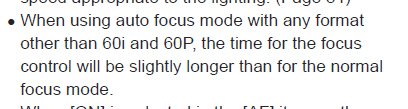
All that page says on it is this:

panasonic1.jpg

I would not describe that warning as being an accurate description of issues that folks have been experiencing and complaining about here. It is much more than just a slower response time. And if shooting at 60i or 60p is essential for good autofocus performance, then that is another con for getting the AC130, since 1080/60p is not going to be added to it with a firmware update, like it is to the AC160.

Neither page 18 or 97 say anything at all about the long zoom range affecting autofocus performance. That is mentioned absolutely no where in the manual.

To be honest, I found Panasonic's documentation to be so very poor, that I would have most likely returned my AC130, if it had not been for the fact that Barry Green's excellent book was also included with it. I found the Panasonic manuals entirely inadequate for someone like myself who had just upgraded to his first professional grade camcorder.

Fortunately, Barry's book came to the rescue. The quality of Barry's book, plus the fact that I specifically got the AC130 because I was looking for a camcorder that had good manual controls, is why I have kept my AC130. Also, the AC130 is not my only camcorder. When I need to be mobile and move among people at an event, I use my Canon Vixia HF G10 instead.
 
Last edited:
Keep in mind that Panasonic has for many years now INCLUDED (at least in the US) Barry's book with the purchase of the DVX/HVX/HMC cameras, so I think it's probably okay that they went "cheap" on us by not including a more thorough manual that wouldn't even come close to the usefulness of Barry's material. When you have a resource like that, you use it. The additional cost of printing a complete user manual that would only be outdone by Barry's book seems a waste to me, and we'd all end up paying for it only to reference it once or twice.

For what it's worth, even though the digital "full" manual isn't a complete reference, I've found it to be about as comprehensive as necessary (obviously a technical manual isn't going to try to explain a lot of raw definitions for common production terms, but only those specific to this device and how it is used). The manual gives you all the features and what they do along with some typical usage scenarios. Go ahead and buy a Sony or Canon professional device and check out those manuals. Talk about leaving a lot to be desired!

Actually, I find that to be true with virtually everything I buy nowadays...just bought a new Samsung Galaxy S II Skyrocket (awesome device, by the way) and it included a "getting started" foldout page, but no manual. It did include a 30 page small booklet but I discovered it was only a book of warnings about using mobile wireless devices (somewhat worrisome to see all those warnings.....hrm). Same was true with my previous similar devices. I've never owned an Apple iPhone or iPad or even an iPod ever, but from what I understand from fellow Apple users, those are fairly barebones in terms of paper documentation as well.

Same thing with another purchase this week of a new 3D LED HDTV and accompanying 3D Blu-ray player. Both came with a basic "getting started" foldout and a URL where I could view the full user manual. I did discover, however, that both have a fairly usable user manual included in the system storage on each device, but that's still not the same as a paper manual. The 3D BD player came with a CD-ROM that has the user manual on it, but then the first thing it did when I put it in the PC was ask to install a bunch of software so I tossed it out.

Point is, digital documentation costs everyone less nowadays. The manufacturer saves on production of the paper goods, I save on storage space for a bunch of paper manuals and don't pay the embedded costs of producing those materials (ideally).

The new devices are coming with ways to access these things more quickly, however. Both my HDTV and BD player came with QR codes on the front of the box to view the documentation online. Maybe Panasonic can start putting a QR code on the base of their camcorders to direct us to the documentation out in the field. :)
 
"Paid job" and "autofocus" in the same sentence is a combination that just doesn't really compute to me.

I have been known to use the push-auto option to set the focus initially before a shot, or at least get it in the ballpark, but basically would never recommend leaving it turned on while the camera is rolling. Even then, I'd be sure to confirm the results as carefully as possible in the viewfinder before trusting it.

- Greg
I agree, why would you use the autofocus instead of manual????????
 
Keep in mind that Panasonic has for many years now INCLUDED (at least in the US) Barry's book with the purchase of the DVX/HVX/HMC cameras, so I think it's probably okay that they went "cheap" on us by not including a more thorough manual that wouldn't even come close to the usefulness of Barry's material. When you have a resource like that, you use it. The additional cost of printing a complete user manual that would only be outdone by Barry's book seems a waste to me, and we'd all end up paying for it only to reference it once or twice.

Do any of you remember the early Macs, which shipped with extensive documentation describing the desktop metaphor, what a mouse is and how it interacts with the pointer on the screen, etc? A lot is assumed, these days!
 
I really still cannot see the point why people want to post saying "don't use autofocus" This thread is not about technique at all it's about the camera's autofocus issue. If something has to be said then surely it makes more sense to help users unsterstand how the autofocus works and how to use it to best advantage. Just because the autofocus is not used by some doesn't mean that it should be ignored. If the camera battery fell out while you were filming and you had to resort to using eleastic bands to hold it in, you wouldn't be happy either. If the camera was meant to be a pro tool and only used for manual operation then Panasonic would have left out all the auto functions BUT they added autofocus and auto iris so if you use it or not is not the issue, the issue is about how to use it effectively!
 
Hi all,

now I have had the ac-160 for a day to test out, (gonna continue for 2 more days), and my conclusion so far is that it does have some serious problem, that to me seems like software.
But maybe some with more knowledge on how focus should work can comment on this:
Example:
I have a stage with a huge ropeknot hanging in the middle of the room.
I zoom in on the knot, I either manually or auto put it in focus. Focus nr is 82, crystal sharp.
I zoom out, the knot is in dead center, but when i put it (or leave it) in autofocus, it changes to focus nr 97 ( which to me sounds like the knot must be out of focus)
I havent had time to view the footage on a big screen, but the change of focus number must mean that the wide picture no longer has the knot in focus.
I did this EVERY time.
I tried with area focus, but exactly the same.

Another thing that to me seems very problematic and like a software issue, is that when in autofocus, and i have zoomed totally in, and then zoom out, it ALWAYS went up in focus number, like trying to follow the zoom, but thusly going completely out of focus in the zoom.
It quite practically is impossible to keep focus using autofocus while zooming out.

These things must be bugs, and not due to the lens or technique.

The panasonic leaser still told me that the software upgrade would contain autofocis issues, but he coulnt show me this.
I hope though as otherwise this seems like an amazing camera!!!

will get back, but it would be great to hear some comments about the odd focus numbers...
 
It seems to me that you are asking the impossible from this or any autofocus system. Do check on a big screen as surely when you pull wide a slight focus adjustment should not affect the picture. Use manual then you can have peace of mind that all will be well.
 
Yes, the question is if the slight focus change will look ok on a big screen.
And no, I am not asking the impossible for an autofocus system. It is not too much to ask that it holds focus when zooming back when the focus point is immobile and smack in the center.

AGAIN, this is not an issue of why not just to use manual focus.
We are some that needs autofocus.
It should work.
 
It is not too much to ask that it holds focus when zooming back when the focus point is immobile and smack in the center.

Just because it's square in the middle means nothing if the total pixels occupied by the object are a very small percentage of the total pixels in the focal area. If you've got a tiny little knotted rope and it is only in 10% of the focal area, don't you think that the auto-focusing system would use the majority of the pixels at any given CURRENT time to determine focus? Just because it sees a huge object in the focal area at full telephoto doesn't mean it applies the same relevancy in determining focus once you pull out to full wide and that "huge object" becomes relatively insignificant in the focal area.

BTW - I recommend to everyone using the HMC150, AC130 or AC160 to set their focus display units to "feet" because that gives you a better tool for figuring out what exactly is in focus. Feet are a direct real-world measuring unit, but using the 1-99 scale is exactly that....scaled. Not a pure and recognizable identifier when setting focus or determining where exactly your autofocus has gone off to.
 
When you zoom out, the depth of field becomes deeper. The camera is shifting towards infinity as you zoom out, which is making more of the frame in focus. As long as the image on the screen still looks in focus, it's doing its job. That isn't a bug.

If you want the focus numbers to stay the same during a zoom, you must not use autofocus, period.
 
First of all, the ropeknot i have used as an example is 1,3 m. in diameter. It is pretty big.
Second, again, I still havent had time to see the focus change on a bigger screen. On the LCD it looked ok, but difficult to say how it will look for real.
Might be that it is fine. As I said I dont know how much this change of focus numbers actually matters, it seemed like a big change in numbers to me though. Will get back when I have seen the footage on a bigger screen.

@barry, if your comment on the focus numbers to change during zoom are meant for my 2. example of what I find as a bug, then you must have misunderstood what I meant. It was a different test I did, nothing to do with the example of the knot.
on autofocus, it completely goes out of focus, and then tries to find focus again, every time I zoomed out.
This cannot be what you mean is expected.

My dvx100 for sure didnt do this, and it cannot be expected that a 3200 euro camera, by rule, loses focus during a zoomout.
 
Now after my second day of testing, I am more positive.
When I viewed the footage of the knot, it seems to be in focus. It must be like Barry Green mentioned, that the change of depth of field makes it in focus, even though the focus numbers had changed.

I also tried to see when this out of focus when zooming would happen, but now it didnt happen. It kept its focus fine. Strange, but good.

The performance I filmed with all on auto, and the camera immobile, looks really good. (I myself was performing so I couldnt handle the camera)
Unfortunately I wont be able to do a more real test, half zoomed in, following people on stage, which actually is where I am unsure if the autofocus will hold, but until now, I am quite happy with the results.
 
Hi Lars
Due to the way autofocus works you do have to get used to the way it grabs focus...as Barry says as you zoom out your DOF gets larger and as long as the whole scene, or important parts of it are in focus then that's what you want. My only issue was that if you have the camera in a fixed position and focus it accurately on a fixed point, IF you leave it in auto it WILL hunt during a period of time...my issue with my first wedding (with AF left on) was that is nailed focus absolutely perfectly of a closeup shot of a bride and groom BUT between their faces, about another 100' behind them was some trees...after about 10 minutes the AF decided it was tired of keep the faces in focus and switched to the background trees making the faces soft!!! I dunno why it did it because the couples faces were a more logical target...but it did AND I was shooting with my 2nd AC-130 and not watching the first camera at all!! At subsequent weddings I now keep the AF menu fuction off and the manual/auto focus switch still on auto and it still autofocuses nicely BUT to avoid any hunting I flip the switch to manual...if you are working numbers then what ever the AF number was ...say 80 ...you will find it will hunt a small amount but switching the switch to manual..will lock it at 80!! That way as long as you don't zoom and the subjects are in roughly the same place no hunting will occur at all.....It really is a safe way to use AF and then lock it down, especially if you are shooting dual cameras...I have done 3 more weddings using this method and the footage is razor sharp from beginning to end!!! The autofocus, even zoomed in a bit seems to work perfectly if you follow people around or pan..it keeps up perfectly and I have yet to see a fuzzy shot in full auto where I'm tracking people!!! The hunting issue, for me, ONLY seems to happen when the camera and subject is constant ...in fact it mainly seems to be when the camera is fixed...then the AF decides that nothing exciting is happening and it's time to look at see what else is going on!!!

Bottom line is if your camera is fixed (and especially unattended for a period of time) then definately use auto to get focus, adjust if needed and then snap the switch to manual!!! Those are certainly my findings so far!!!

Chris
 
Hi Chris,

thanks for info and input! I am getting more and more tempted to buy it. I must say that the footage I shot looks quite amazing, and totally in focus all the time.
Your experience with tracking people and the 160 still keeping focus is what I was hoping for.
Thanks.

Lars
 
Back
Top