Mitch Gross
Veteran
Can't speak for Adobe but we're hoping it will be quite soon.

Follow along with the video below to see how to install our site as a web app on your home screen.
Note: This feature may not be available in some browsers.

Hi Mitch or those in the know,
Can the current 7Q + FS700 record 8-bit 4:2:2 from the camera? Or is 2K RAW the only option right now?
I'm asking because since I cannot work with 2K RAW because of my old computer, 8-bit 4:2:2 is the only option for me until Adobe fixes the DNG color issues.

The 7Q can record the 8 bit 422 1080 from the 700 w/o any additional license fee.
It is recorded as a DPX set of files (actually 444 10 bit), like DNG's they have to be converted to be easier to work with. The down side is a 256GB SSD only holds 16min of 30p recording, so the files are huge.
Compressor can convert these easily and there is no color shift or gamma to worry about, the image looks just like the internal, but is a basically a 422 8 bit image, very much like the NanoFlash quality.
Looks like you should seriously upgrade your computer.
Looks like you should seriously upgrade your computer.

As a couple of side notes...
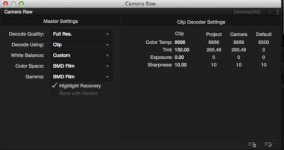
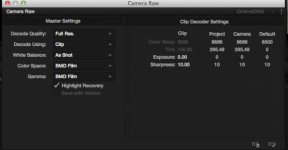
1-when I set the WB to "As shot", per the described workflow, Resolve Lite v10 won't keep this setting and reverts to "Custom". However, this doesn't seem to affect the decoding, as it still looks right.
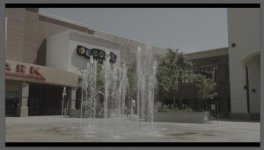
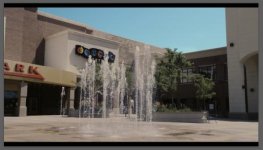
2-Selecting BMD Film results in a green tint to the image. Selecting Rec709 produces the correctly tinted image.
3-GoPro Studio (Cineform) is also decoding the Sony RAW files in that ghoulishly green tint.
Interesting... are you noticing anything in particular that you don't like about the CD LUTs? I haven't used the Rec709, only the SLOG. My goal is essentially to get out of Resolve as soon as possible, given that my end workflow will be only Adobe. CD's SLog in conjunction with a basic exposure/WB adjustment seems to be the quickest way to move it into a malleable form for Adobe.
How would you guys do a BATCH CONVERSION on a series of RAW clips? Does Resolve do a batch convert? Seems like it would be really tedious if you have to run each RAW clip through Resolve individually and export individually.
What's your workflow for dealing with a lot of RAW clips that need to be converted to Quicktime .mov?
Not in particular. As you can see, I'm building quite a layer of correction nodes. So, I ask, why use CD's LUT to start with, then grade from there when I can go straight to my grade and do just as well?