Dialling in the AF100

Hywel

Well-known member
Hi All,

I'm a bit puzzled by the profusion of "there's THIS problem with the camera and THAT problem with the camera" threads here, some posted after just a very short test of the camera. I've seen some lovely footage from the AF100 shot by some very talented people.

I haven't really got any footage of my own that blows me away yet. That's fine, I've only had it a month and only done four or five shoots with it, and there's a lot to think about. There are many, many tradeoffs to be made and many variables to be controlled and understood before anyone can really come to a verdict on whether or not the camera is right for them or can give them the look they want.

Here's just a few of the things I want to experiment with and play around with to try to get the footage that blows me away.

1) Lenses. So far I've been shooting mostly with the Lumix primes 14mm, 20mm and 45 mm. I've just got the Voigtlander 25 and a "dumb" adaptor for my Canon glass. How much difference will those make? And how much difference would a set of CP2's make? I could certainly see the difference between CP2 footage and 14-140mm footage at the CreativeVideo presentation of the AF100 I went to.

2) Detail settings. Interacting with the lens choice is the detail setting. Ideally I'd like something fairly smooth but still detailed, so I've turned these down to -5 for the moment. But maybe with not-so-stellar glass on the front it would help to offset the slight softness but turning this back up. I may end up wanting a totally different value of detail for the 14mm prime wide open than for a supersharp Canon macro lens at optimal aperture. Detail and coring settings interact further with noise and banding and there's the skin smoothing function too...

3) Lighting. I've just made the decision to move over to LED panels for my movie lighting after coming close to charring a mains cable with the wretched tungsten lights a few months ago. I LOVE the fact that the lights can be run off a V-mount battery at full power for a couple of hours, I can't wait to get out in the woods at night to shoot stuff that would have been impractical to consider before. But the lights are a little greenish, so I need to experiment with what strength minus green to use to kill the worst of the green spike. This may be different when using the lights to counterbalance daylight or using the lights to mixed with practical tungsten indoors at night.

4) The colour science of the AF100. Like many, I really liked the 5Dii's look "out of the box" especially in the skin tones. Editman's 5Dii settings are a great start to dialling that in on the AF100, but would I be better white balancing on a colour biased blue coolcard rather than overriding in camera? Is -3 on the preset better than manually changing the colour temperature? How does Panasonic's preferred green colour balance interact with my LED lights green spike, and my preference to err on the side of magenta for safety on skin? All of this needs experimentation.

5) Grading, banding and codec issues. At the moment I'm still vaguely trying to shoot flat and make fine tuning choices on colour rendition in the grade, because the HVX200 responded to that very well. The AF100 at the moment is not, with banding starting to appear especially as I correct subtle colour casts. Now would I be better shooting more for the look, or shooting even flatter with cine_v rather than B-press? Or would I get more from taking the footage to a Ki Pro Mini? (Let us not forget that the AF100 is providing us a very clean signal from professional connectors exactly so this is a viable option). All things I need to try.

6) Noise. I've observed visible noise in the blacks, which to my eye just looks more visible because the highlights are cleaner. On my HVX200 in similar lighting conditions, there's noise everywhere which degrades the image more evenly rather than being more obvious to my eye in some places. But the right choice of gamma and master pedestal can kill the noise so effectively that I start wanting to bring it back to make things look less clinical (and help with banding). So I've got experiments to run here.


So that's many interacting factors which play off each other. Lenses and detail, lighting and colour science, banding and noise, noise and detail, banding and external recorders. Given that this is not an Arri Alexa, it is only to be expected that there's some compromises to be made and different people will need to find different operating procedures to get the best out if it. If money is no object, well then, I'd have bought an Alexa :-)

And let's not forget the AWESOMENESS of a camera which can run without overheating all day, and records sound via XLR. My edits are SOOOOOOOOOOOOOO much more fun without having to sync external sound. Pluraleyes, I do not miss having to use you!

I do wish people would post more "how can I address this particular feature of the footage I am getting to make it more like what I want" and less "I tested for an hour and itz like totally lame and suckz man" posts.


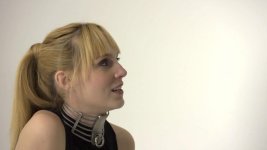
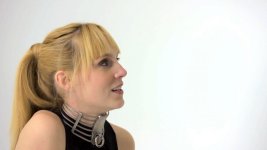
So... to start the ball rolling here. I would really like to make a comparison between a head shot of a person (preferably a pretty girl) with a fairly flat graduation of lighting on a plain wall behind them, shot with the in camera codec and shot with a nano flash, shot in artificial light, fairly high key. This is a worst case scenario for me at the moment and represents the trickiest balancing act beween banding, noise, skin tones, colour science, detail (for hair etc) and sharpness (for not making it look like video). 1080p at 25 fps and top data rate on the camera and on the nanoflash of preference. (If the Nano makes a big difference one can experiment with lower data rates to optimise).

I can provide all the ingredients except the Nanoflash (KiProMini/Ninja/Panasonic AVCIntra thingy). So this is a test I cannot do myself at the moment. Would someone who has access to an AF100, a pretty girl, a plain wall, some lights and a nanoflash be very kind and shoot me ten seconds of footage with the on-camera recording and the nanoflash, please? I'd really like to try grading both and see if I would really benefit from an external recorder or whether I would do better to look to other elements in the imaging chain to improve my results (like maybe my LEDs were a mistake, or maybe I need to see how it all looks through CP2's).

All of which is not to say the AF100 is perfect, of course it isn't. For me it is a step up from the Canons, but having made the decision to buy it, I would like some friendly collaboration in getting the best out of it.

Thanks!

Hywel Phillips
 
Last edited:
Hi Jan,

I do have Barry's book and very helpful it is :)

There's a world of difference between knowing how something OUGHT to affect the look of the final footage and what it actually looks like when you get it back to the edit suite. Especially when you start pulling it around in the grade or when you've managed to shoot it slightly sub-optimally on a busy shoot day and really, really wish you could rescue that greenish colour cast that you failed to notice on set. That is what I am noticing - the HVX200s are very graceful in their ability to be rescued, whereas the AF100 (and my Canon dSLRs) are not. I suspect this is down to the codec, but without an external recorder it is hard to test for myself :)

There's also some of things- like how dramatically the lens choice affects the look- that you can't see without seeing actual footage with that lens on it. There's an interplay between (for example) the optical low pass filtering, the sharpening, the contrast settings, the lens choice and the codec. I've actually spent the last few hours recording and pixel peeping on the on-set monitor the differences between every lens I own that I can shove on the camera and trying to get a feeling for the subtleties of them and what combos I like the best. Same as I've always done for my stills photography (by profession I'm a stills photographer turning to moviemaking now as well). It's like knowing that you really would like to stop down to f/8 to get the crispest result on a Canon prime for stills, but that a Hasselblad medium format is good a lot wider open and can be trusted to deliver the goods even at f/3.5.

The main pressing issue for me with the AF100 is gradability, which is why some footage shot with an external recorder would be useful as a comparison for me.

Cheers,

Hywel.
 
My supply of beautiful young girls at ready access has dried up (meaning, my daughters grew up and went to college) but I do have a scary mannequin head I could use, if you could tolerate that...

So -- if I am to get this right the first time, am I understanding that you want a high-contrast side-lit fresnel with no fill, and on the back wall a smooth white gradient?
 
know what I did?

I took some of the settings on the "recipe" thread, loaded them into my user settings, and shot several scenes with all of the different settings and looked at the results on a reference grade monitor, and tweaked from there.....
 
Hi Barry,

An old head would do, it is about the skin tones really :) So human would be better than mannequin, but mannequin would do. I'd prefer a side lit fresnel but with some fill, so not totally contrasty, but otherwise that's exactly it. What I have found on some of my footage shot in my white infinity cove is that there is a perilous balancing act between clipping on the smooth white gradient behind, banding, and doing ugly things to the skin tones especially if you want to correct a mild green/magenta shift. I'm finding it harder to do with AF100 footage than with HVX200 footage, so my suspicion is directed at the codec and the compression, hence the request to have a few seconds of footage from the Nanoflash to compare as I grade. If it responds better to what I am doing, it is a good indication that I should strongly consider an external recorder!

So the footage would be much appreciated if it isn't too much hassle to set up. If it is a pain, I will try heading to Creative Video at some point and see if I can try one out there for myself.

Cheers, Hywel.
 
know what I did?

I took some of the settings on the "recipe" thread, loaded them into my user settings, and shot several scenes with all of the different settings and looked at the results on a reference grade monitor, and tweaked from there.....

Yeh, that's exactly what I've been doing too, albeit on test scenes rather than scenes where I'm paying the talent by the hour... I've not found a set of settings I really like yet, though. Editman's 5D2 scene file is getting there.

Cheers, Hywel
 
Heres what we did.

We brought the camera...un packed it and started testing .

We set up a control scene with skin, grey scale and color charts.

All our testing was at default settings. We did not touch anything but changed the scene setting F1 thru F6


Later we began testing some of the adjustments such as gammas, knees etc. All controlled set ups and of value to us because we understood the base default settings.
Our results are posted in this forum.

We have read and noted others, settings with interest. At the end of the day..we set up our shots and our own settings based on what we are shootting at the time.

There is no magic bullet setting on this camera.

It starts with lighting and using your eye ( a broadcast quality monitor is a must have with this level of camera)

BTW - we can easily get a great result by Default F1 scene setting.
 
To illustrate what I am seeing, here are three versions of the same frame. This is not an extreme example (actually it is rather subtle) but at least on my screen it shows what I am on about.

Ungraded, recorded on AF100 using built in codec, recoded in B-Press with Norm2 Gamma, -5 detail, -4 chroma level (if I recall correctly)
arielungraded2.jpg

Quick grading performed in FCP with 3 way colour corrector to neutralise slight colour cast, bring up skin tones and bring back a bit of saturation...
arielgradedFCP3.jpg

Quick grading performed in Colorista II to do the same thing...
arielgradedcolorista4.jpg

I know that I haven't really matched the appearance after grading between FCP and Colorista, that's not my point. My point is that even with this relatively modest grade, I can already see that the background is starting to band and fall apart, and there's even hints that the skin tones are starting to get strange things happening to them.

Now I know it is a REALLY unfair comparison, but here's a shot of her again in the same studio under studio flash lighting on a medium format digital camera:

arielhasselbladcrop1.jpg

Since the camera only shoots RAW files, there is no equivalent of "ungraded", but this is a one to one pixel crop of the original shot (which was a full length one) not a downsampled version. It has not been photoshopped, and the lighting happens to be very similar in positioning of the various lights, even if the actual light source is quite different (studio flash through softboxes vs LED panels with diffuser sheets, in more or less the same places relative to the model). It was the best example I could find without staging a direct comparison. It's actually a rather crummy photo (ugly shadows) but I much prefer the colour rendition to that of the AF100. I would like to get them closer.

Obviously, it is mad to ask a £4000 video camera to emulate the look of the £15,000 stills camera, especially in different lighting. But I'd really like to get the colours more similar, and I'd really like to be able to pull the grade around more without the banding starting to appear.


EDIT: DARN. I didn't realise the pics would be downsampled when I posted them. Even I can hardly see the banding in them now. It is actually MORE obvious on moving footage as the banding stays from frame to frame and seems to be more visible as a result. Oh well, I'll leave the post up anyways I guess... it does show the look I am aiming for, and how far away from it I currently am!


Cheers, Hywel.
 
Last edited:
Your lighting for the AF100 is no where near the lighting in the still example. (Did you light the still?)

You are trying to make something in a grade / cc instead of photograph it in ( lighting).

You are using LED lights and do not have a reference grade monitor on set. Use the same lighting and you can easily achieve the same look.
 
Yes, I lit both. I know the lights are different in character and specturm. That's one of the points I made at the start of the thread- that there are a large number of inter-relating factors going into the makeup of the shot.

However the actual lighting PATTERN was very similar. I know it was, because I know where the ceiling spigots are in my studio and I know where everything goes, and I just took down the flash heads and replaced them with LED panels on a one for one basis, plus two panels stacked vertically to go where the strip softboxes usually go. The spread characteristics are different, the colour balance is different... but the physical arrangement of lights is very similar, as were the lighting ratios (measured with the same lightmeter by the same person in the same space- although I won't swear to how exactly similar they were). She's even sitting in the exact same spot, although her head is turned the other way. The softbox front area is rather larger for the strobes, but actually not so radically different from the area of the front of the LED panels, and I put diffuser over the front to soften the LEDs. The main differences I am aware of are in beam spread (the LEDs are a bit more tightly collimated, which is why the background isn't quite as evenly lit on the videos), the colour spectrum (the flash is daylight balanced from a genuine black-body discharge, the LEDs have a lumpier spectrum) and of course the intensity and duration of the light.

The video shot is mildly underexposed to prevent anything clipping, adjusted on the wave form monitor. I was especially trying to protect the red channel on her skin. The camera was white balanced on the cove in camera, then again using the eyedroppers in post to neutralise any slight casts and dialled in my usual S-shaped curve.

The still shot is exposed to the right, with nothing clipping in any channel, using the on-camera histogram which shows the three channels stacked on top of each other- I adjust so nothing is clipping. The camera was white balanced on the cove in post as you have to do with a RAW shot as there is no in-camera choice to make. I dialled in my usual S-shaped curve, neutralised using the eyedroppers in post to get rid of any colour cast.

So... the methodology is really as close to being the same as I can make it. I want to test the hypothesis that the codec has a lot to do with the limitations I am finding in the way in which I want to work. I don't really know of a way to get it any closer.

I have not yet shot with the AF100 in the same space using tungsten lights, which is certainly something I will try, but based on my experience with the HVX200s and Canons with Tungsten and LEDs I'll be surprised if it revolutionises the look or gets is dramatically closer to what I want to achieve, but of course it has to be explored. Also to be explored is shooting the same scene with the same lights on both stills and video, which is also something I will be trying shortly, although I will probably have to fall back on the Canons for stills as the Hasselblad is very light-hungry (native ISO is only 50).

Cheers, Hywel.
 
Last edited:
... I tried to get as close to "ungraded" as I meaningfully could by setting all parameters to default in the RAW processing software and just making the white balance choice based on the background. Here's what an "ungraded" still from that set looks like...

reh_20091230_1221209.jpg

(It isn't the same shot but her head is closer to position that it is in the video).

Note that there's not a single clipped pixel in the RAW file for the still, incidentally. That makes it very easy to push it all towards a purer white with an S-shaped tone curve, which is what I was trying to do with the video as well.

Pushing the still from here to the colours you see in the other shot is effortless. (In fact it uses my standard "studio shot" profile as is done automatically on ingest). Pushing the video to get anything LIKE those colours causes the background to break up and the skin tones to start going a bit screwy.

Hywel
 
Obviously, it is mad to ask a £4000 video camera to emulate the look of the £15,000 stills camera, especially in different lighting. But I'd really like to get the colours more similar, and I'd really like to be able to pull the grade around more without the banding starting to appear.

I may be stating the obvious here, but if you're going to compare, use the same lighting. The LED lighting in 1-3 is hideous compared to the softbox/flash. Put an Arri light in a chimera and then shoot the comp or go outside and rig an 8x8 overhead silk.

Well thought out cinema lighting positioned correctly and properly exposed can eliminate the need for excessive grading. Again, the obvious... if grading accentuates banding and other artifacts then quit the grading and light-expose-shoot correctly initially.

I happen to like -4 detail, -4 vdetail, -3 ped, +2 coring, -2 chroma, HD Norm, and Norm2 or Cine matrix. If I do any grading it's usually only to desaturate.

To find your proper setup, do what McGee and Shooter suggested: shoot several standard scenes with F1-F6, tweak your favorites till you like it and, bingo, you've got your look without having to 'fix it in post' (I hate it when clients/producers say that).

Regards,
Scott
 
I may be stating the obvious here, but if you're going to compare, use the same lighting.

Yes, of course that is the absolutely a necessary test to do, which I will as soon as my live-in model gets home from her shoots as is around to be the test subject again.

you've got your look without having to 'fix it in post' (I hate it when clients/producers say that).

I really don't regard this as "fixing it in post". I regard it as the equivalent of shooting a digital negative, then fine tuning the look. Exactly as I do for stills and exactly as Stu Maschwitz (developer of Colorista) recommends in his book. We're not talking about massive changes here- we're talking about applying a basic S-shaped curve, taking out a very mild colour cast, and re-introducing a bit of the saturation that I dialled down deliberately to protect the red channel in the skin tones following Barry's advice a couple of weeks ago.

What bothers me is that the HVX200 footage was very happy to have this minimal grading done to it. The AF101 is not in my experience thus far. Hence my wondering if a higher bit rate external recorder might let me do what I consider to be the very minimal colour correction that I do routinely on every stills shot I take on my video footage. I don't have a suitable comparison framegrab to hand, but the HVX footage allows me to pull it closer to the stills look I like in my experience to date.

Cheers, Hywel.
 
I dont get why you light your model in two different ways with 2 different liught sources (quality) and you expect the same result.

You know how you lit the still shot (nice). Simply do the same and nail your levels (wfm is your friend) and color temp.

(LED lighting ..forget it. You know its green and crappy)

Your issue seems to appear when you try to "fix it in post".

Scott (SNP) and I seem to be totally on the same wavelength about this.

BTW - you are not shooting raw or digital negative on the AF100. Use your eye-ometer.
 
In the absence of human model, Tigger agreed to stand in.

3 LED light panels, one key, one fill, one background.

AF100, Editman's 5dii scene file, 1/50th of a second, f/5.6, Voightlander 25 mm lens. White balanced on the background, black balanced. Exposure adjusted so that the highlights came to 100 IRE using the waveform monitor. ISO 400.

Ungraded shot:
TiggerVideoUngraded.jpg

Grading done in Colorista II. Neutralise with eyedropper on background. S-shaped tone curve applied. Saturation increased a bit.
TiggerVideoGradedColorista01.jpg

Hasselblad H3D-31ii on the same tripod using 80 mm lens at f/5.6, shutter adjusted to get exposure so the histogram is correctly exposed to the right. (Ended up at 1/6th of a second, nominally ISO 100, the Hasselblad is a bit over-optimistic with its ISO ratings). White balance done with the eyedropper in Phocus, as routinely done for all Hasselblad shots. My usual S-shaped tone curve applied.
reh_20110319_1238895.jpg

Now... same subject, same lights. How do I get the video version to look more like the stills version given that Mk 1 eyeball liked the lighting as it was, and so did the Hasselblad, and it looked OK on the AF100 monitor too? (I don't have a broadcast monitor yet which I know I should acquire). I haven't found camera settings that natively get me close to this look, and if I have the chroma level up, it risks clipping. So the only sensible way I can see is to grade, and when I do, things start to fall apart.

You may not be able to see it in these shrunk versions but the video graded shot is starting to show banding. I couldn't turn up the exposure in camera or the white background would have clipped, which would have raised the spectre of colour casts around the burnt out highlights. There are already faint colour casts appearing across the background on my monitor (it tends to magenta in the lower left and green in the middle) which are simply not there on the Hasselblad shot.

(P.S. the specular highlight in the eye may have clipped on either or both cameras, I am not sure, but I adjusted exposure so the background didn't do so on either)

Cheers, Hywel.
 
Last edited:
Now... same subject, same lights. How do I get the video version to look more like the stills version given that Mk 1 eyeball liked the lighting as it was, and so did the Hasselblad, and it looked OK on the AF100 monitor too?

Out of curiousity, did you grade your AF-100 footage directly from the AVCHD file or was it transcoded to something like ProRes 10-bit 4:2:2 before you started working on it ?

...I mention this only because I've found that when grading AVCHD files with Sony Vegas Pro it makes a huge difference if you are working in the original AVCHD 8-bit color-space versus working in 32-bit color-space. The 8-bit color-space falls apart very fast, while the 32-bit is fairly robust. ( I imagine it must be the same with Final Cut Pro or Premiere CS5 )
 
What is the watt second rating of the strobes? You would probably have to continuously light the subject at similar levels that the strobes achieve for that instant to get the same look.
 
There is no way that when I look at your ungraded shot that I can imagine the white BG is 100 IRE on a WFM.

I just spent a day shooting product on a white (and a yellow) BG and what I shot as white BGs look like white BGs as per your last frame. What I monitored in studio and in the edit suite and all the wfms ...identical ...and are true pure white.

I did tests on this camera (posted on this site) and the phenomena known as "clamping" is very minimal onthis camera. That is a very good thing.

http://www.dvxuser.com/V6/showthread.php?236028-AF102-Peak-white-tests-SCREEN-GRABS
 
Last edited:
The footage is transcoded into ProRes 422 for editing in FCP.

Shooter, you are right of course that the white background isn't quite hitting 100% - it is as close as am accustomed to coming with shooting on the HVX200 I guess, but it peaks just shy of 100%. In a very tightly controlled situation like this I might be happy to see it sneak over 100%, but in normal shooting I would prefer to leave it just under like this to protect myself from ugly highlight clipping. What are you using to edit with, out of interest? There's always the quicktime gamma shift bug which I think tends to make the framgrabs look a bit muddier although this may be delusion on my part. The footage is also warmed up using Editman's 5Dii scene file choices.

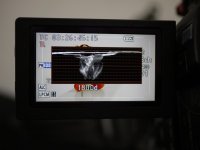
Tiggerwfm.jpg

In any case, that does not alter my contention that the level of manipulation of the image in the grade I have shown in these examples does not constitute an unreasonable reliance in "fixing it in post". For me and my workflow, this seems like an entirely reasonable level of fine tuning of an image captured reasonably carefully to protect the highlights and the red channel from clipping. Pushing the nearly-whites closer to white and neutralising the slight warming and mild green tint is something I wouldn't even begin to consider as an issue shooting stills... or shooting DVCPro HD on the HVX200. I'm largely replicating my HVX200 workflow in fact (with the extra input of the waveform monitors rather than purely relying on zebras).

Which brings me back to my original point, which is that I am rather concerned by the apparent propensity of the AF100 footage to start showing artefacts, particularly banding, when given this level of tidying up... let alone applying a dramatic look in the grade. Something I had not observed on HVX200 footage, but which I had observed with Canon dSLR footage. (My unscientific impression is that the Canon footage holds up marginally better than AF100 footage, but that's very likely due to me being more familiar with Canon operation and therefore being braver in getting close to clipping in the camera). I rely on this sort of level of tidying up just to match shot to shot in footage shot in less controlled conditions. I'd really like this level of grade to be viable for me to do- I do it routinely.

Which brings me back to my request for footage with an external recorder which Barry has very kindly just done for me... I will post when I've had a look at the footage.

Shooter, your frame grabs look GREAT for the "live" footage, but to my eye at least there's hints of colour casts coming in on the third and fourth shots on the backgrounds. By no means objectionable, but something which might start to cause issues if the footage is graded. Which is what you've been telling me I guess :) :) Where were the waveforms for these shots, and were you editing on a PC or a Mac/FCP (i.e. is Quicktime gamma shift a potential issue?) Also, what scene file gamma choice (and roll-off choice) were you using out of interest? I will admit that I've never seen any footage from my AF100 as clean as that out of the camera, so I'd certainly like to understand why I haven't!

Cheers, Hywel
 
Last edited:
Back
Top