Crushed blacks on iBook but not on my iMac

muroshi

Well-known member
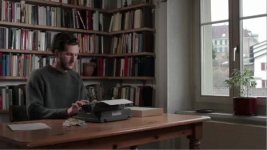
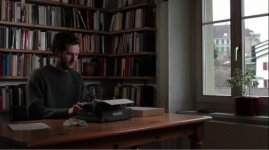
On the iBook the blacks looked crushed very badly, on my iMac everything looks okay, and I got some details in the shadows, but if I export it over quicktime and view it over the webbroser, suddenly it gets darker as well. What could it be, that causes this difference?
 

Attachments

  • MVI_0083-poster.jpg
    MVI_0083-poster.jpg
    126.4 KB · Views: 0
  • MVI_0083.mov.zip
    MVI_0083.mov.zip
    238 bytes · Views: 0
Last edited:
The image you attached looks fine to me, blacks arent crushed (im looking at it on an older imac at the moment).

Your gamma may be set up incorrectly, this link should explain why your seeing a certain gamma shift on the web:

http://www.gballard.net/psd/srgbforwww.html

As a basic web starting point, set your macs to 2.2 gamma, d65 and some sort of standard srgb profile for your specific LCD.

Because apple had a history of 1.8 gamma, I think mac OS applies all sorts of gamma adjustments in the background and it gets confusing fast.

Maybe find someone local who knows color calibration for macs well and ask them to help you set your screens properly.
 
I know that different versions of Quicktime have different Gamma issues. See if this helps: http://www.videocopilot.net/blog/2008/06/fix-quicktime-gamma-shift/

Actually it was the .mov that the camera generates. It looked very crushed on the iBook of the actor and okay on my iMac. It looked a bit like the image titled with correct gamma, which looks way oversaturated.


The quicktime-export for web (generated trough quicktime) is another story. It generates a .m4v, a .mov. and a read-me file, which contains the video and webcode. I have no idea, why if I click on the generated .mov file and play it in Quicktime it looks normal, and if I click on the read-me I see the above tumbnail, which looks normal as well, but as it starts playing in the browser-.mov it gets way darker. (Maybe I can add a screenshot of this later.) Haven't found a way to upload the 4mb .mov here. Shouldn't it be the same quicktime that plays the vid?
 
For my second issue. I uploaded the.mov on my website:
http://www.yannickhagmann.com/Test/ReadMe.html

It shows the tumbnail you see as it looks if I play the video on my regular quicktime, but as soon as I watch the .mov in the exportet ReadMe.html in the browser it looks darker (you can click on the image to do that). Why is that?
 
Last edited:
^ seconded. Quicktime is a headache when it comes to cross-compatibility, etc. I know people love using pro-res with final cut and all that, but if you are expecting any kind of cross-platform compatibility, I would avoid the format entirely and go with something more standard. ESPECIALLY if you intend to embed on the web!
 
^ seconded. Quicktime is a headache when it comes to cross-compatibility, etc. I know people love using pro-res with final cut and all that, but if you are expecting any kind of cross-platform compatibility, I would avoid the format entirely and go with something more standard. ESPECIALLY if you intend to embed on the web!

550D creates a .mov, which is a quicktime format if I'm right. Isn't FCP working and using quicktime as well? Which program should I use, to give me a hint, if the gamma that quicktime is showing me is right or wrong? And won't I run into the same problems after I have converted to ProRes to edit that H.264-stuff finally?
 
Last edited:
Opened it up in VLC now and it looks darker there as well. Although not so much as Quicktimes export-function. It still looks acceptable in VLC.
 
Last edited:
Yes, the video out of the 550 is in a quicktime container, but using h.264 and not pro-res. I personally don't use final cut (don't like limiting my workstations to Apple only), but those that do often swear by the quality of pro-res, and convert all their video into that before editing.

As for why the gamma seems to change, remember that quicktime is a DECODER as well as an encoder. You likely have a different version of Quicktime on your imac and ibook, each playing back their own way with their own gamma inconsistencies. Not to mention discrepancies in a LCD saturation could cause issues as well (very often if you plug an external monitor into a laptop, you can see a difference in color saturation between the monitor and the laptop's LCD).

Personally, I load up my camera footage directly into Premiere or Sony Vegas, and never touch quicktime again after that!
 
Yes, the video out of the 550 is in a quicktime container, but using h.264 and not pro-res. I personally don't use final cut (don't like limiting my workstations to Apple only), but those that do often swear by the quality of pro-res, and convert all their video into that before editing.

I guess it's more that FCP slows down CPU much if you edit in H264. Seems that I'm still limited to QT on my iMac. :(
 
Personally, I load up my camera footage directly into Premiere or Sony Vegas, and never touch quicktime again after that!

exactly!

you have to read those files once, there's no way around that, and really no need to avoid it; the problem is when you're working on your timeline and have an image you like, and then you export your clip, and it looks different; I avoid that by not using .mov as an export format, ever
 
I guess it's more that FCP slows down CPU much if you edit in H264. Seems that I'm still limited to QT on my iMac. :(

Yes, I've heard FCP does not like to work natively with this format. Shame.
Have you tried using a different NLE?
 
Yes, I've heard FCP does not like to work natively with this format. Shame.
Have you tried using a different NLE?

For Mac there is only Avid I think. Unfortunately there is no Vegas for Mac (which looks afordable).
 
To give someone who struggles with the same gamma-issues some hints I made screenshots that clearly show the difference.

Quicktime_Original.jpg
The original .mov file of my 550D shown in Quicktime on my mac.

Quicktime_Webexport.jpg
Quicktime export for web (file/export for web) shows it much darker in the Quicktime browser-plugin.

VLC-Player.jpg
The original .mov file of my 550D shown in VLC-Player on my mac. (http://www.videolan.org/vlc/)
 
Back
Top