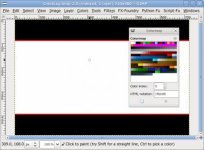
Cropmarks for ML

DDirector

Veteran
I dont have Photoshop or any software or program to create any cropmarks for the ML myself.
I wanted to know if anyone would be able to make or tell me where to find these cropmarks:
- 2.40:1
- 2.35:1
- 1.85:1

*I dont want the letterbox to be see threw. I want it to be solid black & have the same details as the cropmarks that came with the ML.

Thanks :D
 
These crop marks can be created in a program like Gimp which is open source and free for download.

I posted these in the ML thread. They are a group of 1.85:1 crop marks, some with the safe area, some with rule of thirds and one blank. It is based off of the cinesco2 crop mark.

If there is anything you want changed let me know. I'll try my best to fix them. If you like this design, I can make some more 2.35 and 2.40 crop marks. It does take some time though.
 

Attachments

Thanks.
Is 16:9 really that close to 1.85:1? There is not that much of a difference there. I thought there would be more. The best was (c185ts)
It would be nice if it has those red lines on the edge to see it better.

The crop mark that comes with the latest ML (CineSco2), I heard its 2.37:1
If it is, I would need both 2.35:1 & 2.40:1 crop marks in the same style w/the red lines, action safe & that cross mark in the center.

*I noticed that the 16:9 crop mark has a transparent letterbox. How would I be able to get one that is a solid black?
 
Last edited:
I created these ones, you may want to use them, or create your own modifications
http://www.similaar.com/foto/cropmarks/mlcropmarks.html

here are the instructions and the color palette:
http://magiclantern.wikia.com/wiki/Cropmarks

and this is my "note-to-future-self" summary:

Create a 720x480 image using the 8-bit palette shown (much easier: start with an existing cropmark file designed for your camera).
In the palette, only the first 80 entries have constant color (the other entries change according to the skin used; in Play mode, the palette is almost the same as on 5D2).
The entire cropmark will be drawn, and aspect ratio is 1:1 (edit: this is only for the 550D; for the 5D, it's different).

Color 0 is transparent.
Color 3 is semi-transparent black. (originally used for top and bottom on ML cropmarks)
Color 20 (hex 14) is also semi-transparent, but more opaque. (used by ML as text background, so I used it for top and bottom)

Color 1 is white
Color 2 is black

Color 5 is light blue
Color 6 is green
Color 8 is red
Color 9 is blue
Color 15 (hex F) is yellow

the easiest way to change a color for another one, and be sure that the correct one is picked from the palette, is to edit the .bmp file on a hex editor; get to the part where the image is defined (once you've opened a cropmark file in hex mode, you'll see this is totally obvious), and replace, for example, 03 by 14 (which is what I did to get a leaner look on the top and bottom black semitransparent bars)
 
Last edited:
Thanks.
Is 16:9 really that close to 1.85:1? There is not that much of a difference there. I thought there would be more. The best was (c185ts)
It would be nice if it has those red lines on the edge to see it better.

The crop mark that comes with the latest ML (CineSco2), I heard its 2.37:1
If it is, I would need both 2.35:1 & 2.40:1 crop marks in the same style w/the red lines, action safe & that cross mark in the center.

*I noticed that the 16:9 crop mark has a transparent letterbox. How would I be able to get one that is a solid black?

Well yes, DDirector it is. 16/9= 1.78:1 (rounded). So as you can see, it is only a .08 difference in ratio. By visiting, http://en.wikipedia.org/wiki/Aspect_ratio_(image), you can see just how close they are in relation to each other. Having said that, they are still very different.

Just so I'm clear, you want the title safe area to be in red so that you can see it better?
 
@Taylor Fenno - I see, they are very close together. But, like you said, it still makes a difference. Thanks.

No, I don't want the title safe area to be red. I want it to look EXACTLY the same as the (cin185ts) layout but in 3 sizes. (16:9, 1.85, & 1.39*) - The one you gave me.
*Do they use 1.39 or 1.40? - In the Wiki link you gave me, it says 2.39


@NormanBates - I looked over your crop marks before, I tried it out, but didnt like the action safe and the center lines. And it didnt have that red line like Taylors did. Same thing with the ones that were on the magic lantern link you gave me.

Is the only way to customize my own crop marks is to use Photoshop? Or would there be a free program that I can download?
 
Last edited:
Like I said in my first post, Gimp is the program I used. I simply took the cinesco2.bmp, opened it up and began fashioning a 1.85:1 crop mark. To keep the colors the same I even used an eyedropper. The rule of thirds overlay came in quite handy so I could get accurate places for the marks, as did the center overlay. The rulers on the vertical and horizontal axis can get you almost perfect in terms of ratios.

Modern Anamorphic is 2.39:1, and has been since about 1970 I think. Formerly, it was 2.35:1.

Edit: According to my flimsy math, the cinesco2.bmp is 2.38:1.
 
Last edited:
Back
Top