C100: converting AVCHD to Prores

diegocervo

Well-known member
Hi all,

I have a c100 for a few days and I'm testing it. I'm really impressed by the quality of videos and ergonomics, but I'm struggling to convert the mts files to a NLE friendly codec.
Basically I tried out any software I own (clipwrap, compressor, media encoder and so on) but I always get a prores file that looks kind of interlaced. I suspect it's because the camera records progressive segmented frames. Is it?

Clipwrap gives me a perferctly rewrapped avchd which looks fine, but neither FCPX or Premiere can display it properly.
Where is the trick?

thanks for your help as usual.
Diego
 
Gary, I'm in Pal land and I set the c100 to shoot 25p from the start, nevertheless I get these strange frames.
But thanks for your help
 
Then you probably shot 25p in a 50i container. You'll need to tell your NLE that the footage is not interlaced, and hopefully it will remove the 2:2 pulldown (if such a thing is used in PAL...I have no experience).
 
What am I missing? I shoot 30PF and pull it into CS6 Premier (Win 7 Pro) through Media Browser and drop it onto a 29.97P timeline. I can edit the native files and don't see any interlacing in my footage.
 
Last edited:
This is a common issue with first time C100 users! Look through the forums, it's been addressed a couple of times. Unless you are shooting 24P, the footage is progressive in an interlaced wrapper, so you do need to specify it as Progressive in your NLE. In FCPX manually set your project to 25P when you create it, don't allow FCPX to auto-select the frame rate. If the FCPX gods are smiling this will then work automagically (maybe 50% of the time if you are lucky), otherwise you will then have to go into the event video info and switch it to Progressive anyway.
 
Clipwrap gives me a perferctly rewrapped avchd which looks fine, but neither FCPX or Premiere can display it properly.
Where is the trick?

I have zero issues with ClipWrap and FCPX. I don't do anything at all in FCPX to compensate: just let FCPX automatically detect the footage as 25p (after ClipWrap re-wrap).

ClipWrap was also updated a while ago to officially support the C100.

What are you getting that looks strange?
 
First, let me thank all of you for taking the time to answer to my post.

@ Matt, I always check for previous forums before posting. I'm not used to ask things without first doing a search on dvx.
FCPX project was set to 25p and I specified the NLE to read the footage as progressive. However, I constantly get an image within the NLE which is not read correctly.

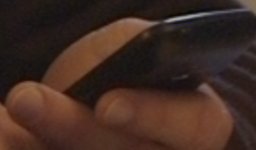
Here are two screengrabs. Both are crops at 200%.
The former is the original mts opened in quicktime after having clipwrapped it; the second is the same frame of the same avchd video imported into FCPX. Look how smeared are the edges of fingers and wrist in the second image.

Please download them from my dropbox to see the difference. https://dl.dropbox.com/u/2888648/mts canon c100_smearing.zip

Further, I get the same issue when converting the mts file to prores using any common software. The prores file shows this smearing.

Best,
Diego

QT mts.jpgFCP mts.jpg
 
You can't judge in the NLE. Export it to ProRes and then check.

Have you set FCPX to playback with 'better quality' as opposed to 'better performance'?

Still... Export and re-check.
 
OK.

Is one of the frames a screenshot from FCPX, or did you export a still frame?

And for the record, I don't think the 'smearing' is that bad. There is a small difference, but this is at 200% as well..
 
the frames I posted are screenshots, not stills from FCPX.

Sorry to disagree Andree, but the difference should not be there in the first place...and it's pretty noticeable at 100% when playing the video.
I've been using many many cameras in the last few years and never had this kind of issue. That's why I'm disappointed.
Plus, in the next weeks I'll be cutting footages from the c100 with those of my F3 and I wouldn't like to see smearing all over the faces of actors :)

I didn't have the time to test an external recorder with the c100 properly, but I hope it will solve this.

Thanks,
Diego
 
Sorry to disagree Andree...

No need for that... =)

I'd still like to see an exported still to see if the change is persistent through the chain. I would not rely on a screenshot from within a NLE.

This forum kind of sucks for uploading nice quality stills, but you can check for yourself and just write what you find. Same, better or perfect?
 
Here we go Andree.
This is a screengrab at 200% from the prores file exported from FCPX. Not exactly the same frame as before since I don't remember the timecode...but basically it should be quite close.
Still a big difference of "smearing" compared to the original mts opened in QT.

p.s. Sorry I can't show the entire frame, just a crop of it, but I don't have permission to show the face of the person in the shot.

Senza titolo 2.jpg
 
Ah, a little off topic here

why do you need to convert to proress as CS6 supports AVCHD whatsoever?

please forgive my ignorance
 
actually the problem I have is that the AVCHD file looks bad in CS6 and FCPX, while looks good in quicktime.
I started this thread talking about prores conversion because it is where I first noticed this chroma smearing, but then I compared the same avchd file in 2 NLEs and I realized that in my "ecosystem" neither FCPX nor premiere can read c100 files properly.
 
Back
Top