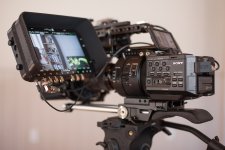
F5: Convergent Design ups the ante. Two Free 256GB SSD's with Odyssey 7Q+ purchase

Thanks Jani,i'll check that for sure. I do have a valid EU vat number so it should be fine.thanks.
Lenilenapi, when you buy from BH and others from US you have to pay a lot for shipping and customs etc, so in 90% of cases you end up paying too much!that without mentioning warranty as anatusa said. I buy in the US only if I'm sure I can't find it in EU area.Thanks everybody
 
Thanks Jani,i'll check that for sure. I do have a valid EU vat number so it should be fine.thanks.
Lenilenapi, when you buy from BH and others from US you have to pay a lot for shipping and customs etc, so in 90% of cases you end up paying too much!that without mentioning warranty as anatusa said. I buy in the US only if I'm sure I can't find it in EU area.Thanks everybody

you just told u have Valid EU VAT number, so if u buy from USA , yes u will pay VAT at custom, but ull get it back after that with vat returns. so in reality all u pay shipping and custom tax (that usually 2-5%). now the EU price is like 300usd extra (http://convergent-design.com/ its says 2295$). so that difference will cover your shipping and custom tax. So yes warranty is my major concern!

most of tech is more expansive in EU, and often in usa there are deals that we never get in eu, so usually buying from usa is less expansive, but warranty is a problem.

here is another dealer http://cvp.com/index.php?t=product/convergent-design_cd-odyssey-7q-plus
their used price says 2525$
 
I was just looking at the Slog3 LUT in the 7Q and comparing it to the 709TypeA LUT coming from the camera. I looked to me like the 7Q LUT only matched the camera LUT at EI 1000. Anybody else notice that? Also I'm wondering ( hoping) that the next version of LUT's in the next firmware might also have LUT's with different EI's. I didn't realize previous to trying it out how important the EI is on your monitor.
 
Hi Mitch, I'm trying to find an authorized dealer in EU that offers the 2 free ssd 7Q+ package and can't find one!
Is this offer is limited to the US only!?
Thanks
Samer
The promotion is worldwide and is open to all dealers. You can contact our EU distributor Symbiosis, who can then direct you to a local dealer.

We and Symbiosis have sent out multiple bulletins to our dealer network on this. If you could provide me with the names of the dealers you contacted it would be helpful as we want to make sure they all know about this offer.
 
OK I bought the 7Q+ with the 2 cards. Great - I'm really excited . Then it dawns on me that I need a SATA to USB 3.0 or or thunderbolt adapter to download files! Is that correct?
Am I missing something here ? So I just ordered a "
- hope that's right.

RANT:
Shouldn't this be bundled with the recorder or at least make it quite plain to purchasers that they need to buy something else. It's not listed with accessories at B&H so you need to search to even find it.. And what about the thunderbolt adapter? so far I don't see it listed anywhere. I planned to use the recorder this week but now I have to order something and B&H will be knee deep in snow. This has taken me well over an hour to figure out. Atomos just puts in the box and at $2300 .....

This reminds of when I bought the 7Q only to find you couldn't activate it without buying a drive.
I'm sorry to rant - it is a great device - Am I off base here? Should I have known this?

Lenny
Hi Lenny,

I understand your frustration. We should try to make this more clear.

There are many SATA adapters available; it is a common computer accessory. This is akin to buying a card reader. We offer a basic USB3 model and there are many others available as well. We do not make a Thunderbolt model but they are available from other companies.

B&H does list our SATA to USB3 adapter, although one needs to look down in the SYSTEM EXTENSIONS tab in their ACCESSORIES list. We are going to ask them to also include it in the SHOWCASED ACCESSORIES tab, which is what first comes onscreen when one clicks on the ACCESSORIES tab. But either way it is there.

To clarify, you did not need to purchase a drive in order to activate the 7Q you previously purchased. You did need an Odyssey SSD or Utility Drive in order to update the firmware in the Odyssey. In the time between us shipping that particular unit to the dealer and you purchasing it, Convergent Design had come out with a new free firmware update. The unit still functioned without the update, but to take advantage of the new features you did need to have a way to load files onto the device.
 
Just did my first shoot with the 7Q+ and it performed fine though I was thrown by the need for the CDproResTransfer software to link the 4Gig files together. Granted I was flying blind and hadn't gotten a chance to test the whole workflow first ( shoot was not critical). Once again though it was something that I wish was clear at the get go rathe than something to be discovered only by reading the manual or discovering on set then scrambling to figure out how to fix. It would be nice to know exactly what I needed before the shoot. By comparison I gotta say my old Samurai had everything I needed right away (well that's if you don't count an AC adapter!)

Playback on the 7Q however is a problem so far. Playing back plain vanilla 1920x1080 29.997P ProResHQ starts to playback smoothly for about a second , then it gets steppy showing me maybe every 8th frame or so. Audio is smooth. Is this normal? Is it a setting problem?

Bad for security on the set. I had problems with my samurai juddering frames previously and that could get entirely missed with this kind of playback .
 
Last edited:
Mitch, Just double checked my clips.
We shot our main recording into a PIX240 from which the producer was used to, and I showed her the Odyssey because I want to switch to it on the next shoot. For fun I just connected the Odyssey to the output of the Pix and recorded that. The footage from that loop out has the jumpy playback on the Odyssey, though the pictures look fine after downloading and looking at in Quicktime on a Mac.
However I also just shot a little extra test (without any sound) afterwards, and that plays back fine on the Odyssey.

First footage was shot on an F3 though the Odyssey was set up for FS7. Second footage that played back was shot on the FS7. I can't imagine why any of this would make a difference to playback though.

I haven't had time to shoot any more tests.
 
Please contact CD Support so that we can help analyze the playback issue you describe.

The CDProResTransfer Tool is not required but recommended. It's there to span all those clips together. seamlessly. You can use it as the program that imports the files off the SSD into your computer and it takes the same amount of time as any other method, but this way the clip stitching happens invisibly an in a single step. CDProResTransfer is a free app you can load into a Windows or Mac computer, and we do update it every now and then. There are two other free apps available as well.

I know there are plenty of people who don't crack open the manual. In fact it is most of you. It's real fun writing a document that you know hardly anyone will bother to look at. We refer to the task as "manual labor." What would you prefer to make sure the message gets across? Should we stick a bunch of Post-It notes on the Odyssey so that when you pull it out of the box the instructions are more in your face? Not being sarcastic; sincerely looking to find what clients prefer.
 
Last edited:
Thanks Mitch,
' i did send the same note to CD support. i assume I'll hear from them on Monday and its not critical for yet. I like the CD ProResTransfer Tool and yes it was quick. Would I gather that my jumpy playback is unusual?

I do understand your frustration with those of us who don't read the manual, but I feel I'm generally used to getting what's needed in the box. I would have suggested including a USB to Sata drive adapter with the unit - only cost me $23 on Amazon. Also maybe a CD with the software though that might get out of date often. At least it would indicate that you should check for an update immediately. That's also pretty typical. Of course at this point that means repackaging which is probably hella expensive.
Maybe a clear statement of "Necessary Accessories" on the vendor write ups and on your web page .
 
Please contact CD Support so that we can help analyze the playback issue you describe.

I know there are plenty of people who don't crack open the manual. In fact it is most of you. It's real fun writing a document that you know hardly anyone will bother to look at. We refer to the task as "manual labor." What would you prefer to make sure the message gets across? Should we stick a bunch of Post-It notes on the Odyssey so that when you pull it out of the box the instructions are more in your face? Not being sarcastic; sincerely looking to find what clients prefer.

Two responses to this....
1-It's quite true, I don't read the manual...until I have a problem, then, that's the first source I check. Sadly, the user manuals very rarely answer my dilemma.
2-Yes, postit works well. I'll admit to reading the "breaking news" printed on a single page at the first opening of the box. But, I waste zero time with 3rd party propaganda usually enclosed with every product I purchase. Not sayin' CD does that, just sayin'.
 
I am considering to buy a CD 7Q+ or Shogun to record UHD out of my A7S very soon. I am still unsure, which one it will be. I am not really earning money with filming, but I cannot risk failures in any recording though.
For me there is only a chance to buy the CD 7Q+ at all yet, because of the free 512 GB SSD-space. So, here's my question: did anyone ever got one single 512GB instead of 2x 256GB? The CD website states, that it may by one 512 GB, based on availibility. If I would plan to buy an extra 512 GB SSD, it would be fine to have the other 512 GB already in, and not 2x 256 GB. My EU-dealer just told me, that they got fresh 7Q+ but only with 2x256GB. Is there any chance to get a set with 512GB in EU?
 
I am considering to buy a CD 7Q+ or Shogun to record UHD out of my A7S very soon. I am still unsure, which one it will be. I am not really earning money with filming, but I cannot risk failures in any recording though.
For me there is only a chance to buy the CD 7Q+ at all yet, because of the free 512 GB SSD-space. So, here's my question: did anyone ever got one single 512GB instead of 2x 256GB? The CD website states, that it may by one 512 GB, based on availibility. If I would plan to buy an extra 512 GB SSD, it would be fine to have the other 512 GB already in, and not 2x 256 GB. My EU-dealer just told me, that they got fresh 7Q+ but only with 2x256GB. Is there any chance to get a set with 512GB in EU?
We are not planning to ship any Odyssey7Q+ units with a 512GB SSD. The language on the website is there just in case we run into inventory issues with 256GB SSDs, but we do not wish to ever replace them with a 512GB SSD. And we do not accept requests to substitute one for the other.
 
To A7s_User

I have tested both Shogun and Odyssey. Currently have a Shogun here for review which we just tested on an A7S. I have previously tested and reviewed Odyssey and just bought one, in fact to take advantage of the SSD promo. I have been a long-time user of CD products ever since NanoFlash. Still I think I am being completely objective when I recommend the Odyssey over the Shogun. Shogun has a very nice IPS display which held up well shooting outdoors (albeit on a cloudy NYC winter day) but even before getting to feature sets, I find numerous issues with the build on the Shogun. But the main issue is the SSD cartridge which slides into the back of the unit. It does not lock into place and protrudes slightly from the right side of the unit to enable removal. But that also leaves the SSD open to being pulled out or at worst even breaking off. That's close to being a deal-breaker for me.

Ned Soltz
 
Thank you @Mitch and @Ned
Now it is clear, not to wait/ask for a single 512GB SSD anymore. At least less trouble at the moment. And thanks for mentioning the SSD-cartridge. I've just found some hints on the battery problems at Shogun.

I've read a lot, but overflew the manual of Odyssey only till today. As I understood I don't need the Utility Drive for firmware updates since I would own CD recording SSDs.
Futher I need a simple Sata-USB3-bridge, and normal 1.4 mini-(7Q+)-to-micro(A7S) HDMI-cable. Seems to be very difficult to find in EU.

The 2 biggest disadvanteges for not just saying "yes Odyssey" to me are: 1280x800px only. Seems to be the major point. And no 1080/120p. Although the A7S does not have it, it would be more future proof. Any rumour/plans on that? RAW is no option for my needs/possibilities.
 
Last edited:
Thanks Terry - good Info, especially about the NP-F batteries. i bought that adapter unfortunately and haven't had time to stress test the batts yet but I think I'm over my 30 days at B&H . If you're right - that's $75 down the drain.

MITCH, ' Are these guys right about the current draw? If so could I exchange my Sony L adapter for a BP-U one. i have plenty of both batts and the adapter only went on the 7Q 2 days ago.

Lenny Levy
 
In theory we have the capacity to do 1080p/120 in the future. It has not been enabled at this time but the processor in the Odyssey7Q+ is quite powerful and we could do this.

The delivery of such a signal is a different matter. Capturing 120p depends on how such a signal is sent. We currently record 120p from the FS7, the FS700, the C500 and the Indiecam GS2K.
 
I love seeing a review like this. The FS700 is still a VERY good tool for R&G, with the O7Q attached. Mine is rigged exactly as shown, including a face contouring soft hood for outdoor use. The only difference is that I power everything off a single aft mounted AB brick. This setup balances much better on my shoulder and gives me about 2 hrs worth of shooting, depending on how much I use my power zoom. Add a Redrock Micro Remote/thumbwheel and I have power focus or power zoom via a thumbwheel for non Sony lenses.
 
Last edited:
Convergent needs to up their ante. I expect this years NAB I s going to feature a slew of new recording options. Personally I am thinking seriously about the Atmos Shogun. Lots of bang for the buck including DNxHD recording.
Sweet!
 
Back
Top