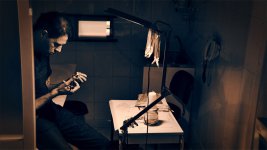
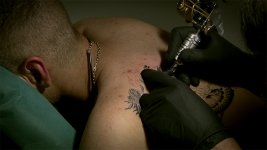
Color Grading test

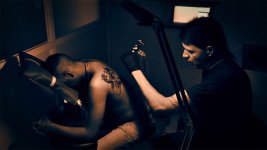
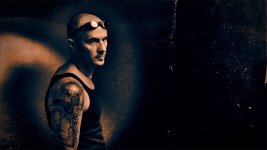
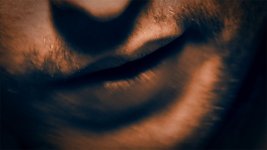
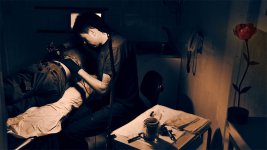
Hy, here are some CC test four a docu. It my first time CC so need help, i'm on the right whay?.

Gabriel Bordas
 

Attachments

  • RINGO8.jpg
    RINGO8.jpg
    101 KB · Views: 0
  • RINGO10.jpg
    RINGO10.jpg
    119.2 KB · Views: 0
  • RINGO11.jpg
    RINGO11.jpg
    88.4 KB · Views: 0
  • RINGO12.jpg
    RINGO12.jpg
    121.6 KB · Views: 0
  • RINGO14.jpg
    RINGO14.jpg
    98 KB · Views: 0
  • RINGO17.jpg
    RINGO17.jpg
    128.3 KB · Views: 0
  • RINGO16.jpg
    RINGO16.jpg
    92 KB · Views: 0
  • RINGO19.jpg
    RINGO19.jpg
    127.8 KB · Views: 0
  • RINGO21.jpg
    RINGO21.jpg
    133.8 KB · Views: 0
  • RINGO22.jpg
    RINGO22.jpg
    81.2 KB · Views: 0
  • RINGO20.jpg
    RINGO20.jpg
    133.9 KB · Views: 0
  • RINGO24.jpg
    RINGO24.jpg
    147.8 KB · Views: 0
Last edited:
Are these done to the still images themselves in a photo program like Photoshop, or are these actually graded in AE or your NLE, and then pulled as grabs?
 
I was also wondering if the entire clips were colored like this. Any word? (They look fantastic, either way :thumbsup: )
 
Those grabs look great and work brilliant for monotone ink but what about color ink? Would be awesome to do selective color correction on those shots but maybe a lot of time to do it?
 
how was Ringo8.jpg possible?
can someone explain how you grade like that?
what is grading? like what filters would you apply to a clip to grade it?
 
Interesting color correction. Definitely has that photoshop feel to it. Can you post a short quicktime so we can judge what this looks like in motion?
 
Hi,

The workflow is: hdx900 1080p 25 fps dvcprohd100 recording, FCP export as tiff secvence, 1 frame from every scene inported in CS3 searching a look,
import all the frames in CS3, 16bit transforn, noise reduction, celuloid texture, and all the rest changes. All this it recorded by Action function and saved.
Rendering time 9000 fps (tiff 16bit 1440x1080) aprox 9 - 20h.
The tiff secvence it the master. Every archive it a scene and then iported back to FCP in a non-compresed time line 10bit. From this time line a dvcprohd to visualize and the noncompresed 10 bit it going for difrent masters, dvd i-pod, hd e.t.c.

All this is posibile in color, but i realy want this time to try this and accept motion traking and 3D color separacion it fine, more importand to work as a photographer like forghet that i´m a video man.

In short time y post some video.


Gabriel Bordas
 
Hi,

The workflow is: hdx900 1080p 25 fps dvcprohd100 recording, FCP export as tiff secvence, 1 frame from every scene inported in CS3 searching a look,
import all the frames in CS3, 16bit transforn, noise reduction, celuloid texture, and all the rest changes. All this it recorded by Action function and saved.
Rendering time 9000 fps (tiff 16bit 1440x1080) aprox 9 - 20h.
The tiff secvence it the master. Every archive it a scene and then iported back to FCP in a non-compresed time line 10bit. From this time line a dvcprohd to visualize and the noncompresed 10 bit it going for difrent masters, dvd i-pod, hd e.t.c.

All this is posibile in color, but i realy want this time to try this and accept motion traking and 3D color separacion it fine, more importand to work as a photographer like forghet that i´m a video man.

In short time y post some video.


Gabriel Bordas

When you say CS3 are you referring to Photoshop CS3? Or is this After Effects?

Looks awesome, by the way. Can't wait for the footage.
 
i've done the same kind of frame-by-frame batch color correction in Photoshop with amazing results, the problems being it takes a long time and there is no on-the-fly changes like working within FCP. as a graphic designer, i'm more familiar with the controls in Photoshop. can't wait to get my hands on Color with FCS2.

But the images look absolutely amazing.
 
Back
Top