Color Grading D750 footage? Lumetri, Davanci, Film Convert, oh my!

ReelFilmGeek

Well-known member
So I have started shooting more video again and have wanted to get into color grading my work a little more creatively rather than just simply correcting it. I've played around with some footage for a bit but honestly havent had luck really getting something I'm completely happy with. Now I know it is probably because of my (lack of) grading skills but would like some input on things. First off what picture profile is everyone using? I've recently been using the installed Nikon Flat profile, is this a good idea or should I actually stay away from it as I know some of these flat profiles dont work the best on 8 bit DSLRs.

I have also played around with LUTs with very mixed results, as it seems they are hit or miss. I have tried film convert but have never been truly happy with it on any camera footage as it usually looks too muddy. I have also tried the D800 profiles included in adobe with the Lumetri color tool, it makes my footage more flat, and then when I try some other creative luts the resualts are very hit or miss.

Also are there any luts I should look at for the Nikon D750? It seems Nikon has a lack of luts available that really work well with it? I understand that luts are not color grading but more of a quick touch up or starting point on a grade?

Also in general where should I go to try and learn to color grade? I started to learn the workspace of davanci but I think part of my issue is my knowledge on color grading. I know I need to practice more but a majority of the time I try color grading a clip I feel like my results arent there, they usually are not a natural subtle look or completely miss the mark. Is there any place out there that lets you grade footage provided and allows you to compare what you have graded to others?
 
You should hang around bmcuser - since the BM cameras ship with Davinci, there are a lot of users and dedicated threads there.

Of course, the bMCs give you Prores and raw - you can't push the Nikon footage very far (well, I've worked with 7000, 7100 and 5300 footage extensively) and it'll break pretty quickly.

Hard to say without seeing some before & after work - a lot of people are frustrated with grading and ask how to get some epic cinematic look, but when they show their footage it turns out their exposure and lighting are too terrible to really do anything with.

I shoot with a "mildly flat" profile on the 7100 often, but I work to get the footage as close as possible on set. You don't have a lot of leeway with 8-bit 4-2-0 footage.

Still, the first 2 grabs below, we wanted a hint of "old footage" where the emulsion begins to go a little pink/magenta. Held up fine, but the sky in #2 was unsaveable. This was sort of a get-it-all-in-one-day project and considering, it came out OK, but I wish we'd have something like a BMC.

#3 shows you can get a great range of contrast and colors with a lot of saturation, but you need a reliable monitor to verify where you're going. But the current Nikons are capable of getting some really nice, deep color.

awaydear+TC-alt-1080.jpgcam.jpgDSC_8259.jpg
 
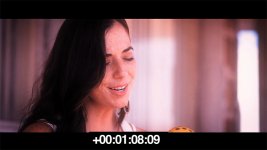
So after coming back and comparing some of my footage I think part of the issues is the luts dont seem to be made for the flat nikon profile, but rather the Nikon standard profile. In fact If I used canon Luts I got better results. For example here is a screen grab from a music video I shot on the D750 with what I consider decent lighting and exposure.
Nikon Original.jpg
Then I applied a Fuji Pro 400 Lut for Nikon "standard"
Nikon FUJI PRO 400.jpg
the skin really looks like crap, and when I apply the Nikon D800 SL profile with Lumetri color in adobe premiere pro I get this. And when I try apply any cures to it my footage now has a strong brownish tint to it
Nikon D800 SL Profile.jpg
Yet if I got to some old footage I shot on a short with the T2I and apply a canon lut I go from this
canon original.jpg
to this
t2i kodak 5219.jpg
and you can see how it doesn't throw all the colors out of wack.
 
A lut is designed to go from A to B where A is a specific place.

Simply LUTs wont work for you camera unless it is a Nikon750->709 LUT

--

Learning colour grading? The most important is visual intent.

Once you decide something is too saturated (for examply) you can hunt the forums and tutorials until you find out how to reduce saturation.

But if you have not decided the image is too saturated in the first place then you have no where to go.

it can help to steal some Roger Deakins and put it into your timeline which might give you some nice targets to work towards.

Technically. Personally Id suggest Resolve but Im sure other suites work too. maybe.

S
 
Would you be mad at me if I said I think the T2i looks better?
Not really, the T2I footage was from a 10 day shoot for a 40 minute short film with a small skeleton crew and the Nikon D750 footage is from a music video that I shot as a one man crew and due to an actress not showing up and schedule issues, we had only about 4 hours to shoot the whole video.

A lut is designed to go from A to B where A is a specific place.

Simply LUTs wont work for you camera unless it is a Nikon750->709 LUT

--

Learning colour grading? The most important is visual intent.

Once you decide something is too saturated (for examply) you can hunt the forums and tutorials until you find out how to reduce saturation.

But if you have not decided the image is too saturated in the first place then you have no where to go.

it can help to steal some Roger Deakins and put it into your timeline which might give you some nice targets to work towards.

Technically. Personally Id suggest Resolve but Im sure other suites work too. maybe.

S

I found some Nikon neutral luts but they still seem hit or miss. They seem to do much better in more natural lighting situations with soft light and in shaded areas. They seem hit or miss and honestly after spending all day learning dissolve I feel like I am better off not using film luts. Spent some time learning more color theory and I feel like if I just focus on that more I will be better off. The film luts do a decent job at creating less video looking skin tones and skys that have gone a little too bright so they are cyan but its still a shot in the dark. If I can learn how to handle those things by hand in resolve I think I may be better off.
 
If nikon did not issue a lut it is not a nikon lut it is just a home tinker no better than you or i grading a shot and pressing save as lut in our software.

Bound to be inconsistent
 
If nikon did not issue a lut it is not a nikon lut it is just a home tinker no better than you or i grading a shot and pressing save as lut in our software.

Bound to be inconsistent
Fair enough. I have seen a friend use the Impulz luts on his A7S and on the GH4 and they looked good, yet we tried the Impulz Nikon luts (they are not camera specific) and they all seem to push the skin tones way to red and just overall dont seem to work well with my D750. It's a shame as I liked some of their more subtle film luts as a starting point on a grade. Does nayone know of any good luts for the D750 or am I out of luck?
 
Fist off, LUTs can be used to correct and style, a corrective LUT will convert Log footage to Rec709, and a stylizing LUT can make your footage look like two strip technicolor or some other unique look.
Style LUTs will only get you in the ball park, you still have to spend some time grading to get the most out of your image.

I'm shooting on a slightly long in the tooth Nikon D7000, and my mode of operation to get a more cinematic/filmik look, is to shoot with a flat picture profile like TassinFlat or CineFlat, apply a corresponding LUT to convert the footage to Rec709, and then grade, denoise, sharpen etc. You can also add film grain to make your footage look more like film, which can also function as a form of dithering.

I'm pretty new to color grading myself, but I'm really liking Devinci Resolve, despite it's complexity.
 
Back
Top