Clever, FREE pulldown-removal & transcoding workflow via AviSynth

Here's what I've tried so far to get a decent pulldown reversal out of AVISynth and the results of each:

*AssumeTFF().DoubleWeave().Pulldown(0,2)
: Video size come out at 1920 x 1088, lots of interlacing/pulldown artifacts

*AssumeBFF().DoubleWeave().Pulldown(0,2) : Video size come out at 1920 x 1088, lots of interlacing/pulldown artifacts

*Telecide(guide=1,post=2).Decimate() : Video size come out at 1920 x 1088, but video has NO interlacing/pulldown artifacts. Video is softer than Neoscene, but this is possibly a result of the switch to 1088 height.

*Slonick's long script above: Video size come out at 1920 x 1088, but video has NO interlacing/pulldown artifacts. Video is softer than Neoscene, but this is possibly a result of the switch to 1088 height.

Not sure what is causing the video to be blown up to 1088. I have tried using both ffdshow-20020617, as well as the newest alpha version ffdshow-20041012 with the same results.
 
Schmoe's results confirm my suspicions that SLoNiCK's original script was matching and weaving the wrong fields together. It's because the algorithm is a "dumb" or "blind" one. That's why you need to use an intelligent fields matching algorithm, like TIVTC or DGAVCDec.
 
Last edited:
why you get 1920x1088?? avisynth or telecide does not change the size, it seems you have a problem with directshow, probably it applies some filter or format conversion before serving to avisynth.

I'm having a directshow problem too, when using directshowsource, with latest ffdshow drivers installed, I'm getting the correct size, but also interlaced artifacts in some frames, but by using DGAVCDec the pulldown removal seems to be perfect so far:


avcsource("00009.dga")

Telecide(guide=1,post=2)
Decimate()

info()
 
Eureka! You hit it right on the head DrBlaz. I had a codec that was overriding FFDShow and decoding the AVCHD files. After combing through Graphedit and uninstalling/reinstalling some things I tried the tests again.

Using the following in AVISynth:
*AssumeTFF().DoubleWeave().Pulldown(0,2) : Worked perfectly, results identical to Neoscene

*Telecide(guide=1,post=2).Decimate() : Worked perfectly, results identical to Neoscene

*Slonick's long script above: Worked perfectly, results identical to Neoscene

So any of these methods will produce nice visual results, although I still need to test motion in the files to make sure there are no errors there.

Given all the different AVISynth options, I think I would go with Telecide(guide=1,post=2).Decimate() just for simplicity....

Now...does anyone have any good suggestions for an editable intermediate HD codec? That's another plus for Neoscene... it includes a great HD intermediate codec in the package.
 
Schmoe

AssumeTFF().DoubleWeave()
Can you upload first 20 frames of this script outpu on your system?

...as the newest alpha version ffdshow-20041012...
Man, where are you digging them from? :)
http://www.free-codecs.com/download/FFDshow.htm

ydgmdlu
DrBlaz

Well, we all have choice. You can spend some time playing with pulldown(n,m) parameters. When you have right ones - I bet it will work on all footage on _your_ system. At least until you change codecs and splitters.
You also can rely on some "smart" tools. For exapmle TFM and Telecide convert original "aa, bb, bc, cd, dd" sequence into "aa, bb, c'c', c'c', dd" and remove "c'c'" dups with Decimate. The problem is that c'c'!=cc cause c'c' is reconstructed via some complex deinterlacing algorithm. It adds more functionality to TFM and Telecide letting them work even with semiblended or improperly resized frames, but we don't need it.
My last "smart script" works a little different. It converts "aa, bb, bc, cd, dd" to "aa, ab, bb, bb, bc, cc, cd, dd, dd, da", then replace interlaced frames with progressive neighbours "aa, bb, bb, bb, cc, cc, dd, dd, dd, dd" and then removes 6 dups out of the sequence. But it stil relies on some "is-this-frame-interlaced" guessing that doesn't work 100% right. That's why I'm still for "blind way".
 
What format do you want the 20 frames in Slonick? I think the only HD format I currently have installed is the Cineform codec.

Also, which of these 3 methods do you believe would be most accurate?
 
Schmoe

Sorry, I started my post before you mentioned that problem had been solved, so 20 frames are not necessary.

I vote for "blind" way. I tried all 3 "smart" methods on video session filmed by SonicStates and have found issues for all of them. It's not like something really troublesome in original footage but they usually have tendency to jump out on color grading or VFX.
For the "blind IVTC" - it's hard to miss wrongly IVTCed clip :)

NeoScene is interesting solution. But its benefits lie mostly out of "low-end indie" workflow. Crossplatform? We are mainly stuck on mac or win, not both of them, we rarely have to transfer timeline edits insted raw footage (cut in Vegas, CG in Color? Brrr...). 10 bpc? Nice feature to acquire video from HD-SDI, but for VDSLRs and inexpensive camcorders we have only 8bpc. I don't want to say they useless, but everyone should look in mirror and ask himself: "Are they usefull for me?"
 
Last edited:
CineForm should run file on a P4 on up, more likely an issue with the NLE you are using (we can't optimize for everything), how is desktop playback for you? There is a 10-bit advantage on 8-bit sources, it is subtle and relates to compression, color space conversions, and down stream grading in tools that can handle more precision (FCP, Premiere Pro, AE, Combustion etc.)
 
David Newman

how is desktop playback for you?
Nearly this way:
attachment.php


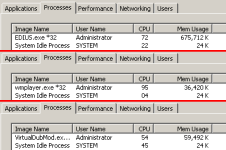
I have NeoScene 1.2.1 trial and Neo player 4.0.2.211 installed. Works stable but eats half of my CPU just for playback in best case (with VDub). Edius and WMP can't play video smoothly.
 

Attachments

  • neo_cpu_load.png
    neo_cpu_load.png
    8.3 KB · Views: 0
however, cineform codec is 4:2:2 , and the free Huffyuv and Lagarith lossless codecs can compress 4:4:4

This is a big advantage if you want the best quality
 
Last edited:
Odd, VirtualDub is the slowest here. Could point to a graphics card issue if you get a non-accerated surface. Try the settings control for Desktop Playback Fast (in Start->Programs->CineForm->NeoPlayer.)
 
however, cineform codec is 4:2:2 , and the free Huffyuv and Lagarith lossless codecs can compress 4:4:4

This is an big advantage if you want the best quality

We also have 4:4:4 and 4:4:4:4 codec a 12-bit precision at significantly smaller sizes than 8-bit lossless codecs. So it all depends what you are looking for, such as price, performance, data rate, precision, compression quality, compatibility, metadata and archivabilty. We do very well on on many of those, we are just not free.
 
sure, I think cineform codec is one of the bests codecs available, but we are talking about the version shipped with neoscene, its the 4:2:2 version.

For maximum lossless quality, I would chose huffyuf or lagarith because they are 4:4:4, the file sizes are bigger of course, but HDs are cheap.

And, for people who don't want big files and don't mind some compression, ffdshow offers MJPEG and other codecs also 4:2:2


We also have 4:4:4 and 4:4:4:4 codec a 12-bit precision at significantly smaller sizes than 8-bit lossless codecs. So it all depends what you are looking for, such as price, performance, data rate, precision, compression quality, compatibility, metadata and archivabilty. We do very well on on many of those, we are just not free.
 
This is a GH1 forum, 4:4:4 would be overkill lossless or not, for a 4:2:0 source. Hard drives might be cheap but workflow and editing performance, transfer and backup times are are impacted. There is always more complex story. There is value in a Neo Scene purchase over the free solutions, it is just not for everyone.
 
David Newman

Try the settings control for Desktop Playback Fast (in Start->Programs->CineForm->NeoPlayer.)

Tried to. Found that I don't have them. So I uninstalled both NeoScene and Neo player, cleaned registry, installed back only NeoScene and here it is! 30% CPU load in both VD and WMP with full quality. But still can't play clips in Edius...
 
ydgmdlu: the link http://www.filedropper.com/avchdworkflow does not seems to work
Thanks for letting me know. I guess FileDropper deleted the file after people stopped downloading it. I'll re-upload it soon.

I stumbled across this forum looking for a 3:2 pulldown removal tool. Unfortunately, the FileDropper link seems to be broken and doesn't work anymore.

The software required is described above and can be downloaded individually, but the script seems to be the gem that holds it all together. Could someone please post the contents of the "script.avs" file in this thread (preferably wrapped in "code" tags)?

Thank you in advance,

-nugai
 
Ummmm

Ummmm

4:4:4 would be overkill lossless or not, for a 4:2:0 source.

I hate to stick my nose in here, but the logic of that statement escapes me - if we're talking about an INTERMEDIATE codec, then the intent is to allow generations of edits, which means the original source is irrelevant, since you could be doing all kinds of coloring, fx etc. at each generation, that would benefit from the retention of fidelity. Isn't that the idea your product line is based on??

That said, I'm not suggesting a lossless codec over CineForm, I just think the reason I like & use CineForm is that I can rest easy knowing I can do multiple generations with (relative) safety. And as you mentioned, if I needed 4:4:4 I could just go ahead and buy it too.

Dip
 
I hate to stick my nose in here, but the logic of that statement escapes me - if we're talking about an INTERMEDIATE codec, then the intent is to allow generations of edits, which means the original source is irrelevant, since you could be doing all kinds of coloring, fx etc. at each generation, that would benefit from the retention of fidelity. Isn't that the idea your product line is based on??

That said, I'm not suggesting a lossless codec over CineForm, I just think the reason I like & use CineForm is that I can rest easy knowing I can do multiple generations with (relative) safety. And as you mentioned, if I needed 4:4:4 I could just go ahead and buy it too.

Dip

Of couse, if you know you can benefit from 4:4:4 for FX elements then go for it, there nothing better. Most customers are concerned about preserving source quality, so I typical recommend 4:4:4 for film, Red, Genesis sources, etc.
 
Hi all,

Got my GH1 recently and been playing around with different ways to remove the pulldown from 180p24 footage. Strangely none of the proposed Avisynth + VirtualDub solutions do work for me.

I even went ahead and installed everything fresh including OS (Win7 in my case) -- still same result.
I'm using the latest versions of AviSynth (258), ffdshow (beta7_rev3154_20091209), MatroskaSplitter, VirtualDub.

I'm loading .avs files and inspecting them in VirtualDub. Same result if I'm re-rendering video to .avi using VirtualDub...

One thing that does seem work is to re-render the video to .avi using Vegas and then use VirtualDub's built-in IVTC filter.

--
Michael
 
Ok, apparently I've had some issues with Win7 and ffdshow.

Now, as for the AviSynth script. Looks like it is a best keep secret, or some sort of conspiracy going on around extracting 24p out of 60i... Anyways, I've spent some time figuring it out, and here is what I've got:

----
directshowsource("xxxxx.MTS").AssumeTFF().SeparateFields()

x0 = selectevery(10, 0,1).Weave()
x1 = selectevery(10, 2,3).Weave()
x2 = selectevery(10, 5,6).Weave()
x3 = selectevery(10, 8,9).Weave()

Interleave(x0,x1,x2,x3)
----
That's all! Simple!

Well apart from that the x2 can be defined as

x2 = selectevery(10, 5,6).AssumeBFF().Weave()

But, looks like it works either way. At least I do not see any interpolation artifacts in my test footage. As opposed to other methods where I see artifacts.

Not sure if any Decimate() is required, maybe somebody can contribute on this regards.
 
Back
Top