Clean signal output from an old and venerable Canon XL1?

Cheers. Build quality on these older cams is great. This one seems to be from a time when they were transitioning from those very heavy cams made with loads of metal parts to almost fully plastic made cams. It’s heavy but not too heavy, a good mix of metal and plastic. But here’s the thing, stick a vlock battery on the back and plop it on your shoulder and it has great balance and hardly weighs anything at all.

It has an interesting almost square aesthetic. Cameras of that time were trying to be a bit molded and sculpted looking. I like it a lot
 
…or that the DSR is able to output digital video


i seem to recall needing to get a kipro mini pro so that i could record analog video, because the Blackmagic Video Assist does not record or display analog. Just going from my memory, i could be wrong.

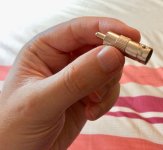
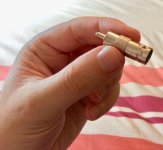
If you have a BNC to RCA adapter plug (cheap) you could possibly send video to your other recorder or an old TV

Great minds think alike! I actually ordered a BNC to RCA adapter this morning to try it out. Will post here and let you know if it works.
 
Great minds think alike! I actually ordered a BNC to RCA adapter this morning to try it out. Will post here and let you know if it works.
Hope it works!

Analog video is fun. You can split the wires and make black and white video, lol.
 
Last edited:
It can certainly be confusing when the presence of a BNC connector is associated with digital, whereas an RCA jack is known to be analog. Definitely the output of that DSR250 would have been analog (composite) and while the Blackmagic recorder can intake a standard-def signal, it has to be digital (SD-SDI). I have no doubt the BNC to RCA adaptor will work with your funky little recorder!

If you do prefer to use your Blackmagic recorder with that camera down the line, I have a stash of barely used Blackmagic analog to SDI converter boxes I'm selling (new price $195, I have them in box with AC power supply for $120, or just the converter itself for $100). They do require 12v power supply and d-tap cables are widely available.
 
Update: I tried this little adapter. Didn’t work to get a signal out to the BM through the RCA yellow.

B0A56216-9FD1-4AF3-B5E5-6BF5EB31A53E.jpeg
 

Attachments

  • B0A56216-9FD1-4AF3-B5E5-6BF5EB31A53E.jpeg
    B0A56216-9FD1-4AF3-B5E5-6BF5EB31A53E.jpeg
    62 KB · Views: 0
If you do prefer to use your Blackmagic recorder with that camera down the line, I have a stash of barely used Blackmagic analog to SDI converter boxes I'm selling (new price $195, I have them in box with AC power supply for $120, or just the converter itself for $100). They do require 12v power supply and d-tap cables are widely available.

Cheers. I’ll have a think on that and see if I can maybe source one locally as custom charges from US to EU (as well technical compatibility issues sometimes) can be a pain.
 
That makes sense, since the Blackmagic doesn’t work with analog signals.

Try recording via the adapter from the BNC to the Powerplay recorder you use with your XL1

Yep, the Powerplay recorder works fine with it. I was just curious to see if the BM would work too but likely not without an analogue to sdi converter
 
Yep, the Powerplay recorder works fine with it. I was just curious to see if the BM would work too but likely not without an analogue to sdi converter

That is indeed the case, as mentioned earlier! It is very hard to find a modern recorder that will accept composite SD signals any more. But it would be worth it if you went that route because I imagine your Powerplay recorder is much more compressed, probably records to MP4's? If you really want to capture all the goodness of that analog signal and grade it etc, you'll be much better off with the Blackmagic.
 
I just looked upnthe Ki Pro mini specs again and not seeing analog video input, so i just wanted to correct myself and say do research on the product if interested.

I’m guess the camera was digital that i used the kipro on then. maybe i just assumed SD was analog at that time. My apologies!
 
Iso i just wanted to correct myself and say do research on the product if interested.

Good advice. Just another example of posting wrong information. You know, there's no reason you need to post on every thread whether you have anything useful to say or not. Nobody is waiting for your post on every topic. Maybe just consider listening a little more instead of jumping in and muddying the waters of nearly every thread with false, incorrect, incomplete, and dumb stuff that has be corrected.
 
Hmmm, you've got the most recent post in 7 of the 6 last threads . . . and not a worthwhile contribution (in my opinion) among them. Show some discretion and please give it rest. Maybe you could go over to a medical website and tell heart surgeons how to do their jobs. I'm sure your insight will be appreciated.

Screenshot.png - Click image for larger version  Name:	Screenshot.png Views:	0 Size:	93.6 KB ID:	5694457
 
That is indeed the case, as mentioned earlier! It is very hard to find a modern recorder that will accept composite SD signals any more. But it would be worth it if you went that route because I imagine your Powerplay recorder is much more compressed, probably records to MP4's? If you really want to capture all the goodness of that analog signal and grade it etc, you'll be much better off with the Blackmagic.

Yes, the Powerplay is a 60fps h. 264 video recorder. The Blackmagic route, I could well imagine, would yield superior results.
 
Yes, the Powerplay is a 60fps h. 264 video recorder. The Blackmagic route, I could well imagine, would yield superior results.

What might be interesting is finding a way to upres the analog signal to HD before it becomes digital. One of the aspects of SD footage these days is the blockiness on big LCD screens. takes away from the old analog appeal.
 
You can uprez to HD any number of ways: a mini converter at the camera (Decimator, Blackmagic, AJA etc) or a more sophisticated studio device like a Teranex, all of which will do a real-time upconvert with limited results. You can also process through an NLE or delivery software which will deliver a more pronounced uprez. Or use an AI based app like Topaz Video Enhance which will actually fill in the gaps, although the results are not always preferable (faces can take on an uncanny valley type appearance). Video Enhance seems to work best with late-model SD footage so XL1 material would probably work very nicely.
 
You can uprez to HD any number of ways: a mini converter at the camera (Decimator, Blackmagic, AJA etc) or a more sophisticated studio device like a Teranex, all of which will do a real-time upconvert with limited results. You can also process through an NLE or delivery software which will deliver a more pronounced uprez. Or use an AI based app like Topaz Video Enhance which will actually fill in the gaps, although the results are not always preferable (faces can take on an uncanny valley type appearance). Video Enhance seems to work best with late-model SD footage so XL1 material would probably work very nicely.

Thanks!

Most upres options are digitizing first, rather than directly trying to resolve 1080p detail of the 480p analog signal. A bit of a low priority i’m sure (also, no pun intended).

AI could be interesting for some things, but i'll have to test it out. most of what i’ve seen is really clean and digital looking.
 
Since uprezzing is a purely digital process, I don't see a scenario where digitizing wouldn't happen first...?!

One interesting technique i’ve seen is playing the analog to a Standard def CRT and then pointing an HD camera at it and recording that way.


But i guess when i am saying digital, i just mean that it is digitized as 480 first, and then upressing the digital blocks, so it looks digital. As opposed to trying to capture the 480 analog signal with 1080 resolution
 
for now, i have been transferring miniDV and then adding film effects to it to smooth out any macroblocking or digital artifacting. for ease of use, Filmconvert Nitrate works well enough. But i don’t recommend them
 
Back
Top