Capture with HVX Issues

SurJones

Veteran
Here is my list of issues I am currently having:

I have a G5 2.5ghz Dual with 2.5gig ram, HDD 160 gig with 147 free. 23" Cinema Display.
I have a HVX200 going 1394 into FW800 into my G5 @ 720p/60p.

When I hit capture the fans rev up. You know the 747 sound, and stay loud till I hit esc to stop recoring. I have to record a ballet for 2 hours, and that will be too loud and distracting. not to mention will FCP or OSX bomb durring the 2 hour shoot? I also have a 250gig with 250gig free, would that cut the fan noise, and be more stable?

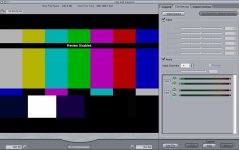
The HVX does 4:2:2 out, but in FCP the images is WAY darker. Is there a setting in the camera, I would need to change to be able to get 4:2:2 out, and/or to match color from LCD to Display?

Audio Tracks 2 input XLR channels are recording to FCP but the 3/4 on cam mic are not. However when recording to P2 it records all 4 tracks just fine.

thanks in advance,
 
Last edited:
Wouldn't having a G5 set up with a large cinema display also be a bit distracting at the Ballet? I would nix the G5 for this. Get a hold of a Powerbook G4 with PCMCIA slot and a bus powered drive. Record to P2 cards (have 3 on hand) and just keep downloading as they fill up. Once you've verified the footage is on the drive wipe the card and have it ready to load back in the camera. You could do this without having to run power to your seat.
 
No we are in the back, but sound is distracting. thanks for the input on a differnt solution, but it is not an option.
 
That may resolve the sound issue. THAT IS, if the fans being so loud is normal. Do you know? I am not trying to find alternitive. I am trying to find resolutions to the issues I am having. If they are normal issues, that I would be interested in alternitve methods.
 
Sounds blankets, or even a piece of soft foam from a fabric shop costing a few dollars should allow you to keep noise down.
 
Okay, I have of questions I need help on. If we cna get the questions answered, that I would not mind talking more about alternatives. thanks thus far
 
SurJones said:
When I hit capture the fans rev up. You know the 747 sound, and stay loud till I hit esc to stop recoring. I have to record a ballet for 2 hours, and that will be too loud and distracting. not to mention will FCP or OSX bomb durring the 2 hour shoot? I also have a 250gig with 250gig free, would that cut the fan noise, and be more stable?
You could try it. I don't know if the fan issue is normal or not. If it is, you could get a long firewire cable with repeaters, and put the G5 outside the main room somewhere, and that should take care of any noise issues -- but test this first obviously!

The HVX does 4:2:2 out, but in FCP the images is WAY darker. Is there a setting in the camera, I would need to change to be able to get 4:2:2 out, and/or to match color from LCD to Display?
You don't want to change the footage so it matches the display, you want to change the display so it matches the footage. The footage is what it is, and will display properly on any properly calibrated monitor, so make sure your G5 display is properly calibrated (and, of course, the HVX's on-camera LCD may be improperly calibrated too!) That's what the color bars are for, so turn on the bars and try to calibrate both your LCD and the computer monitor so that they display properly.

Audio Tracks 2 input XLR channels are recording to FCP but the 3/4 on cam mic are not. However when recording to P2 it records all 4 tracks just fine.
If FCP isn't capturing the tracks, that's FCP's problem and they'd have to fix it. All four tracks are transmitted via firewire; in fact IINM 8 tracks are actually transmitted. Does the new FCP 5.1.2 offer the option to capture all four tracks?
 
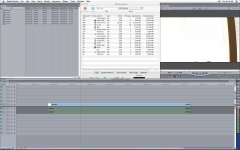
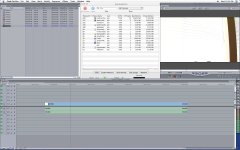
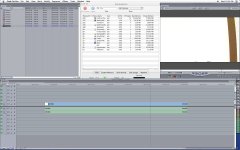
Thanks so much Barry for helping out. I will have to check out the Final Cut thing, I have 5.0.4. I have not had the time to send in the disks :( but it is on my list. As for the Fan issue, the only thing I know is to check the activity monitor, and here is what it does on playback, which is what it does while caputring to internal HDD.
 

Attachments

  • Picture 1.jpg
    Picture 1.jpg
    142.1 KB · Views: 0
  • Picture 2.jpg
    Picture 2.jpg
    138.6 KB · Views: 0
SurJones said:
When I hit capture the fans rev up. You know the 747 sound, and stay loud till I hit esc to stop recoring. I have to record a ballet for 2 hours, and that will be too loud and distracting. not to mention will FCP or OSX bomb durring the 2 hour shoot? I also have a 250gig with 250gig free, would that cut the fan noise, and be more stable?
...
The HVX does 4:2:2 out, but in FCP the images is WAY darker. Is there a setting in the camera, I would need to change to be able to get 4:2:2 out, and/or to match color from LCD to Display?
...
Audio Tracks 2 input XLR channels are recording to FCP but the 3/4 on cam mic are not. However when recording to P2 it records all 4 tracks just fine.

Howdy SurJones...

You may want to try setting your Processor Performance to "Reduced" in the Energy Saver system preference. This in many cases keeps the fans from revving so much. Otherwise, I'd say, get a Powerbook, forget the cards; capture directly into FCP as you would with the G5. I've captured many, many hours of Opera this way, without problems. I imagine the G5, even with reduced performance, will be at least as able to capture than the Powwerbook.

The video in FCP's capture window, and on the computer in general, always appears darker than it does on a television. Don't consider it accurate for monitoring.

In your Log and Capture window (of FCP), under "Clip Settings", you can enable and disable capture of pairs of audio tracks. I think FCP defaults to 2 tracks; so make sure to set this to capture all 4. You can also choose in the same window whether pairs of tracks will be considered dual-mono or stereo...

Hope this helps,
Barry
 
FCP 5.1.2 offers the options of capturing all tracks or 2 tracks. As far as version, I do not remember how many times I have emphasized to FCP users that you must be at FCP 5.1 or greater for P2 to work properly. There is a known bug in 5.0.4 with rendered P2 footage.

Ned Soltz
 
Okay so here is an Update.

Ullanta hit some nails on the heads :)

Audio Inputs need to be selected under audio in the log and capture diolouge box, you an Select a lot. I ALWAYS is preset for 2 channel. Sorry no way to save the setting. Also when you first select 4 track you will see your audio, BUT you have to hit the headphones to the left to enable it. Those fimiliar with Final Cut will know how to mute and unmute tracks.

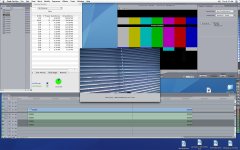
Setting the system's Processor Performance option from Automatic to Reduced makes a BIG differnece in Sound, but went from 75%average to 100+ average on the ActivityMonitor. I would say cuts about 40%-60% of the noise level, (This is capturing to the internal HDD) I only have one internal, but will be going to the Black Friday Sale at comp to buy another internal 500gig maxtor, and will test again. Maybe size has something o do with it.)

My next test on noise level was switch my scratch disk from internal to a Maxtor OneTouch 250gig external 1 seriesFW400 (which I newly reformatted for this test) The sound was a little above normal. Sounds about as loud as a PC does. (mayeb a slight bit less) This was still on the Reduced Processor setting. and showed ActivityMonitoring of 41-60. I am also going to be buying an Maxtor OneTouch 3 series 250gig external FW800, and run the same tests.

See images below


Still Problem:
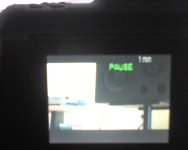
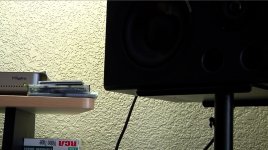
LCD doesnt match display. How do you calibrate. I took a pic of the LCD and took a frame from a live capture. Now what I typically shoot, I get. So this is odd that the footage is so dark. Dont worry about the blowen out stuff, that is from my treo's autio iris. What my foucs is the speaker, which is true to color and detail. see image below.
 

Attachments

  • Picture 1.jpg
    Picture 1.jpg
    140.7 KB · Views: 0
  • Picture 2.jpg
    Picture 2.jpg
    62.2 KB · Views: 0
  • Picture 3.jpg
    Picture 3.jpg
    151.4 KB · Views: 0
  • Photo_112306_002.jpg
    Photo_112306_002.jpg
    104.3 KB · Views: 0
  • framegrab.jpg
    framegrab.jpg
    220.5 KB · Views: 0
You'd have to set up FCP (which can recrod up to 24 seperate tracks as long as your hardware supports it) to record 4 tracks live in your capture set ups, Firewire I think defaults to onl 2 channels. You'd have to create a custom Capture Preset to record all 4 channels.
 
Patrick,

are you capturing 1080 footage to the G5? If you are, then the noise will probably be a pretty constant and noticable element. The Fans are really there to avoid the overheating.. which is already a problem with the G5... Everything gets hot. I would say that I know you don't want to consider another option, but a powerbook is a better option. Shoot for a grand you could get a macbook and I've captured to mine a bunch of times without the noise and heat issues. Also throwing in another internal will increase the heat and fan noise... External drives would be quieter...


Also, on some G5s I know that the fan does get stuck and it's a bit of a bug.. You notice it much more on the 1080 footage as well. Also as mentioned.. you should really be on 5.1.. a lot better.


Capturing 2 hours or more won't be an issue. I would say though that if you have a brief break... to have some piece of mind.. I'd stop and save and then continue to record ASAP....


That was some good advice on the processor performance too to cut down the fan noise.. but you might encounter more issues because of the fans being turned down. It's a bit of a tough road you have recording to the G5 in the field... if you have a buddy to borrow a powerbook or a couple of P2 cards then.. you'd have a lot less hassell to consider...


have a happy turkeyday. I'm at the wife's house for a couple..
 
Cutting processor performance doesn't cut the fan usage (directly) - it makes the processors run cooler so the fan is less necessary.

I'm not sure how drives affect your noise level... I don't think they're a major contributor in my G5 setup. But for external drives, get a Glyph drive for capture. Never capture to the system drive if you can help it - it makes the drive work much harder (as it jumps between video data and program/virtual memory/system tasks, therefore hotter and noisier.

But it'll always be noisier than a Powerbook...
 
Back
Top