C300: Canon C300 footage import to FCP7 Issues

BPV

New member
Hey guys need some help here.

Two issues I need to figure out -

1 - I need to convert the C300 footage from 720p MXF's to 1080p prores files.

2 - I need to get it into FCP7.

I have tried everything I know of to get the footage into FCP7 but i'm still getting this error in log & transfer
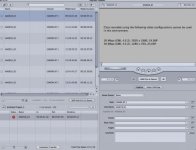
Screen shot 2014-05-15 at 9.01.13 PM.jpg

I've downloaded canon's XF Utility 1.3.2 and XF plugin 1.3.1 for FCP
I do have the correct file structure from the CF card.

I've also tried using MPEG STREAMCLIP to convert the MXF's to Prores files but I get "unsupported file type" error.

This is my first time dealing with C300 footage so i'm not sure why I have so many MXF files in one clip folder. Can someone help with the why Canon has their file structure? I also don't know why I can't get the MXF's to be clickable MOV files? Screen shot 2014-05-15 at 9.22.56 PM.jpg
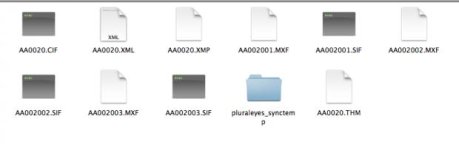
I feel like this shouldn't be that hard so what am I missing? Please help!

Thanks!
 
The Canon XF HD422 codec is the same as Sony XDCAM HD422 codec, is widely supported in the main editing SW (Avid, FCP, Edius, APP, Vegas).
For example AvidMC needs the AMA Canon XF plugin, APP needs to read manual and import clips only with APP browser (for correct stitch of longer clips), etc.

These 720/50p files can some editing softwares import directly to the 1080/25p sequence, some others ones need to import to the 720/50p sequence and after this you can cut files from 720/50p to the 1080/25p sequence.
 
Last edited:
Well, The canon XF utility plug-in for FCP7 allows you to ingest the c300 footage as both a simple re-wrap of the MPEG codec into a .mov file, or as a variety of ProRes flavors (You don't really need more than the normal 422 - you can go for HQ for peace of mind, but I have tested for any discernible difference more than once, including stress-limit grading tests) - but it does not allow you to upscale the resolution upon ingesting. The question is why you would need to go from 720p to 1080p right away?

If your entire edit is just composed of 720p material, I'd suggest upscaling to 1080p as just a last step, after the edit - easier on your CPU and hard drives, and you can do the upscale with all quality sliders at maximum.

If you need to mix the 720p footage into a predominantly 1080p timeline, there are two options:

A: Just dropping the 720p into the timeline and dealing with the render times (I don't remember how bad/good this sort of mixed format stuff is in FCP7, newer NLE's are much better at doing this on the fly). Your final export would then be 1080p. The cons here are render times and limited control over the rescaling (possible, but unlikely issues with the quality).

B: Ingesting all the files through the Canon XF Plug-in in Final Cut as ProRes, then taking your 720p into either MPEG Streamclip (faster) or Compressor (better) and upscaling all of them there to 1080p, then using those files. The cons here are that it's time (render) consuming, requires a lot of hard drive space (especially while you are doing it, you can delete the 720p ProRes once you're done) and is three generations of encoding, which is bad practice (concerns which could be alleviated by encoding to ProRes HQ, again doubling hard drive space...).


As regards the Canon file structure - just don't attempt to go directly into the files through your operating system. It's not meant to be browsed like that (unlike Canon DSLR video). Leave it as is and use Canon's stand alone XF Utility to preview the files. Then you have to use the FCP7 Plug-in (through the Log and Transfer command) to generate .mov files. As I said, those .mov files can either be ProRes re-encodings or simple QuickTime re-wrappings (indicated by the "native" setting in the plug in), which play back just fine in any media player that supports QuickTime.
 
Last edited:
Back
Top