Canon 5D Mark III -IPB contains more detail and has less artifacts than ALL-I

jcs

Veteran
I tried a 600X CF card (45MB/s, sustained) today to see if that might help the ALL-I VBR deal with a potential burst write issue (which could explain bitrate throttling which lowers the bitrate and causes macroblock artifacts (was using the fastest SDHC card which maxes out at 20MB/s on the 5D3. Even though only 11.38MB/s is needed on average for ALL-I, I estimated burst writes could possibly exceed that by 2-3x based on Canon's comments). Unfortunately, the ALL-I macroblocking is still present. IPB looks much better- no artifacts.

ALL-I has macroblock quantization artifacts (blockiness), and on the edges of these blocks, it aliases, causing shimmering and "crunchiness" in the recorded image. The reason ALL-I looks sharper: aliasing on macroblock edges.

ALL-I: note the significant macroblocks on the tree on the left, less detail in the pole on the right. If you look carefully, the macroblocks are all over the image.

ALL-I_CF600X.jpg

IPB has no macroblocks*: smooth gradations where the macroblocks exist in ALL-I:
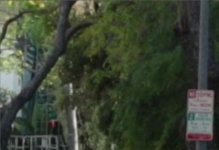
IPB_CF600X.jpg

ALL-I post processed to show detail better:

ALL-ICF_BR_S_C.jpg

IPB post processed to show detail better:
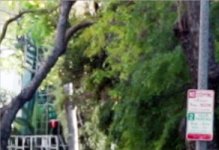
IPB_CF600X_BR_S_C.jpg

IPB provides significantly higher quality video frames: no macroblocking artifacts, no aliasing (created by macroblock artifact edges), less noise, and finer gradiations (due to no macroblocking). IPB looks initially softer because it lacks aliasing. After sharpening, it looks excellent: much better than ALL-I (sharpened or not).

I have to rename IPB MOV files to MPG in PPro CS5.5 on Win7x64 to get real-time playback (a PPro CS5.5 issue (CS5 is OK); I create a simple batch file, so takes 1 second to click on it and fix the filenames). ALL-I is good for slower computers which can't play IPB back in real-time and there isn't time to transcode.

When maximum image quality is desired, IPB is recommended. As a bonus, it uses ~3x the diskspace.

*signficant macroblock artifacts (there are macroblocks, part of H264's DCT, however the edges are relatively smooth).
 
Last edited:
Interesting. I wonder if this is something that Canon can fix via firmware? It also seems strange that they are touting this as a feature but it performs worse than IPB
 
It is something that can be addressed in a firmware update. Side-note: going from 20MB/s to 45MB/s was finally able to hit 91Mb/s (in this ALL-I example). This might have helped quality, but was not enough to do a better job vs. IPB.
 
I was thinking, not testing. What if you put something in front of the lens to trick every scene into a high bit rate?
 
This scene hit 91Mb/s- it's maxed out and doing what they spec'd (looks like the 600X CF card helped). One of the clips hit 101.74Mb/s! Suspecting a possible de-blocking quality issue, I transcoded the raw MOV to H.264 using Handbrake. Comparing to the IPB version in PPro- was hard to tell the difference other than the noise in the transcoded ALL-I clip (meaning I didn't see a significant macroblocking issue). Tried transcoding using Cineform- looks slightly different but not as good as IPB (they add noise when they transcode); macroblock artifacts remained. It could be Compressor on the OSX is doing something different for FCP7 users.

Regardless of the cause of the macroblocking issue (encoder or decoder), ALL-I is noisier, uses ~3x diskspace and so far I haven't seen an example showing ALL-I performing better. For a filmic look, it's better to add orgainc (slightly soft) noise in post, not hard digital noise in camera.
 
thanks a lot for these tests

it seems that all-I will be mostly useless unless there's a firmware update (or a hack) that increases bitrate substantially
 
have you tried keeping the files as .MOV? it might be the decoder since you renamed them to MPG, I don't think it's a good idea...
 
Samuel- given how excellent 88Mbps GOP GH2 footage compresses, I think it would be a better idea to provide 50+Mbps to IPB (Canon's 50Mbps 422 MPEG2 looks excellent).

Marvin- yeah, tried that, didn't work. The method to rename MOV to MPG was provided by Adobe to work around a bug in PPro. It just causes PPro to use the internal loader instead of Quicktime. I would expect it to be fixed with CS6.

Even if the macroblocking were fixed/improved, ALL-I is very noisy compared to IPB. Nature favors efficiency- I don't see value for ALL-I long term. Enabling 50Mbps 422 MXF would be a better idea: outputting a high quality 422 with a stable and debugged codec which is fully supported by modern NLEs.
 
Samuel- given how excellent 88Mbps GOP GH2 footage compresses, I think it would be a better idea to provide 50+Mbps to IPB (Canon's 50Mbps 422 MPEG2 looks excellent).

Marvin- yeah, tried that, didn't work. The method to rename MOV to MPG was provided by Adobe to work around a bug in PPro. It just causes PPro to use the internal loader instead of Quicktime. I would expect it to be fixed with CS6.

Even if the macroblocking were fixed/improved, ALL-I is very noisy compared to IPB. Nature favors efficiency- I don't see value for ALL-I long term. Enabling 50Mbps 422 MXF would be a better idea: outputting a high quality 422 with a stable and debugged codec which is fully supported by modern NLEs.

Since you mentioned that default Quicktime decoder causes choppy playback of ALL-I, then how can you be sure that PPro CS5 will handle the new Canon codec correctly?

May I offer you a suggestion? Can you do a comparison of both ALL-I and IPB after being converted in 5DtoRGB or Cineform? We have to make sure it's not a codec related issue, everyone knows that Quicktime is not a reliable decoder :)
 
Marvin- tried Cineform (see earlier post); different but still macroblocking. As noted in earlier post, Handbrake which IIRC uses libx264 looked better (x264 = best H.264 available). Will try Compressor on OSX when I have time.
 
Spooled up a mac and tried Compressor from FCS 3 (FCP7); transcoded to ProRes 422: ALL-I looks much better and contains more information vs. all other decoders tested so far. Macroblocked areas become filled with high-frequency pixels. Still some hard macroblock edges, but much better than CS5.5, Vegas, Cineform decoders.

When comparing the much-improved ALL-I to IPB with post sharpening- IPB has less noise and artifacts, and can be sharpened more. Sharpened ALL-I gets the crunchy look and looks more digital vs. filmic.
In summary, part of the problem with ALL-I is it appears PPro et al are perhaps not properly decoding the DCT and are thus loosing high-frequency information which results in macroblocking (perhaps a problem with the inverse quantization matrix). Additionally, PPro et al may not be properly deblocking the macroblock edges (Compressor still produces hard macroblock edges, but not as much).
 
Interesting that it's back to Compressor. For many of us back in the dark days of trying to deal with the early Mk2 footage (nightmare) Compressor was the only thing that worked as well.
 
'ol Compressor works better in this case, and some areas now look better in ALL-I than IPB, with other areas looking better in IPB, however overall IPB is looking better after sharpening.
For those wanting/needing to go to production with no post processing, ALL-I can look more detailed (if transcoded with Compressor).
It appears updated decompressors are needed as I'm seeing 'ringing' artifacts with incorrect colors in ALL-I (FCP7 Compressor). Doesn't happen very often; happens in solid red areas (horizontal lines and spurious color ringing).
 
It's kinda the whole point with I-frame. That being NOT having to transcode. I've been shooting all week with I frame and just drag and dropping footage. Last night I put a simple sizzle together for client and showed it to them and they were blown away. I've shot with them before and they asked, " where are all your big ass lights"? I told them I didn't need them anymore with this camera. Packed half the wattage and haven't snapped a fuse yet.
JCS, why are you transcoding I-frame? You're overthinking dude.
 
squig- A/B'ing the ProRes clip in PPro CS5.5 (Win7x64) with the original native file: they look the same in terms of color space.

Christopher- I haven't transcoded since CS5 (and on the Mac back when the 5D2 came out, I was able to do basic edits without transcoding).

The ProRes transcode was a test to see if PPro CS5.5's decoder is contributing the quality problems I am seeing (and others are reporting) with ALL-I: macroblocking, mosquito noise, and noise. I watched some ALL-I FCP7 footage that looked pretty good, so I performed a transcode test so I could A/B in PPro back on Win7x64.

Compressor (and presumably FCP7) do indeed do a much better job decoding ALL-I. The quality is very close to IPB, however there are still significant problems such as horizontal line artifacts and strange ringing color splotches. I found this by A/B'ing in CS5.5: the issues are crystal clear.

That said, if you and your client(s) are happy with ALL-I, no issue. ALL-I does look sharper due to aliasing and noise, which both add false detail. However, after sharpening in my tests, IPB looks much better as it has no artifacts and is cleaner. If noise grain is desired, any type can be added (as opposed to the noise baked into ALL-I).

Hopefully CS6 will do a better job decoding ALL-I. Both PPro & Compressor have issues (and they are different!). However, I haven't seen a case yet were ALL-I out-performs IPB in terms of quality. Since I can edit IBP fluidly, and I can sharpen without going 'chunky' (as can happen with ALL-I), and it uses 3x less disk space, IPB makes the most sense for me. You made a good point that ALL-I edits better on some hardware, so it's still useful in some cases.

I understand the issues now with ALL-I, and hopefully this information will be useful to others trying to decide whether to use ALL-I or IPB. My recommendation is to use IPB for max quality, and use ALL-I for slower hardware and where less post processing is needed or desired (straight out of camera the noise and false detail from macroblocking help the footage look sharper).
 
Hi, can somebody please enlighten me on why is my ALL-I shots look better than IPB ones. No matter how test I did, the ALL-I ones still looked so much better, more so after grading. Unless, I'm doing something wrong, the IPB shots are just a bunch of blocky mess and the fizz and macroblocking and whatever, are still prominent if not worse in the IPB ones. In fact, I'm kinda worried that why are my ALL-I shots are superior since everybody is saying that IPB is bettter. please help
 
Hi, can somebody please enlighten me on why is my ALL-I shots look better than IPB ones. No matter how test I did, the ALL-I ones still looked so much better, more so after grading. Unless, I'm doing something wrong, the IPB shots are just a bunch of blocky mess and the fizz and macroblocking and whatever, are still prominent if not worse in the IPB ones. In fact, I'm kinda worried that why are my ALL-I shots are superior since everybody is saying that IPB is bettter. please help

The reason is obvious: You are...nikon obsessed! :evil:


....sorry friend, just kidding...couldnt resist!
Im sure someone with knowledge on that matter will help you...:thumbsup:
 
Hi, can somebody please enlighten me on why is my ALL-I shots look better than IPB ones. No matter how test I did, the ALL-I ones still looked so much better, more so after grading. Unless, I'm doing something wrong, the IPB shots are just a bunch of blocky mess and the fizz and macroblocking and whatever, are still prominent if not worse in the IPB ones. In fact, I'm kinda worried that why are my ALL-I shots are superior since everybody is saying that IPB is bettter. please help

Can you post a few example screen shots, links to videos?
 
Back
Top