Can I do the online edit and color grading with the DaVinci resolve?

Igmar66

New member
Hi everyone,

I have a 5k red footage,which was edited on FCP. I want to do color grading and the online edit on 2k. Can I do this with the DaVinci resolve software for Mac ( the one with cost like 1000$ ) on my Mac. Or it has to be done with the full upgrade with the DaVinci control panel?
The end formats I need are DigiBeta and DCP.

Or do you have any other suggestions for what other pro-sumer software can be used to do this.
 
Well it's worth testing to see if you like DaVinci- but yes it's technically possible.
 
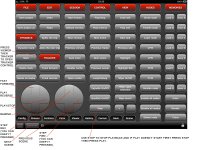
Be aware that the price tag is more than $1000. $1000 will get you the software, that's it. You also need a BlackMagic Decklink Extreme 3D capture card so that you can get the signal out to a monitor...$1000. You will need to buy that monitor (broadcast monitor or HDTV)...price varies on need, but $1000-$5000. Resolve us USELESS without external broadcast monitoring. And you'll need a compatible Graphics card that Resolve will work with...$800. And Resolve is REALLY difficult to use (not impossible, but LOTS of hidden menus) without a grading panel. You don't need the RESOLVE on...you can get the Tangent Wave or MC Artist Color for $1600.

Resolve: $1000
Decklink Extreme 3D: $1000
Graphics Card: $800
External Monitor: $2000 (for example)
Grading Panel: $1500

Total...$6400. The price of the software is deceiving.

There is no way you can get by with ONLY the software.
 
Have you thought about doing your color work in Redcine X?

I maybe gave the wrong impression. I'm the director of the film and my knowledge of post is very limited. I'm not planing to do the color grading my self, just researching the best and cost effective way to do that.

Anyway, I actually transcoded the red footage with the Redcine X, didn't know that you can color garde 2k with it. thanks.

Another question. Can we do the online edit with FCP that I have on my computer? Which is
iMac 3.1 GHz Core i5 ,
16GB memory,
graphics AMD Radeon HD 6970M 1024 MB
Storage is 1TB Sata disk
+ external promise Pegasus 3TB
 
The best cost effective way would be to use any funds you were planning on spending on software, and use them for a qualified colorist and editor. Since your knowledge of post is limited.

Not to sound like an ass, but this is something that should have been thought out before your film was even shot.

All the Best!

Dave
 
@Dave
Little harsh there... Grading for me, is usually in the last steps/quarter of the project.
Script, Location, Actors, DP, Cameras/Gear, Funding, etc...would be vital Pre-production for me.
Dont get get me wrong, grading is a VERY important aspect of the Post process, but its not a game changer to "consider" POST shooting.
Probably hiring a professional colorist/grader would be the easiest and most cost effective solution. Most TV stations and Production houses have their own coloring setup...You probably wont even be paying rent on using their the gear, but just for the grading and his/her/their time to do the job.

Another common grading software would be Magic Bullet : Looks
But for Professional work, $1000+ is just getting your toes wet.
 
Last edited:
Well call me old fashion but I'm big on the 7 Ps.

Piss poor prior planning prevents positive production.

Not to be overly harsh, but if thought had been put into this earlier on the OP would not be on a forum trying to figure out how to do the edit and grade. Simple as that.
 
Not to be overly harsh, but if thought had been put into this earlier on the OP would not be on a forum trying to figure out how to do the edit and grade. Simple as that.

Who's to say that the OP wouldn't be asking the same questions even if he had decided to plan for post prior to shooting? I'm almost certain someone (though surely not David) would pound on him for asking silly questions before he's even shot a single frame. I can just hear the "just get out and shoot something" now.

I don't discount the value of planning for everything from the start, but if you have no experience with post and all other variables are set (acquisition format, etc.), what difference does it make when you figure out your post pipeline?

Now, if someone comes saying, "help I shot a film and have 1 week to edit it for a festival deadline but I don't know anything about post", then my response would be strikingly similar to David's response in this thread.
 
If you're asking whether grading your project in Resolve is possible, yes, you just import the FCP EDL into Resolve and relink media; how smooth your system handles the project depends on a few factors:

If you want to online the original R3D files, you'll want a Redrocket card- without it, your playback will be painfully choppy.
If you want to grade via the transcoded ProRes clips, Redrocket won't improve performance, and your existing video card should suit you fine in 1080p.
If you want to finish in 2K, and you're not grading from the 4K R3Ds, and your ProRes transcodes are not 2K, then you'll need to re-transcode your clips in 2K. Drop your display config in Resolve to 1080 while working so that you'll have external playback ability on your calibrated monitor, then switch the project to 2K upon rendering out your final export.

Resolve does not require the full-on Blackmagic control surface; a Tangent Wave will do, or you can even use the on-screen GUI (not recommended). You should know that both Resolve and color grading itself both have their own learning curve, so practice is one thing, but if you're serious about your project, it's best to bring on someone who knows what they're doing.
 
@dcarstens
Thanks, for that detail. I also have Resolve installed on one of our computers, and was a bit confused about how to tackle importing my projects.
Mind you, im very used to the ease of Magic Bullets Looks... But I know sooner or later I should take advantage, and learn this software.
 
Well call me old fashion but I'm big on the 7 Ps.

Piss poor prior planning prevents positive production.

Not to be overly harsh, but if thought had been put into this earlier on the OP would not be on a forum trying to figure out how to do the edit and grade. Simple as that.

@Dave,
Not to sound like an ass, but my question wasn't about should I plan the grading in pre-production or after.

And not to be too harsh, but sometimes I think that some people come to this forums to exchange opinions and to be helpful, while others wake up in the morning and just pray to read a silly question so they can say something clever after than.

I ask questions because I don't know, simple as that.
I would have asked exactly the same questions even if I was in the pre- production stage.

Again -- I'm not trying to be offensive.

All the best!
 
I love this forum because I can get help, ideas, and advice. I think the problem for now, is solved.
Let's relaxe. ..Not everyone is wrong here, just some do it a different way and expect others to follow that system.
I know sometimes I expect that...
I know, im happy with this threa!!! As Im trying out resolve right now...and probably would have procrastinated another few months. If not for someone else sparking my interest.

Although it could be my baby daughter crawled into my lap :p
 
Back
Top