
Navigation
Install the app
How to install the app on iOS
Follow along with the video below to see how to install our site as a web app on your home screen.
Note: This feature may not be available in some browsers.
More options
You are using an out of date browser. It may not display this or other websites correctly.
You should upgrade or use an alternative browser.
You should upgrade or use an alternative browser.
C-Mount lens: the hunt begins anew
- Thread starter commanderspike
- Start date

Hi! I use c-mount canon tv zoom lens v6x17 17-102mm 1:2.2. It gives big vignetting in all focal length. Anyone know can teleconverter fix this problem? Like this one for example:
http://cgi.ebay.com/NEW-OLYMPUS-1-4X-TELECONVERTER-ALL-E-CAMERAS-/120641538566?pt=Camera_Lenses&hash=item1c16cbca06
or
[URL="http://cgi.ebay.com/NEW-OLYMPUS-1-4X-TELECONVERTER-EC-14-EC14-4-E-420-E-520-/380284507656?pt=Lens_Accessories&hash=item588ab91608"]http://cgi.ebay.com/NEW-OLYMPUS-1-4X-TELECONVERTER-EC-14-EC14-4-E-420-E-520-/380284507656?pt=Lens_Accessories&hash=item588ab91608[/URL]
And one more thing: Angenieux 12-120mm does it gives vignetting?
http://cgi.ebay.com/NEW-OLYMPUS-1-4X-TELECONVERTER-ALL-E-CAMERAS-/120641538566?pt=Camera_Lenses&hash=item1c16cbca06
or
[URL="http://cgi.ebay.com/NEW-OLYMPUS-1-4X-TELECONVERTER-EC-14-EC14-4-E-420-E-520-/380284507656?pt=Lens_Accessories&hash=item588ab91608"]http://cgi.ebay.com/NEW-OLYMPUS-1-4X-TELECONVERTER-EC-14-EC14-4-E-420-E-520-/380284507656?pt=Lens_Accessories&hash=item588ab91608[/URL]
And one more thing: Angenieux 12-120mm does it gives vignetting?
Last edited:
Hi! I use c-mount canon tv zoom lens v6x17 17-102mm 1:2.2. It gives big vignetting in all focal length. Anyone know can teleconverter fix this problem? Like this one for example:
http://cgi.ebay.com/NEW-OLYMPUS-1-4X-TELECONVERTER-ALL-E-CAMERAS-/120641538566?pt=Camera_Lenses&hash=item1c16cbca06
or
http://cgi.ebay.com/NEW-OLYMPUS-1-4X-TELECONVERTER-EC-14-EC14-4-E-420-E-520-/380284507656?pt=Lens_Accessories&hash=item588ab91608
I don't think that is the kind of adapter to increase c-mount focal length. You have C-mount teleconverter, maybe you can find on Ebay. BUT I tried one of this C-mount converter on Fujinon Zoom, that had the same trouble with vignetting, and surprisingly it didn't change anything.
gh1 / ZEN / fujia / c-mount / 35mm 1.7
gh1 / ZEN / fujia / c-mount / 35mm 1.7
gh1 / ZEN / fujia / c-mount / 35mm 1.7
This is an essai on zen music from etienne Rolin, an editing of october gh1 shots, with a c-mount Fujian c-mount lens. This is the lens I'm using the most, it's fast and not vignetting at all on the GH1. And it costs only 30$ !
Now I'm trying to spend more times on sound working, and in this case it's interesting mixing live sound with slow motion video. It's also interesting mixing slow motion with short length edited shots and slow zen music. I'm still working @ full aperture with my lens (here @ 1.7), even if it's not the most sharpness level for a lens. Full aperture offer short DOF, even if it's not easy to focus.
For the macro shot, I don't usually have with me macro tube, so I'm unscrewing the lens a little, it also gives interesting flares.
Thank you for watching !
GH1 720P NTSC
NO CC
C-mount Fujian 35mm lens always opened @ fast aperture (1:1.7)
Edited on Adobe Premiere
myspace.com/etiennerolin
gh1 / ZEN / fujia / c-mount / 35mm 1.7
gh1 / ZEN / fujia / c-mount / 35mm 1.7
This is an essai on zen music from etienne Rolin, an editing of october gh1 shots, with a c-mount Fujian c-mount lens. This is the lens I'm using the most, it's fast and not vignetting at all on the GH1. And it costs only 30$ !
Now I'm trying to spend more times on sound working, and in this case it's interesting mixing live sound with slow motion video. It's also interesting mixing slow motion with short length edited shots and slow zen music. I'm still working @ full aperture with my lens (here @ 1.7), even if it's not the most sharpness level for a lens. Full aperture offer short DOF, even if it's not easy to focus.
For the macro shot, I don't usually have with me macro tube, so I'm unscrewing the lens a little, it also gives interesting flares.
Thank you for watching !
GH1 720P NTSC
NO CC
C-mount Fujian 35mm lens always opened @ fast aperture (1:1.7)
Edited on Adobe Premiere
myspace.com/etiennerolin
I'm curious to see what problem you were having in terms of the instability issues of the c-mount silver cap. The blue tape fix seemed to work for me when I had the lenses and as I seem to recall I was also using the RJ c-mount adapter. I've ordered one of the slimmer c-mount adapters that are currently sold now just to see if I can and get another Ang c-mount zoom to work for me.Fujinon H6X12R... I tried to mimic what this guy did: http://www.componentgeek.com/archives/650/fuji-4-medium He's claiming he got the focus right without 2x extender. Not a problem with 1:1 cropping in GH2.
If I knew the GH2 was going to have the tele extender feature I would have kept my fujinon c-mount zoom lenses. They were very light weight, fast, not the best contrast nor the sharpest but they were still fun to use. I found them sharpest at the long end and had to stop down to at least f/2 to get some sharpness on wide shots.
I've experimented with a bunch of c-mount zooms and if you are able to find a better fix than what I had played around with feel free to share and maybe I'll pick up this lens again.
Last edited:
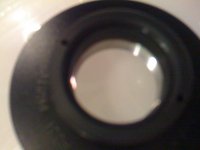
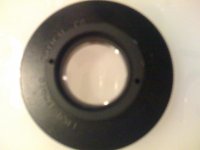
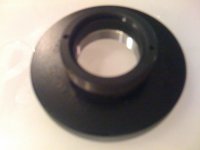
I see that now stonebat. It looks to be a different cap than the one I used to have. Look at this auction, this was the lens I used to have and the black cap literally spins off so the silver inner cap can be used to connect directly to any c-mount to m4/3 adapter.How do I remove the black cap on the silver c-mount? See the two tiny holes on the black cap? I damaged the black cap's thread...
http://cgi.ebay.com/FUJINON-ZOOM-1-...83130603?pt=Camera_Lenses&hash=item588aa412eb
The two pieces look to be independent of each other although the silver cap may be on there pretty strong and tight.
Hmmm.. You may be right. You may have to sell the lens. Or if you want to go for it I don't know what kind of tools you have but if I couldn't return the lens I'd try to get some WD-40 to loosen the threads and use some clamps to give you enough leverage so you can twist the silver cap off. If that fails, The black cap is really not necessary and I'd take a miter saw with a metal cutting blade and some clamps and split the a small section of the cap. Once you have a good cut on one side of the cap you'll be able to twist the metal and pop off the silver cap. You can also use a hacksaw with a fresh blade and some elbow grease that will work too. Good Luck if you decide to do it.

I have the Beaulieu 6008 (which I'm desperately trying to sell) and the lens is the schneider 6-70 i believe. I've tried to adapt this to the GH1, but aside from a funky rear element size, The image circle is waaay smaller than any lil 16mm lenses I've picked. It would've been awesome, as that is a fast and versatile zoom, but those numbers (6-70 1.4) would've been awesome if they covered 16. Didn't really mess with it much for the m43.
Angenieux 12-120mm does it gives vignetting?
Yes, heavy vignetting. I totally gave up on c-mounts , got the pancake and am willing to part with my Angenieux 12-120....
Chris Watson
Well-known member
So has anyone here tried the teleconverter mode with their 20mm or less C mount lenses on here with the GH2? It would seem that would get rid of the vignetting issue and allow for a usable lens even on the wide side. Video samples would be great.
Barry_Green
Moderator
Yes ETC gets rid of the vignetting, but it's the equivalent of a 52mm lens at that point. (or 104mm, if you want to use the full frame "crop factor" equivalent).
here the example with a 10mm with crop fonction 1:1 and digital postprod zoomSo has anyone here tried the teleconverter mode with their 20mm or less C mount lenses on here with the GH2? It would seem that would get rid of the vignetting issue and allow for a usable lens even on the wide side. Video samples would be great.
Chris Watson
Well-known member
That was exactly what I needed to see. So I guess the best way forward with c-mount glass is shoot in regular 1080P, zoom in post and publish at 720P? That's not too bad.
Sirano_Simons
New member
Best Adapter for Fujinon 6mm with GH2?
Best Adapter for Fujinon 6mm with GH2?
Hoping someone could advise me on lens/c-mount compatibility.
Looking to use Fujinon 6mm on the GH2 with this adapter. Will they fit? Do you know of a better option?
I'm after extreme CUs similar to these.
Thanks.
Best Adapter for Fujinon 6mm with GH2?
Hoping someone could advise me on lens/c-mount compatibility.
Looking to use Fujinon 6mm on the GH2 with this adapter. Will they fit? Do you know of a better option?
I'm after extreme CUs similar to these.
Thanks.
Barry_Green
Moderator
You could only use that lens on the GH2 when in ETC mode, at which point it would have an equivalent focal length of 15.6mm (or, in terms of a "full frame" camera, about 32mm). Still basically a wide-angle lens. It looks like it focuses pretty close, but it'd still be 32mm at 4".
That video you linked to used a lens that was 50% more telephoto, and focuses to less than 1 centimeter. I don't think you're going to be able to get the equivalent out of that 6mm lens. You might be able to get some pretty nice close-ups, but not what that 9mm lens could do.
That video you linked to used a lens that was 50% more telephoto, and focuses to less than 1 centimeter. I don't think you're going to be able to get the equivalent out of that 6mm lens. You might be able to get some pretty nice close-ups, but not what that 9mm lens could do.