What grading workflow do you follow when working with C-Log footage?
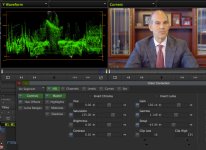
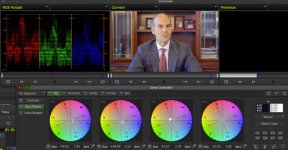
Never really used it before, and now that I have my Ninja Blade, I've decided to give it a shot. Did some tests (on DNxHD 220x), pushing contrast a lot. First, I tried just doing it by eye, using Colorista II and Filmconvert; here's the final image, very aggressive: http://i.imgur.com/u8rN0OJ.jpg and waveform, doesn't look too bad: http://i.imgur.com/VZMn9aO.jpg Then, however, I started fresh and tried applying LUTs from AbelCine. The Canon one (CxxxLog10toWideDR_Full.cube) looked awful on the waveform, huge banding gaps. Tried a different one, I believe made by AbelCine themselves (ABNorm_CxxxLog10toWideDR_Full.cube), and it looked better, though still quite shakey: http://i.imgur.com/EvlRK8r.jpg Then I tried doing a quick grade (placing a Fast Colour Corrector on TOP of the LUT) and it smoothed out a fair bit, but still didn't look at solid as the original non-LUT grade: http://i.imgur.com/sgTZfri.jpg
With all of these, I found myself pushing mid tones down a fair bit, though that may have been down to bad exposure and/or the scene itself.
Still not really clear on correct usage of C-Log vs WDR (everyone seems to have their own opinion and is very vocal about it). Should I actually, say, use C-Log for general sunlit exterior shots and WDR for windowless interiors, or would it be better to stick with one for consistency? How real is the risk of the C-Log gamma curve overwhelming the C100 8-bit-ness, in your experience?
Never really used it before, and now that I have my Ninja Blade, I've decided to give it a shot. Did some tests (on DNxHD 220x), pushing contrast a lot. First, I tried just doing it by eye, using Colorista II and Filmconvert; here's the final image, very aggressive: http://i.imgur.com/u8rN0OJ.jpg and waveform, doesn't look too bad: http://i.imgur.com/VZMn9aO.jpg Then, however, I started fresh and tried applying LUTs from AbelCine. The Canon one (CxxxLog10toWideDR_Full.cube) looked awful on the waveform, huge banding gaps. Tried a different one, I believe made by AbelCine themselves (ABNorm_CxxxLog10toWideDR_Full.cube), and it looked better, though still quite shakey: http://i.imgur.com/EvlRK8r.jpg Then I tried doing a quick grade (placing a Fast Colour Corrector on TOP of the LUT) and it smoothed out a fair bit, but still didn't look at solid as the original non-LUT grade: http://i.imgur.com/sgTZfri.jpg
With all of these, I found myself pushing mid tones down a fair bit, though that may have been down to bad exposure and/or the scene itself.
Still not really clear on correct usage of C-Log vs WDR (everyone seems to have their own opinion and is very vocal about it). Should I actually, say, use C-Log for general sunlit exterior shots and WDR for windowless interiors, or would it be better to stick with one for consistency? How real is the risk of the C-Log gamma curve overwhelming the C100 8-bit-ness, in your experience?