I think the 18Mbps bitrate probably indicates that the codec was not receiving enough light to fully engage its highest quality encoding tools. Since the AVCHD codec has to work in real-time, it can only estimate how much bitrate it should spend on dimly lit areas. In retrospect, we can see that in this case it could have increased the quality of darker areas since there is nothing else in the frame that needs much bitrate, though the codec would have no way of knowing this in advance. Unfortunately, the codec doesn't have the option to go back and redo the frame using hindsight. It would be interesting to compare this scene with a GH13 version shot in MJPEG mode at 65Mbps. I've seen many low-light cases where the MJPEG encoder maintained significantly higher bitrates than the AVCHD encoder.I shot this at ISO 160 28mm 2.0. The corner in the back is really blocky. The avg bitrate was 18Mb.

Navigation
Install the app
How to install the app on iOS
Follow along with the video below to see how to install our site as a web app on your home screen.
Note: This feature may not be available in some browsers.
More options
You are using an out of date browser. It may not display this or other websites correctly.
You should upgrade or use an alternative browser.
You should upgrade or use an alternative browser.
Broken codec concern, maybe me
- Thread starter Park Edwards
- Start date

plasmasmp
Well-known member
I can confirm my GH2 has the same issue. I noticed it about a week ago when I tested a timelapse at 300% mode. When an area goes into underexposure it can become fairly muddy. The GH2 needs an upped bitrate even with the better codec implementation. I'd test it against my GH13, but underexposure at 100 ISO will give me ugly FPN.
Park Edwards
Veteran
download link for all:
https://docs.google.com/leaf?id=0B5...EwZDctODM4MDM0YWMxNDRi&hl=en&authkey=CLamqJgC
https://docs.google.com/leaf?id=0B5...EwZDctODM4MDM0YWMxNDRi&hl=en&authkey=CLamqJgC

Vitaliy Kiselev
Carbonite Member
I think the 18Mbps bitrate probably indicates that the codec was not receiving enough light to fully engage its highest quality encoding tools. Since the AVCHD codec has to work in real-time, it can only estimate how much bitrate it should spend on dimly lit areas. In retrospect, we can see that in this case it could have increased the quality of darker areas since there is nothing else in the frame that needs much bitrate, though the codec would have no way of knowing this in advance. Unfortunately, the codec doesn't have the option to go back and redo the frame using hindsight. It would be interesting to compare this scene with a GH13 version shot in MJPEG mode at 65Mbps. I've seen many low-light cases where the MJPEG encoder maintained significantly higher bitrates than the AVCHD encoder.
It looks like GH2 encoder still has many flaws.
And bitrate estimator still is not good.
They must modify code to hold 23.5Mbps. Even in low light or low detailed scenes.

Blackout
Veteran
I had a GH2 for 2 weeks and tested it against my GH13. The GH2 had noise issues in the blacks as well, where my GH13 did not. The ETC had strange artifacts as well . Too bad I really liked some of the new features it had. It just wasn't on par with my hacked GH1.
Exactly my findings as well, but I was fed to the wolves for stating that and told I must have had a broken camera or I was flat out making it up or lying.
That being said I watched Cars clip and see it, but this is not that bad... it's def there and I don't like it... but most people here will play this clip and not see it.
Now once you get up to bigger monitors and editing though it will get very noticeable.
Thats very disapointing. I had the same poor quality with proper lighting and exposure, thats why I returned it. Perhaps its time to join forces with the Magic lantern crew and heck maybe even those T2i 4k Dudes from Ohio.

rambooc1
Well-known member
Thats very disapointing. I had the same poor quality with proper lighting and exposure, thats why I returned it. Perhaps its time to join forces with the Magic lantern crew and heck maybe even those T2i 4k Dudes from Ohio.
And jump out of the saucepan and into the fire... no thanks.
are you sure ? I got the noise and broken codec (mosaic things i call it) in low light area with my GH13 in ISO100, I am the only one ???
for broken codec, I am not sure about that cause from GH13 or PC, as when you turn off hard acceleration for Graphic adapter, all looks much better, you could try and see. as below, what I am talking about, like mosaic things (broken codec) and it´s more or less seen in all low light area of original MTS, no idea how to call it anyway but it exists, and the only thing I can do so far is hoping it's not from GH13.
is it banding or streaks, very similar... http://www.dvxuser.com/V6/showthread.php?174654-Low-Light-Streaks-Is-my-camera-faulty
for noise, it exists too, and can not be showed in pic. How to improve it, any comments ???
my broken codec
for broken codec, I am not sure about that cause from GH13 or PC, as when you turn off hard acceleration for Graphic adapter, all looks much better, you could try and see. as below, what I am talking about, like mosaic things (broken codec) and it´s more or less seen in all low light area of original MTS, no idea how to call it anyway but it exists, and the only thing I can do so far is hoping it's not from GH13.
is it banding or streaks, very similar... http://www.dvxuser.com/V6/showthread.php?174654-Low-Light-Streaks-Is-my-camera-faulty
for noise, it exists too, and can not be showed in pic. How to improve it, any comments ???
my broken codec
Last edited:
Park Edwards
Veteran
really can't remember. what's dumb was that i was actually recording all the different film modes, but forgot to say out loud which clip was which mode. i'm gonna keep testing and see if any has better compression over the other. if someday the gh2 can be hacked, hopefully this will be one that gets attention.
Blackout
Veteran
Again this is why I am no rush to buy a GH2. I'll wait for some firmware updates, whether official or hacked... Right now my GH13 workflow is sweet as can be and I can't see the GH2 helping that much other than hdmi out, but I'm waiting for the af-100.. which seems to have some problems of it's own as well, but I want that uncompressed 4:2:2 hdsi out.
Last edited:
Park Edwards
Veteran
Again this is why I am no rush to buy a GH2. I'll wait for some firmware updates, whether official or hacked... Right now my GH13 workflow is suite as can be and I can't see the GH2 helping that much other than hdmi out, but I'm waiting for the af-100.. which seems to have some problems of it's own as well, but I want that uncompressed 4:2:2 hdsi out.
So...what you're saying is you're in no rush to buy a Gh2? Glad that's all cleared up. I couldn't tell if you really meant it after you've posted it several times before in every other thread.
Mysticalguides
New member
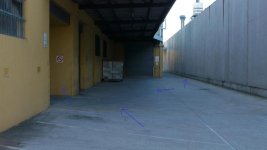
This is a frame export from CS5. The camera is set to 160 ISO in smooth mode. I.R and I.Dynamic OFF. I've tried it in different settings as well and they all exhibit this chroma noise activity (as if the colour channels are at a high gain value). The camera is generally noisy and has a greenish tint in the shadows. I have also noticed a least one pink dead pixel that comes and goes and when the camera is gained up there are about 5-6 lit pixels (also pink in colour from what I remember). Pixel refresh makes no difference. I have taken the camera in for service as this is very noticeable (and distracting) on my 2K program monitor.
So is this blocking issue something that happens sometimes, or in every shot that has more than a few stops of dynamic range? I could only slightly notice the issue on the above images. I'm shooting a festival short soon which will be projected. Is this going to look hideous on the big screen? I don't mind a bit of digital noise, but just how bad will this be blown up? I wanted to shoot it on the GH2, but now I'm wondering if I should be looking for another DSLR. Damn it. Would the hacked GH1 be a better bet? Blackout seems to think so, but I'd rather a more objective opinion (no offence Blackout).
Park Edwards
Veteran
I'm a little upset how noticeable it is in lowest ISO. The blue channel is awful.
Park Edwards
Veteran
I see it on the camera's lcd, it almost every shot that's under exposed. I wanna say that a hacked Gh1 will render a nicer image, but it has its problems as well. Gh1 lowlight has banding, but it's not that bad. The Gh2's lowlight in under exposed area's is really bad. To my eyes it's as bad as the d90's. I have a 26inch monitor, I can easily see the blocks. I can only imagine what it might look like on a huge screen.
Mysticalguides
New member
I've noticed it in pretty much every shot that has some degree of shadow. The bright areas in the shot look clean and static whereas anything in shadow appears to be a buzz of activity with colour areas noticeably banding. I would have accepted it as a deficiency in the camera or codec but I have seen footage on this forum that doesn't seem to have this level of noise and artifacts in the shadow regions when viewed on the same monitor.
Last edited:
-There is a pretty good work around though.
There's a work around???
I've noticed it in pretty much every shot that has some degree of shadow. The bright areas in the shot look clean and static whereas anything in shadow appears to be a buzz of activity with colour areas noticeably banding. I would have accepted it as a deficiency in the camera or codec but I have seen footage on this forum that doesn't seem to have this level of noise and artifacts in the shadow regions when viewed on the same monitor.
My hacked GH1 is the same. It's simply the fault of the AVCHD codec. I Have shot material is very bright sunlight and shadow areas still go to complete mud - even at high bitrates. I had to scrap an afternoons shoot after virtrually every shot was ruined by this. The only option is to re-frame and just realise that here are certain shots that AVCHD-based cameras are never going to accurately capture.
One thing I did notice was that this was pretty much absent with 720p50 material - even on a stock GH1 - and also the MJPEG recordings, although as they are 30fps they are totally useless ofr anyone outside of America/Japan.
Right, useless, except for those who happen to have access to YouTube, Vimeo, or any number of video hosting sites...One thing I did notice was that this was pretty much absent with... MJPEG recordings, although as they are 30fps they are totally useless for anyone outside of America/Japan.