BlackMagic Hypershuttle vs. FS100 AVCHD

That could be the difference between the nano results that cuervo was seeing if he was deinterlacing it.
Deinterlacing is evil and you should never do it. With 24p-in-60i footage you should perform an inverse telecine, but you must *never* deinterlace.

Or is it hard telecined , or 24 PsF ?
The FS100 can't output 24PsF. It only outputs 60i, so the 24p is 2:3'd within 60i.
 
PDR...
I admit, I'm at a loss to explain why the Hyperdeck footage doesn't perform as well. I would have expected it to look really good. As I posted earlier, I know very little about the technical details of this "uncompressed QT" format. But, the more I play with the Hyperdeck, the more insecure I'm getting with that footage. I have no explanation other than empirical experience.

I really need to spend some time with the Hyperdeck and my EX1. I just haven't found the time, yet.
-Bill

edit:here's another bit of random info:
I ran a comparison test of the hyperdeck and the nanoflash with a sony NEX-VG10. In that test, the nanoflash showed worse moire than the native VG10 AVCHD. Curiously, the Hyperdeck footage looked really clean, i.e., not as much moire. I just was baffled by this result as i would expect the level of moire to be identical between the nanoflsh and the hyperdeck.....and I may just need to spend more time with the Hyperdeck.

Just speculating but from what I've read the VG10 has inherent moire issues and since the nano is doing such a good job its just accentuating whats already there while the hyperdeck from what i've been reading in this thread seems to not be doing a good job at all and wouldn't accentuate the moire as well as the nano. Comparing the two, it would show less on the hyper because its not doing as good a job and visually closer to the original AVCHD.

Isn't this the same issue that comes up with noisy cameras and the nano. The nano does it job so well it also emphasizes the noise.
 
Last edited:
Just speculating but from what I've read the VG10 has inherent moire issues and since the nano is doing such a good job its just accentuating whats already there while the hyperdeck from what i've been reading in this thread seems to not be doing a good job at all and wouldn't accentuate the moire as well as the nano. Comparing the two, it would show less on the hyper because its not doing as good a job and visually closer to the original AVCHD.

Isn't this the same issue that comes up with noisy cameras and the nano. The nano does it job so well it also emphasizes the noise.
That sure makes sense to me....:cheesy:
 
Beyond the straight out of camera differences, how does the on board AVCHD stand up to heavy grading and FX compared to the external options? Any body pushed the limits there yet?
 
Deinterlacing is evil and you should never do it. With 24p-in-60i footage you should perform an inverse telecine, but you must *never* deinterlace.


Yes, that's the point I was trying to bring up. Frank mentioned something about deinterlacing it, so I was wondering why. I wanted to clarify what workflow these guys are putting the streams through, looking for a connection as to why they are seeing -IMO- "unexpected" results from the hyperdeck. In my experience PP can make errors with IVTCing, often there are combed frames that get through.


Just speculating but from what I've read the VG10 has inherent moire issues and since the nano is doing such a good job its just accentuating whats already there while the hyperdeck from what i've been reading in this thread seems to not be doing a good job at all and wouldn't accentuate the moire as well as the nano. Comparing the two, it would show less on the hyper because its not doing as good a job and visually closer to the original AVCHD.

Isn't this the same issue that comes up with noisy cameras and the nano. The nano does it job so well it also emphasizes the noise.


Which is why this doesn't make sense, because uncompressed recording should preserve even more of the signal (details and noise) compared to the nanoflash


Razz16mm was asking about grading AVCHD compared to external recording options, but your blog link compares AVCHD to AVCHD converted to an intermediate. It doesn't compare external recording options. I believe there were problems with your workflow, as discussed in the other thread. You have clipped superwhites somewhere in your workflow prior to applying the filters (I suspect because of an intermediate standard range RGB conversion.) Several people think the same way your blog , including David Newman (cineform).


External recording options (either uncompressed, or lightly compressed like nano or others) should preserve more of the camera signal (and noise). Fine details along with grain and noise are preserved. Often you get worse grading results (in some respects) unless you selectively denoise, or the shot is well lit and the sensor produces exceptionally noise free images. Noise is often the largest factor that limits you in heavy grading, even more than pushing a true 10-bit vs. 8-bit workflow IMO. The AVCHD compression drops noise (and detail), which produces a "cleaner" image, easier to grade .
 
Razz16mm was asking about grading AVCHD compared to external recording options, but your blog link compares AVCHD to AVCHD converted to an intermediate. It doesn't compare external recording options. I believe there were problems with your workflow, as discussed in the other thread. You have clipped superwhites somewhere in your workflow prior to applying the filters (I suspect because of an intermediate standard range RGB conversion.) Several people think the same way your blog , including David Newman (cineform).


External recording options (either uncompressed, or lightly compressed like nano or others) should preserve more of the camera signal (and noise). Fine details along with grain and noise are preserved. Often you get worse grading results (in some respects) unless you selectively denoise, or the shot is well lit and the sensor produces exceptionally noise free images. Noise is often the largest factor that limits you in heavy grading, even more than pushing a true 10-bit vs. 8-bit workflow IMO. The AVCHD compression drops noise (and detail), which produces a "cleaner" image, easier to grade .

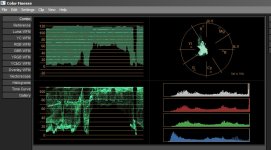
The clipped superwhite theory doesn´t apply here:

This is the original AVCHD file

AVCHD.jpg

This is the AVCHD file converted to BM 10bit RGB

BM.jpg

As you can see, there is no difference in the luma levels.
The only difference you can see is in the histograms, due to upsampling.

David said I used the wrong tool or workflow for converting to Cineform - well actually I used Davids own HDlink program to do the conversion, and there is not much workflow you can do there, but selecting the file, setting the parameters (Film in this case) and hit the GO button.

Now what?

Frank

Frank
 
The clipped superwhite theory doesn´t apply here:

This is the original AVCHD file

<snip>

This is the AVCHD file converted to BM 10bit RGB

<snip>

As you can see, there is no difference in the luma levels.
The only difference you can see is in the histograms, due to upsampling.

David said I used the wrong tool or workflow for converting to Cineform - well actually I used Davids own HDlink program to do the conversion, and there is not much workflow you can do there, but selecting the file, setting the parameters (Film in this case) and hit the GO button.

Now what?

Interesting. Your final screenshots on your blog strongly suggest data has been clipped prior to your grade

Frank, can you post a small sample of the native clip ? You can use a free file hosting site e.g. mediafire.com

If you want to cut it, you can use a free utility tsmuxer, you can go the the split and cut tab and specify cut points
 
Hyperdeck and EX1 SxS

Hyperdeck and EX1 SxS

I hope I'm posting this in the right place! Relevant to this discussion, I had some time, this AM, to do a comparison between the Sony EX1 SxS native capture and the BMD Hyperdeck. The results are showing the Hyperdeck to be better than the SxS in noise. Otherwise, I am hardpressed to see a difference. Keep in mind that this footge was taken in static mode, i.e., no camera panning, no inter-frame motion. Keep in mind that, while I used a 10-bit workflow, the native SxS is 8-bit 4:2:0 and the Hyperdeck is 10-bit 4:2:2, accounting for the difference in color.

edit: I forgot to mention that these are 400x blowups of the originl footage. SxS (0;00;07;38).jpgHyperdeck (0;00;07;38).jpg
 
Last edited:
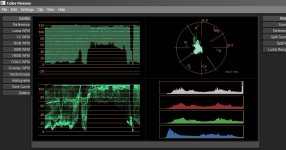
Frank - I did some tests in color finesse (in AE) and I think it's waveform monitor is reading incorrectly. When I encode to R10K (BlackMagic's 10-bit RGB ) is definitely clipping , and you cannot recover the superbrights, although Color finesses' monitor doesn't show clipping (similar as in your screenshots). But the same file shows clipping in other monitors like test gear, and premiere's own YC waveform and other programs.

Can you double check with Premiere's own YC waveform or another program?
 
PDR...

I just went thru this. If you want to extract the full RGB range(i.e. not limted to 16-235) you have to go into your composition settings before you import the footage and set the composition to 32 bit float. Every other selection will clip the footage to 16-235.
 
PDR...

I just went thru this. If you want to extract the full RGB range(i.e. not limted to 16-235) you have to go into your composition settings before you import the footage and set the composition to 32 bit float. Every other selection will clip the footage to 16-235.

I did. Full range YUV imports are treated fine in 32bit mode (you have access to superbrights/darks), but exports using BM are clipped. Try it out yourself
 
So what's the consensus? Does the blackmagic clip information that avchd is able to retain?
 
So what's the consensus? Does the blackmagic clip information that avchd is able to retain?

No, those comments were actually referring to another thread, transcoding to BM (either 10bit RGB or YUV) as an intermediate. I am almost certain the results in the screenshots are due to issues in the the workflow clipping the superbrights.

I do not believe the recording straight out of the hypershuttle clips superbrights , but I don't have one to verify
 
So what's the consensus? Does the blackmagic clip information that avchd is able to retain?

you may be mixing BMD terms up

BMD codecs = compression / decompression software, has an issues with full range signals & not allowed through the front door of my shop for this reason
BMD recorder = uncompressed hardware, no issues with full range... substaintial issues with removeing pulldown it seems from forum chatter,

i'm waiting another week or two for the SoundDevices PIX220, they claim pulldown removal on ingest, so it records 23.98P from a camera set at 23.98 with no post PITA involved.

d/
 
Last edited:
you may be mixing BMD terms up

BMD codecs = compression / decompression software, has an issues with full range signals & not allowed through the front door of my shop for this reason
BMD recorder = uncompressed hardware, no issues with full range... substaintial issues with removeing pulldown it seems from forum chatter,

i'm waiting another week or two for the SoundDevices PIX220, they claim pulldown removal on ingest, so it records 23.98P from a camera set at 23.98 with no post PITA involved.

d/

Sony states flagged 24p out of HDMI so why is there a problem removing pulldown?

I am also waiting for the sound devices for the same reason, the 240 specifically and I am also hoping that convergent decides to drop the price of the nano seeing as the sound devices offers much more for the same price. And if they do I'll jump on the nano.
 
Sony states flagged 24p out of HDMI so why is there a problem removing pulldown?

Donno Mico.. reading the chatter it seems most of the folks using Vegas, AE, FCP, P5 are creating muck from the BMD recorder.. I have not seen a test completed in a DS, eQ, Flame or other finishing tool tho, and nor i have tested it.. and i cannot tell what the issues are from afar, i don't use any of the tools that the tests i've seen have been completed in.. so until i can test it for myself i just don't know where the issues come from... the tools used in post or the recorder?

waiting for the PIX220 to show up, my dealer says "soon" for a shot at his demo unit.. he's pre-sold quite a few now, so i will have to take a place in line if it works as advertised...

d
 
Last edited:
Sony states flagged 24p out of HDMI so why is there a problem removing pulldown?

Traditionally timecode info is only recorded through HD-SDI. I don't know much about Sony's HDMI implementation, but a quick google search says it records something about "enhanced HDMI" - not sure what that is...

Even if it sends timecode information with flags, you would need a device that can record it. AFAIK hyperdeck does not.

Even if you record it successfully with the additional data , you would need software that can read/interpret that data and apply IVTC

Most software will just assume strict 3-2 (or 2-3) cadence, but if you don't use adaptive field matching, when you have cadence breaks , combed frames can get through. It depends where in the cycle you start and end.
 
Traditionally timecode info is only recorded through HD-SDI. I don't know much about Sony's HDMI implementation, but a quick google search says it records something about "enhanced HDMI" - not sure what that is...

Even if it sends timecode information with flags, you would need a device that can record it. AFAIK hyperdeck does not.

Even if you record it successfully with the additional data , you would need software that can read/interpret that data and apply IVTC

Most software will just assume strict 3-2 (or 2-3) cadence, but if you don't use adaptive field matching, when you have cadence breaks , combed frames can get through. It depends where in the cycle you start and end.

not sure what IVTC is? is the a codename for pulldown removal?

d
 
not sure what IVTC is? is the a codename for pulldown removal?

Yes, it's essentially the same thing; IVTC = Inverse Telecine

The FS100 uses "hard telecine", where 24p content is encoded as interlaced in a 60i stream

In the soft telecine case, 24p is encoded as progressive, but TFF/RFF flags are used to output a 60i stream - this implies you can just strip the flag and you get your 24p stream back

In the hard telecine case, you need to field match and decimate the duplicates

This makes a bigger difference when you use less compressed formats, because progressive encoding is more efficient than interlaced encoding; with uncompressed recording it won't make a difference in encoded quality.
 
Back
Top