Sorry if this has been done to death in the past. I am struggling to find a tutorial online anywhere that answers my question... plenty examples of 4k editing working - but none that sort out my workflow.
i am using CS5. Create a 1080p timeline. Copy over my 4K footage - and then drop it into the timeline.
If I edit and export it the footage looks great and CS5 works out what to do with it to keep the scaling right.
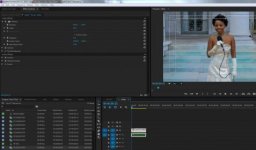
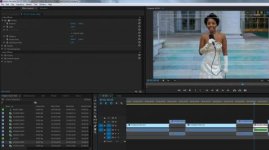
BUT... how do I edit it so that i can do pans and zooms? When I view the footage in the monitor it fits the screen. If I click on it and start keyframing zoom / position the video in the monitor gets huge and looks like 4K size (bigger than monitor) But when i view the footage it has reverted it back to 1080P size and the pans / zooms are all wrong with black borders appearing everywhere.
Is it as simple as - i click on the clip.... set scale to 200... then do the pans and zooms like that? Does that avoid any quality loss?
The behavior of the footage in the monitor is aggravating (looking normal size on playback but expanding to full 4k size when clicked on) is there a way to avoid it?
Any help appreciated.
i am using CS5. Create a 1080p timeline. Copy over my 4K footage - and then drop it into the timeline.
If I edit and export it the footage looks great and CS5 works out what to do with it to keep the scaling right.
BUT... how do I edit it so that i can do pans and zooms? When I view the footage in the monitor it fits the screen. If I click on it and start keyframing zoom / position the video in the monitor gets huge and looks like 4K size (bigger than monitor) But when i view the footage it has reverted it back to 1080P size and the pans / zooms are all wrong with black borders appearing everywhere.
Is it as simple as - i click on the clip.... set scale to 200... then do the pans and zooms like that? Does that avoid any quality loss?
The behavior of the footage in the monitor is aggravating (looking normal size on playback but expanding to full 4k size when clicked on) is there a way to avoid it?
Any help appreciated.