Bands across the screen on gh2

moviefn1

Member
I recently got my gh2 and I played with it a few times and was impressed. However, today I was shooting some tests and found 3 yellowish bands across the image. I thought it might just be the lighting or a high iso so I turned all the main lights on and tried almost all the iso's. I was shooting in 1080p 24p mode. It was weird because the bands didnt really show up until I pressed the record button, then they became very apparent. I took a snapshot and will attach it. Its sort of hard to see on this one but its extremely bothering when watching on an hd screen. Im hoping its not a bad sensor, but I have no idea otherwise. 1.jpg
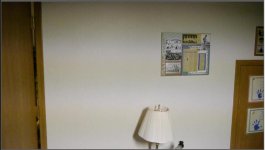
 
How did you white balance? Try a pixel refresh, pg 134 in the manual and then try a manual white balance pg 88...
 
I white balanced manually under the lights on a white card but I didnt pixel refresh until later. Ill try it again together and see if that works. Thanks
 
Hi,
I noticed also these kinds of bands in my footage. But in a different way. Take a look at my footage on the "GH2 serious codec problems" thread. It could be a shutter problem. I don't find a solution for it yet.
Best regards, Maxwell77
 
Try setting a different shutter speed. In my room, I get such bands at 1/60, but at 1/100 I don't see them.
 
Yes, that is definitely lighting/shutter. That is why you always have to be careful about your shutter on all CMOS cameras. Even when it is not there, I often can find a little bit of it on any CMOS camera if you playback at higher speed to exaggerate slight differences in shutter and flicker. For flickering sources, it may always be there to some degree unless you can set your shutter speed extremely precisely and accurately.
 
It's caused by the shutter speed, when shooting under fluorescents. LOCK your camera at your country's line frequency (1/60th for USA, 1/50th for PAL territories) and don't ever change it.
 
I was shooting at 1/50 when I got the bands so I changed it to 1/60 and it got worse, it seemed only if I went to 1/40 and longer that it wasn't as noticeable. I guess the best bet is to stay away from fluorescent ballasts. I had one other question, its probably simple but its been driving me crazy. When I move the camera at all the exposure adjusts automatically, back and forth, darker to lighter. Ive been through the menu countless times, shut off any auto exposure controls. Ive read through the manual quite a lot but cant seem to find the correct remedy. Like I said, its probably simple, Im just new to the camera, and dslr in general. Thanks for you time.
 
I have same problem, and it is not to do with shutter. I was shooting 1/50(pal). I think problem is having stupid 24p frame rate. When you play with white balance sometimes it goes away. Custom wb was really bad, auto is better, but it still happens time to time. Alongside with banding, flickering issue makes rhis cameta unusable any indoor shoots.
Best of luck
 
It's caused by the shutter speed, when shooting under fluorescents. LOCK your camera at your country's line frequency (1/60th for USA, 1/50th for PAL territories) and don't ever change it.

Barry, I've been shooting 1/60th with the camera since I bought it (i live in N. America) and have the type of banding the first post shows under any fluorescent lighting I come across. I've dabbled with different iso's, white balances all at 1/60th and it continues to produce the bands. For some reason it is least visible at 1/40th compared to any other shutter speed. *I'm using the 14-140 panasonic lens.

Is there anything else I can try to fix this issue other than the 1/60 shutter speed? I really wanted to use this camera as a run and gun cam for low budget films - which would mean using practical lighting at times, but if I can't shoot under fluorescent lighting I'm kinda hooped.

moviefn1: I believe if you scroll though the Q. Menu, on the bottom left side is shutter - edit: exposure. You are probably set at A for auto. You need to scroll up and set it to M for manual. This will also let you control the iris. Then, by clicking the wheel you will be able to switch back and forth between Iris and Shutter to set them as you wish.
 
Last edited:
Staven, actually that is what I have it set as. I switch back and forth between shutter speed and aperture. When the exposure changes, neither the SS or Iris change, however.
 
Are you talking the exposure meter that sits at 0 then either goes plus 3 or minus 3?
 
That is present on screen. Shows the correct exposure and shows when its too little or too much light, but, I mean the exposure on image changes back and forth. If im doing handheld, if I move just enough, it will go darker then if I move back it will go lighter. I figured it was set to automatic exposure but in the menu I have it set to manual.
 
I see. That has happened to me also while shooting under lower lighting at night, but not so much during the day. It doesn't happen all the time, but I have noticed it for sure where say I tilt the camera up then down. Once I tilt up, a brief moment later the screen goes brighter like it self adjusted. But, I'm not sure if it shows up on the recorded image or not.

*I'm too concerned with getting to the bottom of why I have mass horizontal banding when I'm shooting at 1/60!
 
I encountered this type of flickering when traveling to Japan with GH13. Inside of their airport terminal, I couldn't use either 1/50 or 1/60 shutter speed. The only shutter speed I could get clean image was 1/30th so I did and it worked just fine. In some situations there is no reason to stick with 1/60 or 1/50, you just need to go with what you can use.
 
I. Once I tilt up, a brief moment later the screen goes brighter like it self adjusted.

That is the just the screen auto brightening adjusting in pre-record mode.. If you press the delete button then display button, the real exposure will be displayed in the LCD screen. It's disabled by default in Creative Movie Mode, which is what you should be shooting movies in anyway.

Switch between CMM mode and M on the top dial and you will see the effect in the LCD.... alternating light to darker or vise versa.
 
Last edited:
Some days ago, I got exactly same bands in 7D under fluorescent light, changing shutter speed fixed it.

Ulisses
 
+1 on the yellow bands under fluro change shutter fixes issue.

As stated in a prior post, I am getting horizontal bands no matter what shutter I use under various fluorescent lighting. I personally want to know if there is anything else I can try to fix this, or if possibly I have a defective camera??
 
Back
Top