Aspect ratios in PP CS5

I have something coming up and would like to have the end product in a 2.40/1 ratio in PP CS5. Source footy will be 1920x1080 24P.
I know I could just shoot a HD project and mask off the end product but would like to just start a project in something like a 1920x800 ratio. That way I can just move the footy up or down to frame it the way I want during editing.
I went through the default settings on a lot of the available presets and couldn't find anything appropriate.
Is there any way to setup (and possibly save) as a preset something in this aspect ratio?

(say....Just change the avchd preset to a 1920 x 800 and save it as "movie" preset or something?)
 
If you're sole reason for opening a project is to be able to import the footage and then just adjust it up or down, you would have a much easier time just loading a standard 1920x1080 sequence, then on your top video layer adding a widescreen matte. Then all the footage underneath can be adjusted the exact same way.

I use the widescreen matte in the PP templates, and then resize it to 118.
 
I might not be understanding you correctly but, the sole purpose would be to have a project in the correct ratio. (2.40 )
Yes, moving the footage up or down would be (essentially ) the same process, but exporting would get you a 1920x1080 file with black bars at the top and bottom (VS a 1920x800 ishfile) or do I have that wrong?

Just curious why there aren't any 2.40 or 2.35 presets????
 
I might not be understanding you correctly but, the sole purpose would be to have a project in the correct ratio. (2.40 )
Yes, moving the footage up or down would be (essentially ) the same process, but exporting would get you a 1920x1080 file with black bars at the top and bottom (VS a 1920x800 ishfile) or do I have that wrong?

Just curious why there aren't any 2.40 or 2.35 presets????

Well....I think that if you were to play the file with the black bars on a display that supported 2.40, the black bars would be cut off right?


When you start a new project, select the "General Tab" (beside the "Sequence Presets" tab) and choose "Desktop" as the editing mode.
 
Last edited:
Thanks...after reading creative cow link you had, I started messing with the stuff on the general tab and found that desktop is the way to go..

Then I actually read (wait for it.........) The help file
 
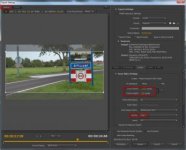
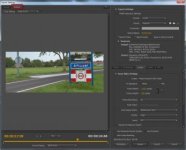
2.40-1 source.jpg2.40-1 output.jpg

Set up a sequence the same as your footage which is 1920x1080.
Use a Letterbox matte as a reference, you can turn it off before export.
Then export to H264 and set framesize to 1920x800 and profile to high.
In the crop setting (source panel) crop off 140 pixels top and bottom. [(1080-800)/2=140]
You can use any aspect by just deviding height by aspect ratio. e.g. 1920/2.35=817 pixel. Crop off (same amount) 132 top and bottom [(1080-817)/2=131,5].
Screendumps are useless although i uploaded full size. If you like i can email them to you.
 
Last edited:
Thanks Ann
I ended up just creating a custom preset and adding it to the list of presets. I guess there's several ways to do it without resolution loss. (other than the pixels you crop off)
In the end it's how you export that really matters.
 
Back
Top