
Hi All,
Just thought I'd make a service announcement about an issue that I ran across.
It may be obvious to some, but since we are shooting Log footage, we need make sure DaVinci is set to Data Levels, not Video.
When you import footage into DaVinci, the "Auto" feature automatically sets the clips to Video Level with EOS C300 Mark II footage (and XC10). Essentially, this is crushing and blowing out some vital information in the shadows and highlights. The results can be pretty drastic.
So now, everytime I ingest footage into Resolve, I go to my Media Bin and do the following:
Select All > Right Click > Clip Attributes
Then, set the Levels to Data instead of Auto, because the Auto Function is using Video Levels with my EOS C300 Mark II footage for some reason.
In addition, the Canon LUTs are designed also to expect a Data Range signal, so for the longest time I thought the Canon LUTS were garbage because they were clipping everything even more, turns out it was because I was set to Automatic (Video) Range.
Here's a quick crop of some rocks in one of my scenes that really tipped me off that something was wrong.
Data Levels: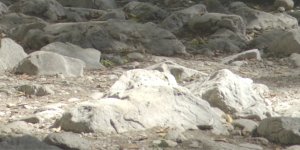
Video Levels: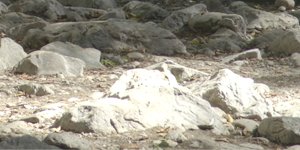
Again, may be obvious to some, as it is it me now, but if this reminder saves even one C300 Mark II clip, it'll all be worth it haha
Just thought I'd make a service announcement about an issue that I ran across.
It may be obvious to some, but since we are shooting Log footage, we need make sure DaVinci is set to Data Levels, not Video.
When you import footage into DaVinci, the "Auto" feature automatically sets the clips to Video Level with EOS C300 Mark II footage (and XC10). Essentially, this is crushing and blowing out some vital information in the shadows and highlights. The results can be pretty drastic.
So now, everytime I ingest footage into Resolve, I go to my Media Bin and do the following:
Select All > Right Click > Clip Attributes
Then, set the Levels to Data instead of Auto, because the Auto Function is using Video Levels with my EOS C300 Mark II footage for some reason.
In addition, the Canon LUTs are designed also to expect a Data Range signal, so for the longest time I thought the Canon LUTS were garbage because they were clipping everything even more, turns out it was because I was set to Automatic (Video) Range.
Here's a quick crop of some rocks in one of my scenes that really tipped me off that something was wrong.
Data Levels:
Video Levels:
Again, may be obvious to some, as it is it me now, but if this reminder saves even one C300 Mark II clip, it'll all be worth it haha