Apple dumps Intel and shows Final Cut Pro on new Mac with Apple CPU !

Yeah, I cancelled my preorder for now.

Only God can stop me from having an M1 in my future, but for now I had too much time to think about it and settle down a bit because I personally have no need for a new computer right now.

Like with most electronics, I get an unfathomable rush and desire to have immediately.

Yeah as excited as I am right now about the M1 Macs I am going to hold off a bit too. I have more than a dozen Macs and most don't get used at all right now. If something is time sensitive we edit on one Mac and while another Mac renders.

Having said that once I start traveling again I am definitely plan to get one of these. It's crazy to think how much faster these machines are than the Mac Pros I used to ship across the country. In a few months I may be editing on a iMac and rendering on MacBook Air.
 
He did what I was going to do (before cancelling for now).

I was going to tell you that the M1 has no problem (presumably thinking it wouldn't), and then link to his video when he showed his $15,000 MP having a problem.

But the man himself is saying it...around 9:55.

Just pure insanity.


Yeah 10 bit HEVC hardware encoding and decoding is going to be a huge near term Mac advantage!
 
"Paradigm Shift"

https://www.anandtech.com/show/16252/mac-mini-apple-m1-tested

TL;DR: The M1 chip is competitive with the best non HEDT cpu on the market today, the new Ryzen 5950x. Integrated GPU rivals some discreet GPUs. Rosetta 2 performance translating from X86 is outstanding.

Blown away.

As usual, anandtech tells me what I wanted to know. Single-core performance is indeed matching the best x86 has to offer nowadays, that's the main point here, and it's super impressive.

It falls behind in multi-threaded tests but hopefully that's because of unusually heavy throttling when all cores are running. In cinebench the 15W Ryzen 4800U score grows 7.75x when using 8 cores instead of 1, the M1 score grows only 5.15x: it's probably slowing the GHz quite a bit with that load.
 
Yeah as excited as I am right now about the M1 Macs I am going to hold off a bit too. I have more than a dozen Macs and most don't get used at all right now. If something is time sensitive we edit on one Mac and while another Mac renders.

Having said that once I start traveling again I am definitely plan to get one of these. It's crazy to think how much faster these machines are than the Mac Pros I used to ship across the country. In a few months I may be editing on a iMac and rendering on MacBook Air.

For sure...I pretty much listened to myself and what I was writing here.

I expressed my passion for my first and only MBA the other day and how much I used it while traveling...but I haven't gone anywhere in 10 months!

And I've been editing here and there during that time, but I couldn't pretend or convince myself enough that the MBP (my other computer) wasn't fine for now under the circumstances with the limited opportunities.
 
As usual, anandtech tells me what I wanted to know. Single-core performance is indeed matching the best x86 has to offer nowadays, that's the main point here, and it's super impressive.

It falls behind in multi-threaded tests but hopefully that's because of unusually heavy throttling when all cores are running. In cinebench the 15W Ryzen 4800U score grows 7.75x when using 8 cores instead of 1, the M1 score grows only 5.15x: it's probably slowing the GHz quite a bit with that load.

You do realize this is an entry level chip right? Some Intel chips will beat it. Even though there are 8 cores its only 4 high performance cores and 4 low power cores for simple tasks. The fact that Apple can effortlessly beat or get close to the veteran Intel and AMD should be very impressive.

We will be getting even better performance when the 16" and iMac models come out next year. Even better once the iMac Pro (if it is still a product line) and MP are replaced after that.

If we see this level of performance gains over the entry level Intel options imagine what will happen when it replaces the 16" and iMac CPU options. GPU performance will be better on the 16" and iMac models as well. Even rumors Apple is working on a dedicated Apple Silicon GPU for the iMac so it can use both or a higher power GPU.

The rumors are a 12 core CPU next. 8 high performance cores and the same 4 low power cores. That could in theory double the 16" MBP and iMac performance over the current M1 Macs.

I wonder then if the MP will be a 20 core CPU. 16 high performance cores and the same 4 low power cores.
 
He did what I was going to do (before cancelling for now).

I was going to tell you that the M1 has no problem (presumably thinking it wouldn't), and then link to his video when he showed his $15,000 MP having a problem.

But the man himself is saying it...around 9:55.

Just pure insanity.


Thats without a fan and only 7 GPU cores which is even more insane.

That GPU and CPU already seems to beat just about every 16" MBP model before the 2019 models that moved to the 5300m and 5500m GPUs. Before that the MBP topped out with the 560X which every test so far puts the M1 far ahead of.

Thats means these entry level Macs are already better than any 15" MBP out there and most of the 16" MBPs out there minus a few custom models with the Vega 20 (maybe) and the 5300m, 5500m and 5600m models which cost 2-3x as much. I say maybe the Vega 20 because the 5300m already beat many Vega20 scores so the M1 may be just as fast as even the Vega20.

all in a long battery life cool and silent Mac laptop. From what tests I have sen of the 13" MBP with the fan they still don't kick in very often and when they do it isn't a lot.

Apple not only hit a home run with the M1 but they won the World Series.
 
You do realize this is an entry level chip right? Some Intel chips will beat it. Even though there are 8 cores its only 4 high performance cores and 4 low power cores for simple tasks. The fact that Apple can effortlessly beat or get close to the veteran Intel and AMD should be very impressive.

Yes, I did say this was "super impressive". I did not notice this was a heterogenous CPU: they say it's 8-core but it's 4+4 and half of those are puny, I'd call this a 4-core with a low-power ad-on.
I'm definitely surprised this ARM chip can match the best intel and AMD ones in something like cinebench single-core performance. You can find comments I made early in this thread saying this would not happen.
 
As usual, anandtech tells me what I wanted to know. Single-core performance is indeed matching the best x86 has to offer nowadays, that's the main point here, and it's super impressive.

It falls behind in multi-threaded tests but hopefully that's because of unusually heavy throttling when all cores are running. In cinebench the 15W Ryzen 4800U score grows 7.75x when using 8 cores instead of 1, the M1 score grows only 5.15x: it's probably slowing the GHz quite a bit with that load.

That's unlikely. A far more likely explanation is that the x86 processors, especially AMD's, have a LOT more resources dedicated to enabling parallel scaling, as well as 2x as many high performance cores in them. Plus multithreading, which improves performance further.

And don't forget that Ryzen 48K is a Zen2 processor. It's going to be interesting to see how things stack up between the M1's successors and Zen3 and Zen4.
 
50619090806_531e8dff59_b.jpg


Grabbed a NewerTech for the MBA that's still mad at me because it was almost replaced. (I knew these solutions existed but always bought a new computer instead.)

First time trying a battery replacement and just finished the power management system calibration process that takes 20 hours...am highly pleased with being frugal this time: https://eshop.macsales.com/item/NewerTech/BAP13MBA60/
 
Grabbed a NewerTech for the MBA that's still mad at me because it was almost replaced. (I knew these solutions existed but always bought a new computer instead.)

First time trying a battery replacement and just finished the power management system calibration process that takes 20 hours...am highly pleased with being frugal this time: https://eshop.macsales.com/item/NewerTech/BAP13MBA60/

I may need to do that soon. As I'll likely keep my current MBP for in field file transfers.

Thanks for sharing!
 
If the MPs can't encode/decode the incoming files, they will all be useless against those formats whether $5K or $55K.
 
Indeed: being faster at one task is very different from being faster at many tasks, let alone most tasks or even all tasks.
 
Indeed: being faster at one task is very different from being faster at many tasks, let alone most tasks or even all tasks.

You're not part of the marketing team are you ? :-)

raw specifications, especially when taken in isolation are usually meaningless. Yet people love them like playing Top Trumps card game.
 
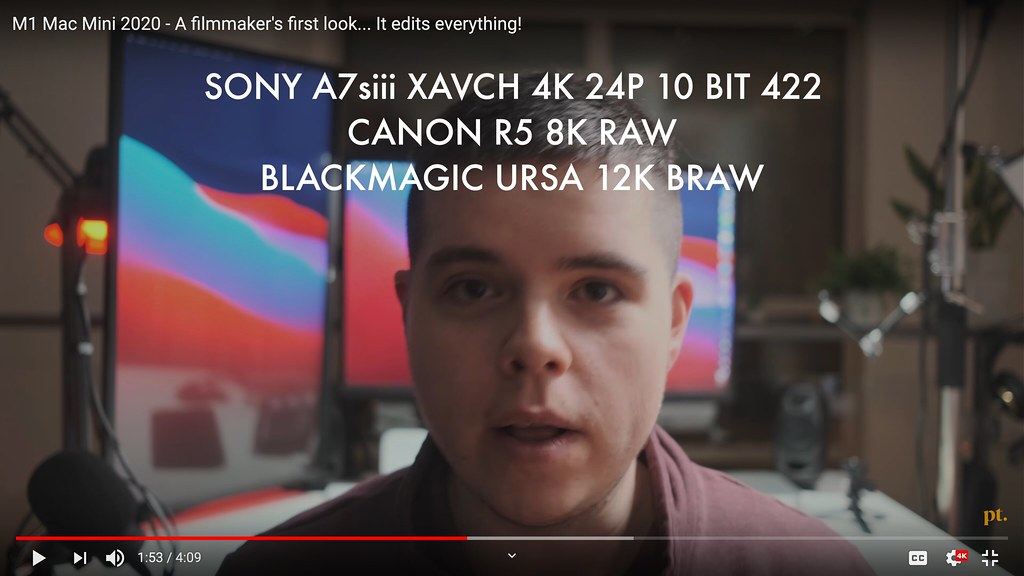
I just got in the new M1 Mac Mini and took it into some serious tests. Not only does it rip through 4k 10bit h.265 like its nothing. But it also handles 8k video easily as well.


Just so you know I ran this thing for 12hrs video editing screen capture all kinds of heavy lifting video formats and the fans never came on (that were audible) and the case of the Mac mini was cold the whole time. I also ran all this footage off external ssd. So I wasn’t even using the super fast internal drives for these tests
 
Joe I want to get larger high res monitors before the mini arrives. (I've go a month to ponder this). I've read a couple of reviews that list compatible thunderbolt capable monitors.
https://www.rtings.com/monitor/reviews/best/mac-mini
https://www.digitaltrends.com/computing/best-monitors-for-mac-mini/

There's the ultra wide 21:9 with the most horizontal room for the timeline but it's not as useful for other types of work and then there is the more traditional 16:9 ratio
I'm concerned that a 5k thunderbolt monitor is going to eat up all the bandwidth hurting the performance of a SSD external drive in the second thunderbolt port if they share the same pipe.
I want a two monitor setup where my viewer is in a separate monitor.
 
Last edited:
General PSA: Some of the new 8GB M1s already have little savings $30-$50 off (and are in stock) depending on the storage...maybe useful to offset some of that tax if you aren't going through Payboo or other financing and looking to buy sooner rather than later.
 
Back
Top