Anyone having card speed issues, please try again without native 24p

tried 60,62,70 setting ,GOP not checked , 24p checked .. tested my new sandisk 16gb class 10 30mb/s the gh1 freezes when hitting the record button while in fhd 24p avchd mode I had to take the battery out to make it reset), it records fine in 720p 60 avchd mode..

I had the same exact issue. Turn off 24pN and it will work. That did it for me. I think there's something wrong with the way 24pN is implemented.
 
I had the same exact issue. Turn off 24pN and it will work. That did it for me. I think there's something wrong with the way 24pN is implemented.
I can confirm, just tested this with PTool 3.37d
* Version Compare patch
* Video Bitrate Adjustment FHD/SH Simplified -> 60000000
* Overall Bitrate Adjustment -> 62000000
* Limiting Bitrate Adjustment -> 70000000

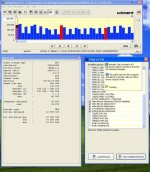
Nice clean footage in a wrapper. Looks good at low level too (see attachment).
I then ticked off "native 24p/25p" patch in addition to those two above and as soon as I hit record button camera became unresponsive. So something unkosher happens when you go "native"
 

Attachments

  • 00001 60,62,70 60i streameye.jpg
    00001 60,62,70 60i streameye.jpg
    90.7 KB · Views: 0
I tried a few things but nothing worked. When I adjusted GOP up or down I would get strangely low bitrates, in the single digits, and I would get horrible MUD, etc.

I'll try some more settings but I'm not getting anywhere.
 
svecher. Your post is a bit confusing. Do you mean that you could NOT record when you ticked ON 24P ?
And the screengrab is of footage where you did not use 24P ?
Out of curiousity are these problems also seen when people shoot in PAL 25P ? 50i to 25P tends to be less of a problem than 60i to 24P.
 
it's those settings. those are ridiculous high for the type of card you're using. use these, if it doesn't work. it's your card.

Native 24p
Video bitrate adjustment - 40000000
Overall bitrate adjustment - 46000000
Limiting bitrate adjustment - 50000000
 
There's also the pulsing issue discussed in the other thread if you 'go native' (here on PAL).

it's those settings. those are ridiculous high for the type of card you're using.
Anyone care to comment on the law of diminishing returns with high settings? For instance, here I'm on 38/40/42 and getting clearly better results compared with standard firmware, on a Panny class 6 card. As you go higher, I suspect that the improvements get more subtle and perhaps less justifiable bearing in mind risk of freezing and need for a bigger card to hold the greater amount of data for each minute of video.
 
Just a few more notes on cards.

Knock-off cards (fakes) typically are not slower or worse in any way having to do with performance. In fact they're often faster than their original counterparts. The bummer with fakes is typically two fold: No warrantee and you're supporting a company with a low sense of ethics. There may also be sort issues (QC) but that's fairly uncommon.

If you're after a budget card I think the A-Data Class 10 cards for $25 at 8GB are pretty awesome! Here's a repost of something I wrote a few days ago in another thread:

"BTW, just wanted to mention that A-Data Class 10 cards are now hitting the shelves at $22 ~ $28 (USD) for an 8GB card and right around $50 for the 16GB ones. I bought two 8GB ones yesterday for $28 ea. - I was thinking of offering to supply them here for DU members only but when I looked around that was also a common price in the US so - just a little heads up... Class 10 cards are [can be] cheap now! (If they weren't before.)

A-Data_Class10_8GB.jpg

​
I've already removed the (impossible to open) plastic outer shell but this is what you get for your twenty bucks. I have 12 A-Data CF cards mixed with a bunch of Sandisk cards and they've always been just fine. <shrug> Anyways, I'm not trying to promote any brands or anything but if you're in the market for inexpensive class 10 cards here ya go. These are not to be confused with the "Calss 10 Turbo" cards from A-Data though. http://www.hitechreview.com/cameras/a-data-unveils-turbo-series-sdhc-class-10-memory-card/13170/ - whatever the differences might be.

I just tested the card and the results are in. I used the GH1 camera as a card reader to level the playing field a little bit:

Write File Size: 2,445,121,268

Read Speed: 9.6 MB/s, 76.8 mb/s

Write Speed: 7.6 MB/s, 60.8 mb/s

AJA, and SpeedTools QuickBench confirmed nearly identical results.​
​


Any slowness shown here is probably a result of my very messy USB configuration. :)
 
it's those settings. those are ridiculous high for the type of card you're using. use these, if it doesn't work. it's your card.
I disagree, Rich. The same exact settings work without a hitch when native patch is left alone. As soon as you enable it -- boom!
 
Just tried switching off the 24/25p option and sure enough, no more static card errors.
And since I've got a PAL camera I'm not too bothered about native 25p anyway.t
Did a quick quality test and couldn't see any difference.

Thanks for spotting this Svart. It would have got me v.confused if you hadn't worked out the link.
 
Out of curiousity are these problems also seen when people shoot in PAL 25P ? 50i to 25P tends to be less of a problem than 60i to 24P.

Yes, my PAL camera was crashing whenever I filmed a static high detail scene, even though it could cope with fast motion details scenes no problem.

Without the 25p hack it seems to be completely stable (at about 36mbps with my class 6 cards).

No difference in quality that I can see.
 
it's those settings. those are ridiculous high for the type of card you're using. use these, if it doesn't work. it's your card.

Native 24p
Video bitrate adjustment - 40000000
Overall bitrate adjustment - 46000000
Limiting bitrate adjustment - 50000000


You're missing the point. This happens at ANY bitrate setting as I've stated before. I even tried it myself at STOCK bitrate settings and it fails just as it does at high bitrates.

The high bitrates were only to verify that the class 10 card is able to record, which it does, and that the class 6 should fail, which it did, in order to verify that the bitrate spikes are not horrendously large, without native 24p, like they are with native 24p enabled.

I might have some more testing results later this evening but I need to gather more data first. I do know that I have not been able to find a GOP setting that works, even setting it for 15 as Vitaliy suggested.
 
Last edited:
You're missing the point. This happens at ANY bitrate setting as I've stated before. I even tried it myself at STOCK bitrate settings and it fails just as it does at high bitrates.

The high bitrates were only to verify that the class 10 card is able to record, which it does, and that the class 6 should fail, which it did, in order to verify that the bitrate spikes are not horrendously large, without native 24p, like they are with native 24p enabled.

I might have some more testing results later this evening but I need to gather more data first. I do know that I have not been able to find a GOP setting that works, even setting it for 15 as Vitaliy suggested.

FWIW, I can go as high as PTool C (50,52,60) settings and native without a hitch. So perhaps what happens is a good card (Sandisk Extreme 30MB/s) masking some problems in the native patch at lower bitrates, but falling apart at higher one. With a less speedy card the breaking point will be reached earlier. I'll try some tests to find the upper threshold for this card without native patch.

Also, I tried upping GOP to 15 when native patch is enabled with those settings -- no luck.
 
Last edited:
In one of my earlier posts I mentioned that no matter what bitrate I run, if I check native 24p and have a perfectly static, high detail, shot I get a card speed error. this happens even with stock settings and pretty much every bitrate that people have tested. It happens for both cards when native 24p is checked and neither card when native 24p is not checked. This is not normal behaviour for any card regardless of brand..

Late reply (and my 'hello' to the forums, by the way). But maybe it's just your camera? I don't know. I just got my GH1 and I'm running the 3rd party battery, native 24p/25p, and have my settings to jobless' "AVCHD mud-free" settings and everything is running nice and smooth on a 4GB Class 4 SDHC card. That's right, a Class 4 and I'm recording 1080P/24P just fine. Seems like everyeone's results are all over the place though.
 
FWIW, I can go as high as PTool C (50,52,60) settings and native without a hitch. So perhaps what happens is a good card (Sandisk Extreme 30MB/s) masking some problems in the native patch at lower bitrates, but falling apart at higher one. With a less speedy card the breaking point will be reached earlier. I'll try some tests to find the upper threshold for this card without native patch.


I believe this to be somewhat true. I believe a Sandisk card can *handle* large spikes in bitrate and is masking the issue. Since the 30mb/s is most likely a peak value(as they claim "up to 30MB/s") and not an average bitrate write speed, it is not known what average speed it can handle and should be comparable to most class 10 cards during most test that don't include large bitrate spikes(like the native 24p).
 
I believe this to be somewhat true. I believe a Sandisk card can *handle* large spikes in bitrate and is masking the issue. Since the 30mb/s is most likely a peak value(as they claim "up to 30MB/s") and not an average bitrate write speed, it is not known what average speed it can handle and should be comparable to most class 10 cards during most test that don't include large bitrate spikes(like the native 24p).
Yeah, 30 MB/s is 240 Mbps. I doubt the card is capable of handling such rates in sustained fashion. GH1's SD controller seem to top out at around 100 Mbps anyway, based on PappasArts's high-bitrate MJPEG testing.
 
then i counter disagree. i simply can't record with those settings and was able to record fine with the lower bitrate and the 24p enabled on an ULTRA II, it's simply your card or your camera. what IS your card again? try changing your preset to standard, all zeros. see if that works. it's odd that a 3/10 are having trouble with these settings and seems to all be narrowed down their cards.
 
Back
Top