Another BORING Travel video - D5200

very nice

the d5200 is a very capable little camera, but it doesn't shoot on its own :)
some great shots and editing in there, congrats
 
Very cool - I'm a big fan of Nikon's video color space. There were a couple shots where the sharpness was really great and surprising for a DSLR (buildings with signs). Did you sharpen anything in post?

The one thing that stood out was the banding in the sky at 1:31 or so (which may just be Vimeo)... if that was heavily graded, try taking the raw footage into AE and redoing it at 16 bit or higher; sometimes you can render back to 8 and get the most from your limited bit depth that way - it's worked wonders for me on skies.
 
Thanks everyone for the feedback!

Very cool - I'm a big fan of Nikon's video color space. There were a couple shots where the sharpness was really great and surprising for a DSLR (buildings with signs). Did you sharpen anything in post?

The one thing that stood out was the banding in the sky at 1:31 or so (which may just be Vimeo)... if that was heavily graded, try taking the raw footage into AE and redoing it at 16 bit or higher; sometimes you can render back to 8 and get the most from your limited bit depth that way - it's worked wonders for me on skies.

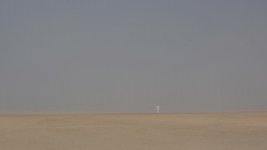
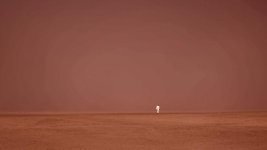
I posted in 720p so it is not as sharp as it is at 1080p without Vimeo's recompression. The source looks awesome. I did grade the footage and the banding is due to this (I graded in 10 bit), but the banding still showed up. Here is a shot of before and after (there was a really thick fog on this shot).

before.jpgafter.jpg

I wonder if grading this part in AE would have helped? I will give it a shot.
 
Absolutely beautiful! From beginning to end. I love the D5200. It shoots beautiful stills and video. Let's hope Nikon works out the few bugs in the future. The FPN needs to be fixed as well as the aperture control on LiveView. That and a faster and stronger codec is needed. We'll see if Nikon is working on those issues.
 
I wonder if grading this part in AE would have helped? I will give it a shot.

I'd give it a shot for fun. People often shout me down about this - "you're not adding anything to 8 bits by going 16 or float". That's true... but once you start shoving pixels around, you have an immensely wider space for the new colors you're creating. And once you've recolored everything, rendering back out to prores or an edit codec at least has a chance for the 8 bits to be at their best.

Again, people have argued with me about this, but as I said, it's given me remarkably better rendering for skies or big swaths of color. Doesn't always work perfectly but it's almost always an improvement.
 
Stu Maschwitz always says AE is the place to do your color work, even if it doesn't have those beautiful scopes that Premiere has. I thought the reason was that it has proper color space management built in, but maybe it can work with higher bit depth too; I thought this was a setting you can choose in Premiere too, somewhere (probably in the rendering options, use maximum bit depth, or max accuracy, or something like that; if you don't tick it, 32-bit filters are applied as 8-bit filters), but I might be wrong.
 
Last edited:
Back
Top