AF with Atomos Samurai test screen grabs

pulpwoody

Well-known member
Had some time on my hands, and thanks to Terry at Texas Media Systems for letting me test out this nifty little box.

On the Samurai, I captured in ProRes 422, and recorded the standard AVCHD onto the AF, then converted to ProRes 422 in FCP. All the clips are now ProRes 422. I wanted to see how it handled color banding in the gradients, shadow, and sharp detail. I got the screen grabs from FCP. I wouldn't say the color of the screen grabs are 100% accurate, but to me, this was a test of detail and smoothing if any. All the screen grabs are zoomed in 200% in the FCP Canvas window.

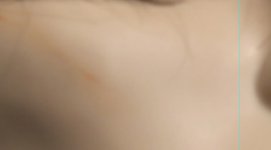
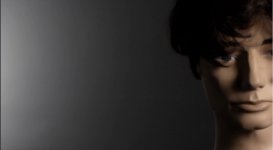
First is skin detail and light falloff. Pretty obvious.

AF
af skin.jpg

Atamos
atamos skin.jpg

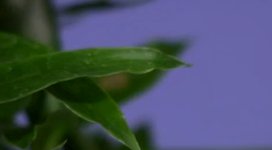
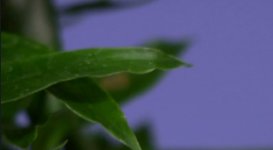
Next is a tight of plant leaves
AF
af plant.jpg
Atamos
atamos plant.jpg

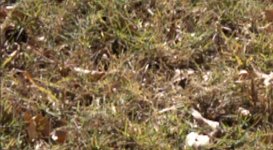
Next is grass outside the office. This one is strange, it seems like the footage from the Atamos is more aliased than the AF.
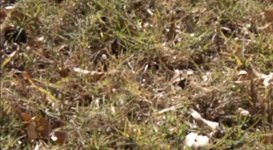
af grass.jpg
Atamos
atamos grass.jpg

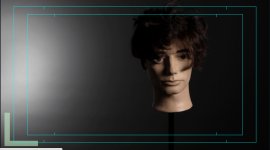
Next is a zoomed in gradient. it's a 250 lowel pro against a thunder grey paper background. I use this background set a lot.
AF
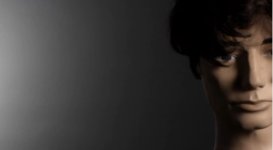
af gradient.jpg
Atamos
atamos gradient.jpg

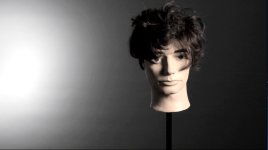
Here's the same shot at normal size.

AF
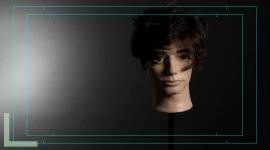
af gradient full.jpg
Atamos
atamos gradient full.jpg

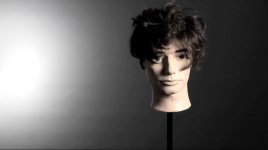
Here is the same shot, but heavily pushed with the CC 3 way. Mids and whites pushed. Either way, the 8 bit AVCHD doesn't hold up that well, but the Samurai helps.

AF
af color pushed.jpg
Atamos
atamos color pushed.jpg

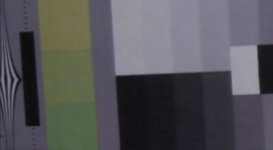
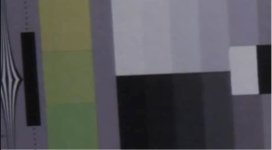
Last, zoomed in detail of color bars printed out. Not a great print out, but you get the idea.

AF
af color bars.jpg
Atamos
atamos color bars.jpg

So my take away is, I would definitely use a Samurai if I was doing any green screen work, and it helps in the gradients, but when I play the video, it's very hard to tell a difference in real time.
What's been your experience?
 
I'm interested in how these shots will look with the Samurai on the "new" AF100A... the additional two (semi-)bits are supposedly there to ease the banding...
 
Yes on the new Af100 there should be a huge different. Especially where banding is an issue. I used to have the Ninja but now have a samurai that I use on my Scarlet. Works great.

329400_10150429066706093_866729962_o.jpg
 
Woody your sample shows pretty much what we have learned since the AF-100 came out. Now lets see what the "A" can do!
 
The Scarlet windows HD right? Are you happy with the image in HD?


No it's not windowed but a scaled to HD feed. In fact you can turn the "Look around" feature on the scarlet and actually get the 5K sensor scaled to the Samurai. The image is very clean after the downsample.
 
Try turning coring to -7. Think your extreme color banding in the gradients are due to high coring. That was the first thing i turned of when tweaking my camera.
 
I did my own tests last year and it wasn't really worth going to HQ. BTW, here is a teaser for a film I'm working on that I used the Atomos on. Apologies to those who have seen it already!

https://vimeo.com/34068290

Don't apologize. It's probably the 10th time I've seen it and I will watch it again. It's just beautiful. Any release info? Folks, if you've ever been worried about shooting on the AF100 please just watch this
 
I did my own tests last year and it wasn't really worth going to HQ. BTW, here is a teaser for a film I'm working on that I used the Atomos on. Apologies to those who have seen it already!

https://vimeo.com/34068290
Hi there, Sparky here. Can I just say that I watched your clip on Vimeo just now for the first time and to put it simply, it looks amazing! It's up there with the best 101 footage I have seen, the colours are amazing, esp the shot of the gentleman looking out of the train window as it departs. This video should have shifted bucket loads of Af101's. Stunning work. I sold my AF101 for an F3 a while back, but would consider picking one up again after seeing this! Would love you to share the picture profile it was shot with sometime. Keep up the amazingly high standards you are achieving and happy Christmas. Sparky
 
Hi, I use the Hyperdeck v2 for prores 422hq capture, I followed a little advice on here and that was to drop coring to -2/-4 and allow a little noise into the image with the cine gamma. As you don't have the ugly compression artefacts to deal with and just noise, in post Neat Video can do a far better job of denoiseing the image. I get zero banding issues this way. Put a little 35mm grain back in and the footage looks really nice.

thanks for the test by the way, I nearly went with the Samurai but it would of ment not getting the Dp4 so went with the Hyperdeck and am very pleased I went with external recording!
 
Hi, I use the Hyperdeck v2 for prores 422hq capture, I followed a little advice on here and that was to drop coring to -2/-4 and allow a little noise into the image with the cine gamma. As you don't have the ugly compression artefacts to deal with and just noise, in post Neat Video can do a far better job of denoiseing the image. I get zero banding issues this way. Put a little 35mm grain back in and the footage looks really nice.

thanks for the test by the way, I nearly went with the Samurai but it would of ment not getting the Dp4 so went with the Hyperdeck and am very pleased I went with external recording!

Is that right? Honestly, I'm not much of a button/settings tweaker with this camera. i was a news camera man before this for a long time, and that meant I never touched the camera settings, so I'm still trying to wrap my head around what all these functions actually do. I'll give that a shot next week for sure, thanks.
 
Just my random thoughts on this test... FWIW ....and I did my own comparison tests when I got my Samurai some time ago.

My tests were done with Default Camera Settings to eliminate variables and discussion about the "variables". (Fixed Control as baseline)

Transcoding one of the codecs in this test adds a variable!

The samples above are screen grabs..not frame grabs. I suggest that frame grabs are closer to original than screen grabs so view with caution especially considering the "blow up" factor. eg. how is the scaling being done to the original footage?

I have never seen banding on my AF102 ....(apart from the time I was setting up a shot with a hot spot in the BG similar to the test with the mannequin . Banding went away when I got control of the exposures thru lighting control).

I have never recorded any banding issues would be another way of saying this ...but my point is...why shoot a test of a problem that does not need to exist and try and see if the problem is "improved" in the comparison?
 
Back
Top