a7s Picture Profile Compilation 2015

Here's my simple formula for this shoot:

Black Level -2
Gamma Cine3
Black Gamma: Middle
Level 0
Knee: Auto
Auto set> Max Point: 100%
Sensitivity: Mid
Manual Set>point 90%
Slope 0
Color Mode: Pro
Saturation +1
Color Phase 0
Color Depth 0,0,0,0,0,0
Detail -5

Canon FD 50mm f2.8:

Sabrina Canon FD.jpg

Leica R 35-70 F/4
Sabrina Leica.jpg
 
Do you guys also feel like the A7s makes everything a little too green? Shot a multicam sequence today with two Canons and the A7s. Same whitebalance (kelvin) but the canons just look far more pleasing and real colorwise. Is there a picture profile that gets rid of that greenish cast?

The A7S appears to have a Blue-Green bias. My Canon 7D Mark II (can't speak of all Canons) appear to have a Magenta bias. There needs to be a iEEE or ISO standard for image sensors so we can get everything to match out of the box!
 
The A7S appears to have a Blue-Green bias. My Canon 7D Mark II (can't speak of all Canons) appear to have a Magenta bias. There needs to be a iEEE or ISO standard for image sensors so we can get everything to match out of the box!

You should never ever just WB with Kelvin values (e.g. I have a 5500K light, let's set the camera like this)! My 5D3 needed 7500K to make my speedlights "white". The A7s is spot on on most common sources (daylight/sun, tungsten), but I'd always use the custom WB function if needed pure white straight OOC.
On the 7D2 you can't do it yet via ML I think, but you can still take a picture and use the custom WB that way.
 
Still investigating my results on A7rii versus A7s but short answer is I don't think you can expect the same formulas for Picture Profiles that work on the A7s to work on the A7rii based on what I've seen. Very different sensors.
 
Shot this on the RX10 II with Kholi's Cine2/Pro Picture Profile, works like a charm for quick turnarounds.


The only post work on this footage is a simple S-curve, no LUT's no additional grading or de-noising. Camera -> Premiere Pro > S-curve > export.

Setup:
Sony RX10 II - HFR 250fps
PP2: Modified to Kholi's Cine2/Pro Profile
WB: 6200-6500
ISO: 320
Lens: 100-135-200mm all wide open f/2.8
Bult-in ND OFF

 
A7sII compatibility on most of these? I think I saw tat the A7sII has slightly less yellow/green cast than the A7s, but it's still there. I am using the previously posted popular Cine2/Pro settings with good results for breaking news ENG work. The blacks on my timeline are exactly where they should be, just an IRE or two above 0. I just need a PERFECT detail setting so that I can make full use of 4x digital zoom, without blurring or edge sharpening it. Since everything I shoot is pumped out of FCPX as 720p60, it is necessary to lay on a sharpening filter else my news footage looks like standard def.

Also, my 4K footage in Cine 2 stops at 100% in my FCPX HD timelines. What would be the best KNEE settings for 100% output in low light (lots of random bright highlight patches!), that would not create any weird cartoon areas under spotlights and such? I am used to shooting 108% HD, bringing highlights down to 100% and then bringing mids up to where they were to deal with highlights, but don't have tome to grade in 4K, render times are insane.

Paul Anderegg
 
wow, this resource is excellent!

May I confirm that results will be similar if I apply these settings to my a6300?

Thanks!
 
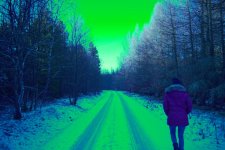
Everyone using the color setting "Pro"... But what about the blues turning green? Best Example is when you film on concerts or try to look at 2700 Kelvin at Day. Should be blue, but it's just green.
 
yea, I like pro, but last weeks i start seeing those greens everywhere :)
Example, Daylight at 2700 Kelvin: DSC02665.jpg
 
Last edited:
Back
Top