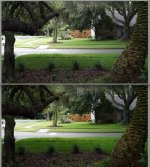
A7s highlight aliasing. Houston we have a problem

Super weird, I asked Roman the other day if he turned sharpening up on his footage because I noticed dark "outlines" around objects. He also had it down to -7.

The bigger issue is that, for me, it affects motion. That is always going to stop me from playing, as it's one of the major criteria (just for me, not saying anyone else.)

Hadn't noticed it in the highlights at all, but you can definitely see it all over once you've added saturation and contrast to an image.

Wonder what the solution for this is, and of course, what external recording does.
The effect would be generated in the camera, black ringing around extreme contrast areas (it happens with saturated colours too, in fact more obviously) so i don't think grading would change things that much.

Hopefully my A7s will appear next week, so i can side by side with the 700, 100 and whatever else i can find.

I suspect in day to day shooting it would be fine. I'm deep in post/vfx on a feature and i spend all day scrutinising footage - i don't see this as being a big deal compared to a lot of the problems i have to deal with, but it would be nice to avoid dealing with it in the first place.

cheers
Paul

Edit: I posted before I saw your post, remember that conversation we had about video like motion in SOny cameras?

=P I wonder if I just figured out why.

It definitely jumps out more to me when you've got saturation in skin.
 
Super weird, I asked Roman the other day if he turned sharpening up on his footage because I noticed dark "outlines" around objects. He also had it down to -7.

The bigger issue is that, for me, it affects motion. That is always going to stop me from playing, as it's one of the major criteria (just for me, not saying anyone else.)

Hadn't noticed it in the highlights at all, but you can definitely see it all over once you've added saturation and contrast to an image.

Wonder what the solution for this is, and of course, what external recording does.


Edit: I posted before I saw your post, remember that conversation we had about video like motion in SOny cameras?

=P I wonder if I just figured out why.

It definitely jumps out more to me when you've got saturation in skin.

I remember that conversation well, i don't think it was ever truly resolved! :)

I still maintain that a lot of the motion strobing and stirring is inherent in the way that IBP frame compression works, with a blip of a full frame followed by intermediate frames. Running RAW makes for a much richer image both in terms of tone and motion too.

As for scaling. AFAIK the 4K on the A7s is QuadHD, 3840 x 2160. The 1080p is a half downscale of this. So the video frame is slightly less than the stills full frame. It's not a function of non rounded scaling but the algorithm used.

The only way you'll see for sure is looking at the 4K output - i'm 99.9% sure it won't be present on a full sensor read out.

Can Sony do something about this? I don't see why not.

But i'd also try and get some sanity back into this in that it very rarely crops up in a way that ruins footage compared to so many other lens based aberrations and other compression issues.

My A7s is on a courier to me today, although i'm not at home so will probably miss it...

cheers
Paul
 
I remember that conversation well, i don't think it was ever truly resolved! :)

I still maintain that a lot of the motion strobing and stirring is inherent in the way that IBP frame compression works, with a blip of a full frame followed by intermediate frames. Running RAW makes for a much richer image both in terms of tone and motion too.

As for scaling. AFAIK the 4K on the A7s is QuadHD, 3840 x 2160. The 1080p is a half downscale of this. So the video frame is slightly less than the stills full frame. It's not a function of non rounded scaling but the algorithm used.

The only way you'll see for sure is looking at the 4K output - i'm 99.9% sure it won't be present on a full sensor read out.

Can Sony do something about this? I don't see why not.

But i'd also try and get some sanity back into this in that it very rarely crops up in a way that ruins footage compared to so many other lens based aberrations and other compression issues.

My A7s is on a courier to me today, although i'm not at home so will probably miss it...

cheers
Paul

Yes, as you speculate 4k has a 1.1x crop compared to stills.
 
As for scaling. AFAIK the 4K on the A7s is QuadHD, 3840 x 2160. The 1080p is a half downscale of this.

I would certainly hope this is the case (The 1080p being a half downscale of the quad hd) but is it? Sony used the term full sensor readout. Does that mean native readout? or does it mean the whole of the sensor is read out? or has it been used to mean both in different contexts?
It would be cool if someone with the camera could demonstrate the difference in FOV between stills and 1080p.

As an aside I was actually wondering whether to call it quad-hd but thought it might have sounded either unclear or pedantic to different people. Apart from the gh4 it seems that in almost all cameras, 4k means 3840 x 2160. I guess calling it 2160p wouldn't help. Maybe it makes sense to start using the horizontal for naming purposes. 1920res, 3840res, 4096res pronouncing it 19-20 38-40 and 40-96. Or maybe 1.92k, 3.84k and 4.096k.
 
Last edited:
I would certainly hope this is the case (The 1080p being a half downscale of the quad hd) but is it? Sony used the term full sensor readout. Does that mean native readout? or does it mean the whole of the sensor is read out? or has it been used to mean both in different contexts?
It would be cool if someone with the camera could demonstrate the difference in FOV between stills and 1080p.

As an aside I was actually wondering whether to call it quad-hd but thought it might have sounded either unclear or pedantic to different people. Apart from the gh4 it seems that in almost all cameras, 4k means 3840 x 2160. I guess calling it 2160p wouldn't help. Maybe it makes sense to start using the horizontal for naming purposes. 1920res, 3840res, 4096res pronouncing it 19-20 38-40 and 40-96. Or maybe 1.92k, 3.84k and 4.096k.

As far as i'm concerned, 2K 2048 across, 4K 4096 across and QuadHD is 3840. Funny how we are naming sizes horizontally when HD used to be vertical... And there there's the 2K full aperture and the sizes in vfx/telecine.

cheers
Paul
 
I'm also confused.

We know it takes stills with no crop (duh), and we know 4K is a 1.1x crop, but I thought 1080p video was a 1.1x crop too, and now some people with an actual camera say it's no-crop.
 
I'm also confused.

We know it takes stills with no crop (duh), and we know 4K is a 1.1x crop, but I thought 1080p video was a 1.1x crop too, and now some people with an actual camera say it's no-crop.

Maybe people are confusing APC-C Crop with 1080p?

I'm pretty sure 1080p is 1.1, Sony made a big deal about no binning and a full sensor read out

cheers
Paul
 
What's highlight aliasing?
Never heard it before.
Can't see any issues with this clip.
I think some here are getting too full of themselves....
IMHO ;)
 
No crop in FF video

No crop in FF video

FOV is the same in stills and video, no crop at all. Video frame on top, 4240px wide still on bottom. Edit: for some reason its not letting me post the large image.
 

Attachments

  • Screen shot 2014-07-07 at 12.55.04 PM.jpg
    Screen shot 2014-07-07 at 12.55.04 PM.jpg
    107.8 KB · Views: 0
Last edited:
It's settled: 1080p is "no crop", exactly the same FoV as a still (here). So it's not an easy downsample, and those rounding errors may be the cause of the artifacts.

An external 4K recorder is becoming more and more important as we learn about this camera. Reasons I recall so far: too difficult to see anything in slog without a LUT, highlight artifacts, and actual 4K.
 
It's settled: 1080p is "no crop", exactly the same FoV as a still (here). So it's not an easy downsample, and those rounding errors may be the cause of the artifacts.

Yes, same result on mine... 4240px wide stills and 1920px wide video have exactly the same FOV. Weird...

So first I guess we need someone who can record 4K to do a HD / UDH FOV comparison (what a lot of acronyms!)...

And second, to see if any of the UDH footage floating already around shows any aliasing... I just took a look at the Philip Bloom footage, but the only specular highlight I could find was the catch-light in his eye. It didn't show any obvious sign of edge aliasing, but it was a bit difficult to tell. Everything else was well within the cameras exposure range.
 
Anybody tried to influence this highlight aliasing by setting PPs Detail - Adjust - Mode to Manual?

Due to my understanding only than the values under PPs Detail - Adjust (Limit, Crispning, Hi-Light Detail) are under control of the user.

Thank you for comments!
 
Back
Top