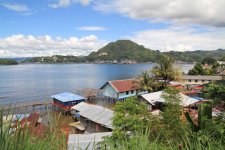
A bit of a breakthrough for me.

Snapper123

Well-known member
So I was doing some testing outdoors during sunset/shadow conditions, and I came up with the following settings that more or less gave me exactly what my eyes saw, hardly no more or less.

Picture Style:
-Cinestyle (contrast, saturation) : (-4, +4) OR a slight variation of that like -3, +4, -4, +3, ect ect.

(This was to get the most realistic image possible in terms of contrast, but to preserve my saturation, which at +3 on Cinestyle, simply gave an ever so realistic slight red tinge to skin tone cheeks - it looked very nice and controlled.)

-White Balance : Cloudy, B1, G2

(This seemed to preserve the exact coloring of the time of day - a slight blue-ish tinge in the dark trees, extremely realistic green grass, and perfectly natural colors - no "filter" look. Looked highly realistic.)

-Camera settings: 60, 8.0, 200-400

(The idea is, with Cinestyle, you can stop down your image one or two whole stops, which makes it more realistic and preserves your whites. My camera was reading 800 for the general exposure at this time of day, but it did not look right, so it needed stopping down.)

Now, this is for sundown time where your wether is a bit more blue or cool than extreme orange, mostly when the sun has already went down behind the trees (today wasn't an "orange" sundown really) but these settings gave me an image that was almost pinpoint to what my eyes saw in real life - nothing flashy or pretty, but just real.

And personally, I believe this is the first step in trying to understand what these cameras do and how it effects things in post, so I'll be trying to gather settings together to figure out what is most realistic during the day, during night, and under a few indoor conditions. I just wish there were more User Slots!
 
Last edited:
mmm... interesting...

whenever I use cinestyle, it's usually because I need the DR, so applying the LUT (or similar curve) to get nice colors back is not an option; I'll have to try this "increased saturation" setting (hadn't even thought about it, don't know why: technicolor said do this, and I didn't doubt them; given I don't intendo to use cinestyle as they had in mind, maybe I should)
 
Picture Style:
-Cinestyle (contrast, saturation) : (-4, +4)

That may be a good variation. I shot a quick test and it looks promising.
I just came back from a long traveling shoot and decided that Cinestyle in general may not be the way to go. The footage is being edited and color corrected by another post production house and I thought they may have trouble. I went back to neutral 0,-4,-2, 0 which has good DR but already in the ballpark. Some of the shots were landscapes so I went as far as Landscape -2,-4,-2, 0 which pumped up the greens and blues but preserved some of the DR. I shot about 150 GB of footage and Cinestyle may cost the the editor too much extra time for CC.
The footage is also going directly into a stock footage library so looking good right out of the camera may be the difference between sale and no sale.
 
That may be a good variation. I shot a quick test and it looks promising.
I just came back from a long traveling shoot and decided that Cinestyle in general may not be the way to go. The footage is being edited and color corrected by another post production house and I thought they may have trouble. I went back to neutral 0,-4,-2, 0 which has good DR but already in the ballpark. Some of the shots were landscapes so I went as far as Landscape -2,-4,-2, 0 which pumped up the greens and blues but preserved some of the DR. I shot about 150 GB of footage and Cinestyle may cost the the editor too much extra time for CC.
The footage is also going directly into a stock footage library so looking good right out of the camera may be the difference between sale and no sale.

Speaking as one who's done their time colour grading, you may have given the colourist extra work, despite your obvious good intentions. If you'd shot with a consistent colour profile then this makes grading significantly faster as one isn't balancing different camera 'looks'.
 
It makes sense that saturating the colors in camera will be a better choice if you are not trying to grade to a different look or tone in color.

I have tried changing the settings with the latest Marvels Cine preset to my liking in the same way, figuring to get the look as close to how I want it to avoid having to grade at all, but I had not thought about doing that with Cinestyle.

Thanks to Snapper123 for the post, I am looking forward to giving it a try :)
 
I agree, but the shoot was in two completely different regions of Kalimantan and Irian Jaya. We shot from sunrise in the mountains to high noon on a river boat so their was some benefit to adjusting the picture style.
My goal was to get as close to the grade out of the camera as possible in this case. We shot with a 60D and a 7D both set at neutral 0,-4,-2, 0. After a week we shot 8,557 files between mov. and full rez photos. I doubt there will be much if any time for grading to finish editing in the few days they have left.
 
Wow I gotta say I like the results -Cinestyle (contrast, saturation) : (-3, +4) very much

I did a lot of shooting today and the shots turned out great.

Like Snapper123 stated, it seems to be very close to what the eye actually sees in the real world. The raised black level is just slightly compensated for when the contrast is added back in just slightly and the rest is color saturation and truly makes the luiminance scale look like real world values not typically seen in digital video on a prosumer level.

I am thinking I will be shootiing quite a bit with these settings.

I am looking forward to results from more experiments. :)
 
^ look me up when u r in nyc

Shot of a village kid, North coast of Irian Jaya.
Neutral 0,-4,-2, 0
+contrast +saturation

Shot of 3 kids Central Kalimantan
Landscape 0,-4,-2, 0 (forgot to change back to neutral)
No correction

Plan for NYC Aug.
 

Attachments

  • IRIAN-JAYA_7965.jpg
    IRIAN-JAYA_7965.jpg
    49.1 KB · Views: 0
  • KALIMANTAN_6345.jpg
    KALIMANTAN_6345.jpg
    52.1 KB · Views: 0
Last edited:
Jayapura, Irian Jaya, Indonesia

Landscape -2,-4,-2, 0
CC +10% Contrast +10% saturation

Cinestyle is probably the best choice for post production in almost every situation, however if someone else is responsible for grading once the files leave your control, it may be better to get it right on out of the camera.
In shooting stock footage I've learned one thing, a client really only wants one choice, perfect.
 

Attachments

  • JAYAPURA--2,-4,-2,-0.jpg
    JAYAPURA--2,-4,-2,-0.jpg
    117.3 KB · Views: 0
Last edited:
I'm going to try playing with this later today. Just so we're clear: Are you setting this in camera and applying the LUT in post, or is this actually giving you the results you want in camera?
 
As for me, I got the results in camera, without any CC or LUT applied in post.

It helps to slightly underexpose, as the raised black level can seem a little light in comparison to other presets. However that is where the beauty lies, in taking out the harsh luminance curve going straight to pitch black and replacing it with color saturation.
 
After doing some quick preliminary testing in my house, the saturation increase makes it much easier to grade my footage. All I had to do was create a simple S luma curve to bring down the blacks and raise the highlights a little. The main problem I had was more noise in brighter colors compared to the regular cinestyle recommended preset. This was using all natural light and a 640 ISO, but my point being there was more noise than in cinestyle regular settings and the neutral preset.

Jambredz video outdoors didn't seem to have any noise in the brighter colors when I viewed it at 1080p on youtube. I will have to do some further testing and I will try and post my footage up to show comparisons.
 
Well tdragisics, I was shooting at iso160 in full on sunlight so noise should be less than in ur case. I haven't explored it indoors as yet or tried grading the footage. That was the raw file clip with no CC. I'll try some grading and see how it goes
 
Yea of course your's had less noise because of the lower ISO. I was comparing the noise to my other two shots at the same ISO. Maybe I wasn't clear enough. The +4 Saturation setting had more noise in the image compared to the standard cinestyle settings and Neutral preset at the same ISO and settings. The Neutral preset having the least amount of noise out of all of them. As I tried to color the +4 Saturation shot the noise became worse very quickly.

I will also try the test outdoors to see if the results are similar.
 
ok, this technicolor thing is becoming useful again...

I think I'll use it:
* with added saturation: in controlled situations where a lot of DR is needed in the final image
* without added sturation: in uncontrolled situations, for run-and-gun stuff, where headroom is more important (at least for me, trying to get the final look in-camera will often lead to non-reversible mistakes)
 
Back
Top