5D Mark III firmware with clean HDMI is ready right now.

A user on the forum I moderate for (Planet5D) is stating that definitely the image he is getting out of the camera internally is now slightly sharper with the new firmware.
Anyone else notice this?

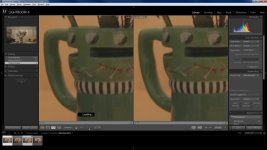
Well, here's quick comparison. See what you think.
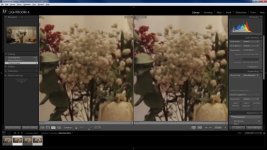
comparison2.jpgcomparison1.jpg
 
Need larger pics. Also in the 2nd example the image wasn't finished loading on the left.
All I know is why my eyes tell me, and it's for sure sharper now.
Others are finding the same thing; see Philip Bloom's comment here:

https://vimeo.com/64902903
 
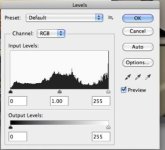
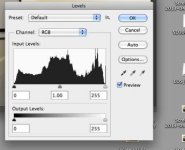
I'm seeing brighter, but also more info and better highlight roll-off in Sparky33's other pictures:


ALL-I_VS_PRORES.jpg


(All-I levels - below left) (Prores HQ levels - below right)

Sparky33's ALL-I (in camera).jpgSparky33's Prores HQ (HDMI).jpg
 
Last edited:
Need larger pics. Also in the 2nd example the image wasn't finished loading on the left.
All I know is why my eyes tell me, and it's for sure sharper now.
Others are finding the same thing; see Philip Bloom's comment here:

https://vimeo.com/64902903

Hmm, I am not sure what happened to my original 1920x1080 images I posted. And that "loading" thing is a glitch in LR. It was definitely loaded when I took a screen grab. Anyway, what I saw was a tiny bit sharper image (when I say tiny, I mean ant-waist like tiny).
 
Here is my after and before.
IPB - f5.6
Lighting changed while updating the new firmware :(
Cant see any improved sharpness.

1.2.1
NewFirmware_303028.jpg
1.1.2
oldFirmware_303028.jpg
 
Last edited:
Murat,
Can you do the test again with a constant situation (perhaps outside) so that we can see the highlight roll-off and compare the levels?

Also, could someone do this same test (for highlight roll-off) just using Cinestyle?
 
Last edited:
I just tried to downgrade back to the old firmware, won't work. :Drogar-Mad(DBG):

EDIT: Finally got it to work. I downloaded 1.1.3 from another Canon server and reformatted the card.
 
Last edited:
So since there is no audio out of the hdmi, and I know there is a line in on the Ninja 2, can people use a juiced link straight in to the ninja 2? Get better audio? Is there a way to monitor audio on the ninja 2 with a juiced link going straight in to it?
 
Yoclay,
Did the test without thinking much. Should have done it with both standart & cinestye.
I got a important shooting tomorrow so cant risk to downgrade and upgrade again :( ( is it possible to downgrade? )
 
Doesn't look like you can downgrade anyhow. However, what I am interested in is how in-camera compares to ext. recorder for highlight roll-off.
 
Here is my after and before.
IPB - f5.6
Lighting changed while updating the new firmware :(
Cant see any improved sharpness.

Wow, considering how much hype this firmware update got in the past year, it is amazing how much Canon dropped the ball.
 
Wow, considering how much hype this firmware update got in the past year, it is amazing how much Canon dropped the ball.

I don't know, the levels/roll-off look a heck of a lot better in Sparky33's comparison test of the same scene.
 
I'm trying to capture uncomp. with Kona Lhi but can't get a capture signal other than 1080 25i ?
Here is the samples:
8bit uncompressed 1080-25i (has some green tint to it :( )
ExternalCinestyle_305031.jpg

internal 1080-25p ALL-I
internalCinestyle_305031.jpg
 
Thanks Murat for doing that.
Doesn't appear much visible difference at all in the histograms between these two images, so bummer!
 
I don't know, the levels/roll-off look a heck of a lot better in Sparky33's comparison test of the same scene.

I guess. But you have to admit that this firmware update has been a major let down. No audio, greenish cast, very small sharpness increase, not to mention how much a good external recorder costs. The IQ is not even noticeably different in most tests.
 
Back
Top