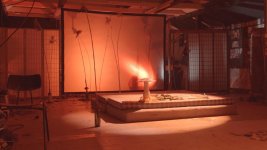
4K2HD: Yellow Cast in blown highlights

There is no point in AWB to a card as AWB will change the WB automatically as you move around or light changes even when you don't want it.
That I'm aware of, the FS700 does not have some kind of "continuous auto white balance" setting where it changes as you're shooting and moving to different light settings. What I mean is white balancing to a gray card (or less properly, to a scene) and then shooting.

And the yellow goes away after white balance is set, right? If so, then where is the issue? The yellow is popping up while you're doing a setup button pressed onto a grey card that won't even be used in an edit.

...but in your original post you don't really get specific about if it goes away... but is it really that scary? It looks like it is happening while you're 1. not rolling, or 2. recording but changing a setting and would therefore be scrapping that 3 seconds of footage anyway (I know I personally don't use sections where I adjust aperture, shutter, etc.)

They should definitely fix it, but if it goes away immediately after the WB is set, it's not going to make me lose any sleep.
At no point did I say the yellow cast goes away. The yellow cast is present at certain white balance settings, thus the reason people are saying it "is scary".
 
That I'm aware of, the FS700 does not have some kind of "continuous auto white balance" setting where it changes as you're shooting and moving to different light settings. What I mean is white balancing to a gray card (or less properly, to a scene) and then shooting.


At no point did I say the yellow cast goes away. The yellow cast is present at certain white balance settings, thus the reason people are saying it "is scary".
Ahhh, gotcha. In the original video, I saw it flipping back and forth, and I thought it was you hitting the white balance button, not toggling back and forth. That's why I pointed at that you weren't specific about it. I just think it's good practice when bringing up an issue to talk about whether it's intermittent, persistent, etc. I thought it was popping up for certain color temps *while white balancing* and that's it.

That is a bit worrisome, I'm surprised this hasn't come up before.
 
Ahhh, gotcha. In the original video, I saw it flipping back and forth, and I thought it was you hitting the white balance button, not toggling back and forth. That's why I pointed at that you weren't specific about it. I just think it's good practice when bringing up an issue to talk about whether it's intermittent, persistent, etc. I thought it was popping up for certain color temps *while white balancing* and that's it.

That is a bit worrisome, I'm surprised this hasn't come up before.
This is where I feel I'm misunderstanding.

I don't see a difference between:

1) Hitting the AWB button once when pointing the cam down at the door, and then hitting the AWB button when pointing up at the light
2) Already having those WB (from step 1) saved and toggling between them

Is there a difference?

Because what I was doing was #1. And the yellow appears in the highlights when I would hit the AWB (or custom WB, whatever it technically is called) while pointing the camera up at the light.
 
Can you please reach out to our Support Desk on this matter? I think our engineers would like to discuss the matter so that we can replicate it and then address it.
 
This happened to me last night at an event. Never saw this before with previous firmware versions. Was shooting it 4ktoHD at REC709. Changed my O7q to 4kUHD and 4kRAW and it was still visible-though not as much at SLOG2. My white balance was really low-around 2400k-which I think is the culprit. When I changed the WB later on in the evening the yellow clipping was gone. And checked the AVCHD files my fs700 recorded and they appear normal.

Already created a support ticket.

Screen shot 2014-11-16 at 8.08.16 PM.jpg
This was recorded at SLOG2-at REC709 the entire white parts of the tent would've been yellow, really wish I recorded a second or two of that.
 
As a temporary fix, try using the Video Limiter effect in Premiere. Set it to chroma and the Chroma Max to 100. That was a short term fix for the magenta clipped highlights on the RAW DNG files... might work for this too.
 
Hi,

I think I'm having a similar issue. There's a green pixelated area in one of the shots I took last week. I was also using an unusual WB setting. The green is not in the internal AVCHD recording. Was shooting FS700 4K2HD 50fps.

RAUNI000720.00_04_07_05.Still001.jpg
 
As noted before, please reach out to our support team at cdsupport@convergent-design.com. I have alerted them to this hread and they want to determine what is going on so that it can be addressed, but it must be done through proper channels. Post here all you want, but please reachout to them directly.
 
Back
Top